

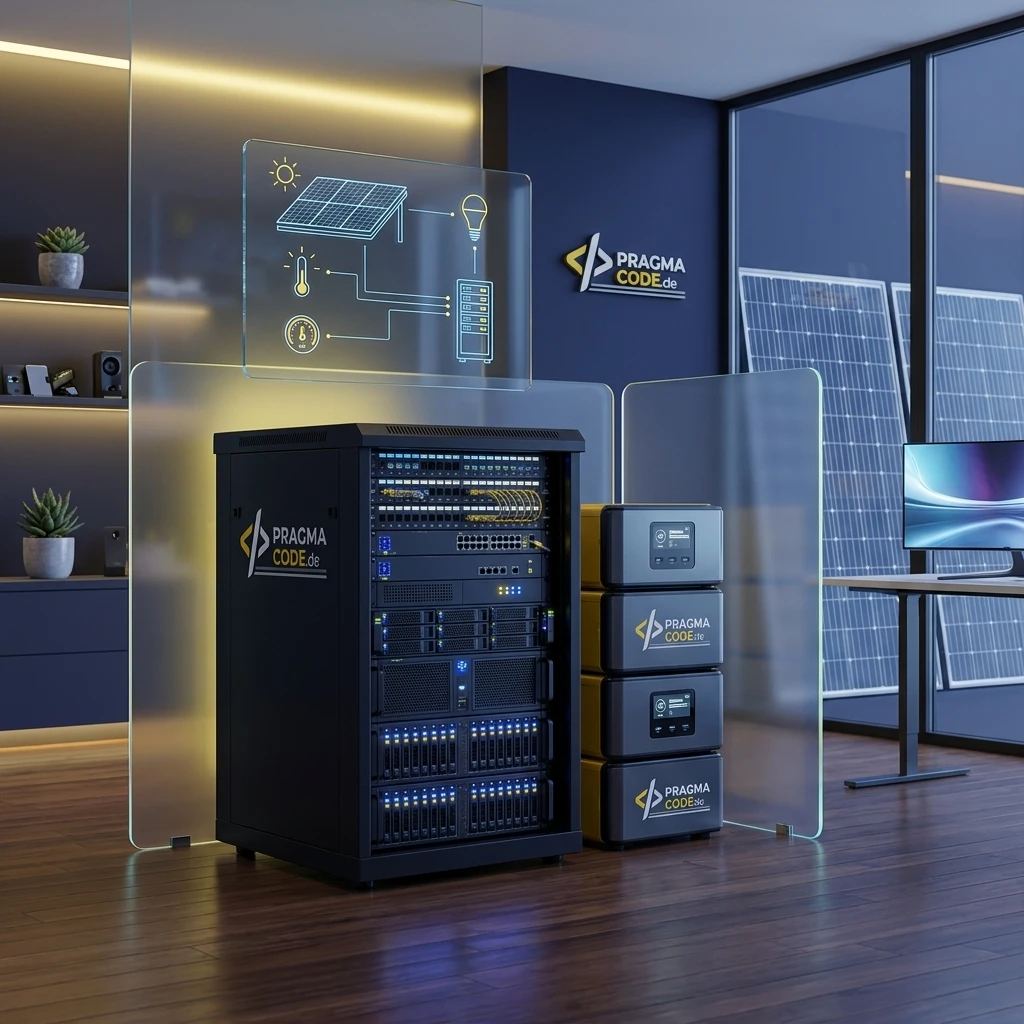
In an era of exponentially rising cloud dependencies and recurring API bills, running a private mini-datacenter has become the ultimate pathway to digital sovereignty. Discover how to host modern open-weight LLMs like Llama 4, Qwen Coder, and Mistral on energy-efficient hardware, orchestrate your smart home completely offline, and power the entire infrastructure resilience-first and carbon-neutral using solar power and battery storage.
This article is an in-depth expert contribution from our content cluster. Discover the complete overview on our main page: AI & Automation →
The Evolution of Home Infrastructure
Why in 2026 the reliance on centralized cloud models like OpenAI or Anthropic for private and semi-professional use is increasingly replaced by highly efficient, local mini-datacenters. A deep dive into hardware, software, and green energy autarky.
- Introduction: The Digital Fortress in Your Own House
- Chapter 1: The ROI of the Home Server – Eliminating Token Fees
- Chapter 2: The Hardware Foundation – From Mini PCs to Blackwell Superchips
- Chapter 3: Solar Energy, Battery Boxes & Dynamic Power Tariffs
- Chapter 4: Use Cases – Local LLMs as the Brain of Your Smart Home
- Chapter 5: Step-by-Step Installation with Ollama & OpenClaw
- Conclusion: Sovereignty Through Local Tech
Introduction: The Digital Fortress in Your Own House
The rapid evolution of Artificial Intelligence over the past few years has fundamentally transformed our relationship with software. Where just a short while ago smart home systems executed rigid if-this-then-that rules, we now interact with learning language models that can understand complex context and execute tasks autonomously. However, this revolution has a major catch: it takes place almost entirely in the cloud. Every question sent to a smart assistant, every voice control action in your living room, and every analysis of private documents is routed over the internet to the servers of global tech giants, mostly in the United States.
For many privacy-conscious users, especially in the DACH region (Germany, Austria, Switzerland), this is an unacceptable compromise. The desire for digital sovereignty, absolute privacy, and resilience against internet outages is driving a new trend: the mini-datacenter for home use. By combining powerful, energy-efficient hardware, sophisticated open-source Large Language Models (LLMs), and modern energy storage systems, it has become highly viable for tech enthusiasts and home-office professionals to operate a completely self-contained AI infrastructure in their own homes.
In this comprehensive guide, we will walk you through planning your home datacenter, selecting the right hardware and software, eliminating expensive cloud token fees, and powering your entire setup using solar energy and battery boxes for carbon-neutral, blackout-proof operations.
Chapter 1: The ROI of the Home Server – Eliminating Token Fees
Anyone using AI models intensively or professionally knows how quickly API costs (such as OpenAI's GPT-5 or Anthropic's Claude 4) add up. Every interaction is billed based on the number of processed and generated text units, known as tokens.
- Zero Token Fees: Local language models cost exactly 0 euros per query. After the initial hardware purchase, you only pay for the electricity consumed—which, in the best case, you generate yourself.
- Unlimited Data Processing: You can analyze gigabytes of private documents, emails, and smart home sensor logs without worrying about astronomical API bills.
- Ultimate Latency & Offline Capability: Local models respond instantly within your gigabit home network and continue working even if your internet connection goes down or cloud servers are overloaded.
This is particularly true for Retrieval-Augmented Generation (RAG) systems. Here, the AI reads hundreds of lines of private documents (such as PDFs, tax records, or smart home logs) before each answer to gather context. In the cloud, this context feeding costs real money with every single prompt. Running it in your own home datacenter, however, makes this data throughput entirely free. You can let your AI work 24/7—writing code, summarizing emails, or managing your home—without ever needing to input a credit card.
The Paradigm Shift: Local Inference with Million-Token Context Windows
With the release of modern model families in 2026 (such as Llama 4 and Gemma 4), a massive paradigm shift has occurred: Native support for million-token context windows is now standard. Instead of painstakingly chunking documents and indexing them in vector databases, you can load entire PDF folders, codebases, or months of smart home logs directly into your local model's RAM. Operating locally, parsing millions of input tokens costs exactly zero dollars—whereas cloud providers would charge significant per-query fees for the same operation.
Comparison: Cloud AI APIs vs. Home Mini-Datacenter
- Cost Factor: Ongoing, usage-based token fees (billed per 1,000 tokens)
- Privacy: Private data, chat logs, and smart home states leave your house
- Availability: Continuous internet connection required; risk of server downtime
- Model Updates: Provider decides when models are upgraded, modified, or deprecated
- Cost Factor: One-time hardware purchase, followed by free operation
- Privacy: 100% digital sovereignty – all data remains inside your local network
- Availability: Fully functional offline within your local LAN/WLAN
- Model Updates: You decide which open-source models (Llama, Mistral, Qwen) to run
Chapter 2: The Hardware Foundation – From Mini PCs to Blackwell Superchips
The most critical decision when building a home datacenter is hardware selection. Since local LLMs are highly compute-intensive, the hardware architecture determines how large a model you can run and how fast it generates words (measured in tokens per second).
The Real Bottleneck: Memory Bandwidth Over Pure Compute Power
In 2026, a fundamental reality has set in for the local AI community: the primary constraint on local LLM inference speed is not raw computation (TFLOPS), but memory bandwidth. Because inference is auto-regressive (requiring the entire model weights to pass through memory for every single generated token), the throughput of your RAM (such as LPDDR5X on Apple M-series, GDDR7 on NVIDIA RTX 50-series, or NVLink-C2C on enterprise-grade superchips) directly determines your speed.
For home environments, three main hardware classes have established themselves, varying widely in cost, performance, and power consumption:
Option A: Energy-Efficient Mini PCs (AMD Ryzen AI 300 / Intel Lunar Lake)
Compact mini PCs with integrated NPUs (e.g., Minisforum with AMD Ryzen AI Strix Point or Intel Core Ultra) are the masters of efficiency. They draw under 10 watts at idle and 28–54 watts under full load. Enabled by fast LPDDR5X memory, they run smaller, highly optimized models like Llama 4 "Scout" (8B) or Gemma 4 at solid speeds (18–25 tokens/sec)—ideal for 24/7 operations and smart home orchestration.
Option B: Apple Silicon (Mac Studio M4 Max / M3 & M4 Ultra)
Apple's Unified Memory Architecture provides massive memory bandwidth (up to 800+ GB/s). A Mac Studio configured with M4 Max or M3/M4 Ultra and up to 512 GB Unified Memory can load giant models with over 100 billion parameters (like large Llama 4 MoE variants) completely into RAM. On Windows systems, this would require multiple enterprise GPUs. Power draw under load remains remarkably low at 25–100 watts.
Option C: Nvidia Blackwell RTX 50-Series & Spark Superchip
The ultimate gold standard for performance. Cards from the NVIDIA RTX 50-series (Blackwell architecture, e.g., RTX 5090 / 5080) leverage high-speed GDDR7 memory (> 1.7 TB/s) to generate words at well over 60 tokens/sec. For prosumer setups, the unified memory of the RTX Spark Superchip Platform (Grace+Blackwell) removes traditional PCIe bandwidth bottlenecks via NVLink-C2C.
Pro Tip: RTX 50-Series vs. Used RTX 3090/4090 Budget Comparison
While the RTX 5090 (28 GB VRAM) represents the peak of modern speed, used RTX 3090 or RTX 4090 cards (with 24 GB VRAM each) remain excellent budget choices. They offer enough VRAM to execute quantized 70B models, though their older memory standards run slower than the new Blackwell cards.
Chapter 3: Solar Energy, Battery Boxes & Dynamic Power Tariffs
A home datacenter running 24/7 requires steady power. With an average draw of 50 watts (covering a mini PC, smart home hub, network switch, and router), the daily energy demand is around 1.2 kWh, translating to roughly 438 kWh per year. Given electricity rates in the DACH region, this equals annual costs of 130 to 180 euros.
To reduce these operating costs to zero and make your infrastructure resilient to grid blackouts, you can couple the setup with a balcony solar system (Balkonkraftwerk) or a rooftop PV installation combined with a modern battery box (powerstation).
Solar Power Generation & Balcony PV
A standard 800W balcony solar system produces up to 4 kWh of electricity on a sunny day. This easily covers the daily needs of your mini-datacenter multiple times over, feeding the excess into your home grid.
800 WattsMaximum legal grid feed-in limit for balcony solar in Germany.
Battery Box as UPS
Powerstations from brands like EcoFlow, Anker Solix, or Bluetti serve as smart energy buffers. They charge up on solar excess during the day and run your servers completely off-grid throughout the night.
2 kWhRecommended minimum battery capacity for 24-hour buffer time.
Uninterruptible Power Supply (UPS) Principles
A critical aspect of running home servers is resilience against power failures. A sudden blackout can corrupt databases or make your home automation unreachable. High-quality battery boxes offer an integrated EPS or UPS function (transfer time < 20ms). Your server is plugged into the powerstation, which is connected to the wall. If the grid drops, the battery takes over so fast that the server continues running without rebooting or dropping connections.
The solar array produces electricity. The mini-datacenter is powered directly, while the battery box is charged to 100% using solar excess.
The sun sets. The battery box automatically takes over powering the server. At a 50W load, the server consumes 0.75 kWh over 15 hours, leaving a 2 kWh battery box at more than 60% capacity by morning.
During a total grid failure, the battery box disconnects from the grid, and your datacenter runs as a closed off-grid loop. Foldable solar panels can be hooked up to recharge the batteries during multi-day blackouts.
Dynamic Electricity Tariffs: Batch Inference During Negative Pricing
Combining a mini-datacenter with dynamic electricity tariffs (such as Tibber or Awattar) further optimizes operational ROI. Home Assistant automations can schedule compute-heavy batch tasks—such as overnight OCR processing of thousands of documents via local vision LLMs, embedding refreshes, or model fine-tuning—precisely during hours when spot electricity prices drop to zero or negative values.
Chapter 4: Use Cases – Local LLMs as the Brain of Your Smart Home
Once your physical home datacenter is up and running, you can set up powerful integrations that go far beyond chatting in a browser. Here are the most compelling use cases:
The Rise of Local Agentic Frameworks (OpenClaw & OpenJarvis)
In 2026, the focus has shifted from simple chat interfaces to autonomous, local agents. Frameworks like OpenClaw and OpenJarvis run locally on your server and employ advanced tool-calling. Rather than merely responding to prompts, the model autonomously invokes scripts, reads sensor logs, and commands devices—securely isolated inside your home network.
Autonomous Smart Home Agent
By connecting OpenClaw to Home Assistant, your local model (such as Llama 4 Scout) can coordinate multi-step flows. Telling the AI: "I'm leaving in 30 minutes, prepare the house" prompts it to close open garage doors, verify route latencies, and schedule EV charging using solar excess.
Local Voice Control (Offline Voice)
Using the Wyoming stack (Whisper for Speech-to-Text, Piper for Text-to-Speech, and OpenWakeWord), you can deploy local satellite microphones. Spoken commands are decoded on your server and sent to your local Llama 4 instance. Audio data never leaves your LAN.
Smart Document Archiving (Paperless-ngx & Vision)
A local RAG pipeline handles your document management. Scan bills or letters, and a local multimodal model (such as Mistral Small 4 or Pixtral) automatically extracts dates, amounts, and tax codes, filing them without third-party APIs.
Private Coding Copilot & Tool-Calling
Connect VS Code (via Continue.dev) to your local Ollama server running models like Qwen 2.5/3.x Coder or DeepSeek Coder. All auto-completions and code reviews execute locally, ensuring proprietary source code and client files remain inside your network.
Real-World Smart Home Scenario
The true power of local AI in home automation lies in connecting all home sensors privately. Imagine a home that monitors your electric vehicle's charge level, the current PV output, and local weather forecasts. A local LLM can synthesize these data points and make smart choices that would be extremely tedious to program with standard logic rules.
"The local LLM, coupled with agentic orchestration, does not act as a simple switch, but as a proactive butler. It understands occupant patterns, correlates them with solar yields, and schedules major appliances accordingly—fully privately and with zero cloud latency."
Chapter 5: Step-by-Step Installation with Ollama & OpenClaw
Setting up your home server has become very straightforward thanks to Docker and open-source tools. Here is a simple guide to installing Ollama (v0.30.x) with GPU acceleration, downloading a Llama 4 model, and configuring the OpenClaw agentic framework.
Deploy Ollama on your home server. For systems with NVIDIA GPU acceleration, use the following docker-compose config:
version: '3.8'
services:
  ollama:
    image: ollama/ollama:0.30.x
    container_name: ollama
    ports:
      - "11434:11434"
    volumes:
      - ./ollama_data:/root/.ollama
    deploy:
      resources:
        reservations:
          devices:
            - driver: nvidia
              count: all
              capabilities: [gpu]
restart: unless-stoppedRun a command inside the container to pull a model (e.g., Llama 4 Scout with 8 billion parameters for fast inference):
docker exec -it ollama ollama run llama4:scoutInstall the native Ollama integration in Home Assistant. Enter your home server's IP address and port 11434. Select the downloaded llama4:scout model. The LLM is now available as a native assistant in Home Assistant.
To support autonomous multi-step tasks, deploy the OpenClaw agent. This container hooks directly into Ollama's tool-calling API and connects it to Home Assistant:
version: '3.8'
services:
  openclaw:
    image: openclaw/agent:latest
    container_name: openclaw_agent
    environment:
      - OLLAMA_HOST=http://ollama:11434
      - DEFAULT_MODEL=llama4:scout
      - ENABLE_HOME_ASSISTANT_TOOLS=true
      - HOME_ASSISTANT_URL=http://homeassistant.local:8123
    volumes:
      - ./claw_config:/app/config
    depends_on:
      - ollama
    restart: unless-stopped
Quick-Check: Your Roadmap to an Autarkic Mini-Datacenter
Conclusion: Sovereignty Through Local Tech
Building your own mini-datacenter at home is more than a fun weekend project. It is a vital step toward a future where we can enjoy the immense productivity of AI without giving up our privacy. Thanks to falling storage prices, the energy efficiency of modern mini PCs, and the rapid quality gains of open-source models like Llama 4, Mistral Small 4, Gemma 4, or Qwen 2.5/3.x Coder, running local models is both economically and ecologically sensible.
When combined with solar panels, modern battery storage buffers, and local agentic frameworks like OpenClaw, your home server becomes an intelligent, self-sufficient, blackout-proof component of your home. You eliminate token fees, protect your personal information, and secure full control over your digital life.
Are you planning to build a home server for AI?
Book a Free Strategy ConsultationOur Regional Expertise
We are your digital partner – regionally anchored and successfully scaling across borders.
Have a vision?
Let's check together how we can make your idea take flight.
Book your free strategy call nowExtended Specialized Glossary
Mini-Datacenter
A compact server setup optimized for operation in private homes or small offices. It typically consists of energy-efficient mini PCs, NAS storage, and optional GPU accelerators for local data processing.
Local LLM
A large language model that runs entirely on your own local hardware (such as Llama 4 Maverick or Scout). Unlike cloud-based alternatives, it does not require an active internet connection and guarantees absolute data privacy.
Token Costs
Usage fees charged by commercial AI providers based on the number of processed text units (tokens). With local LLMs running on hardware like Apple Silicon or NVIDIA RTX 50-series, these fees are eliminated.
Agentic Framework
Software (such as OpenClaw or OpenJarvis) that integrates a local LLM to execute complex, multi-step actions and scripts autonomously within your home network using tool-calling.
Balcony Solar
A small photovoltaic system, typically mounted on balcony railings or terraces, that feeds solar electricity directly into the home grid via a standard wall outlet.
Battery Box
A portable or stationary battery storage unit (powerstation) that stores excess solar power and acts as an uninterruptible power supply (UPS) for home server setups.