

TYPO3 → Composable
High-Performance Migration
Free yourself from the TCO trap. We migrate your TYPO3 system to a modern headless/composable setup with Astro or Next.js — for loading speeds under 1 second and up to 65% lower maintenance costs.
Leaving the sluggish monolith behind.

What changes technically.
We transform your monolithic TYPO3 system into a lightning-fast static frontend with serverless CDN delivery.
What a migration really covers.
Moving the content is the easy part. The work sits in everything attached to it — and that is where relaunches fail.
Content & page tree
Pages, content elements, files and categories are read from the TYPO3 database and mapped into a new content model. Multilingual installations with separate page trees are not an exception but a cost driver — every language relation must survive, otherwise hreflang relationships break.
Custom extensions
The most honest point: custom Extbase extensions cannot be migrated, they get rebuilt. The same goes for TypoScript configuration that has no counterpart in the new stack. We review them before quoting and separate what is genuinely needed from what simply accumulated over the years.
URLs & redirects
Every indexed URL gets a target — including those from RealURL or speaking-URL days and those carrying parameters. The basis is a reconciliation of crawl, Search Console and server logs so that pages no longer linked internally still surface. One forgotten redirect costs exactly the ranking the migration was meant to preserve.
Forms, search, integrations
Whatever hangs off the TYPO3 core has no counterpart in the new stack and gets replaced: forms including recipient logic and double opt-in, internal search, newsletter integration, protected areas with login. Having that list complete before the price is fixed is the difference between a fixed fee and change requests.
Bringing editors along
Anyone who worked in the TYPO3 backend for years will not find their way around a headless CMS by themselves. So training is part of it and, where it fits, the system is chosen for the editors' daily work rather than developer taste. A migration after which nobody maintains content has failed.
Free system audit upfront
Before any quote we look at the installation: TYPO3 version and support status, number of pages and languages, installed versus actually used extensions, extent of custom development. That produces an effort estimate — and occasionally the recommendation to stay on TYPO3 for now.
Three options for your success.
Clear fixed prices without hidden costs. We guide you through every step of the migration.
Keep your familiar TYPO3 backend. We decouple the system and completely rebuild the frontend with Astro (SSG).
Complete replacement of TYPO3. Migration of content into a modern, intuitive Cloud CMS like Storyblok or Strapi and Astro/Next.js frontend.
For highly complex multi-domain portals, intranets, multilingualism, and demanding system integrations (SAP, CRM, ERP).
Secure migration. Zero downtime.
Transparency and absolute data security at every step. We secure your Google rankings through professional redirect management.
System Audit
Free check of the TYPO3 instance for extensions, DB size, and TypoScript complexity.
ETL Mapping
Creation of the data mapping model for pages, news, and media.
Frontend Build
Development of the new, lightning-fast frontend with Astro or Next.js.
SEO Safeguard
Seamless URL mapping and setup of 301 edge redirects.
Launch & Test
DNS switch with zero downtime followed by live validation.
Questions on TYPO3 Modernization.
Answers to the most important questions about replacing and migrating TYPO3 systems.
Is it possible to migrate from TYPO3 to Astro/Next.js without data loss?
What happens to my Google rankings after the migration?
Can I still manage my content myself after the migration?
How high are the recurring costs after the migration?
How long does a typical TYPO3 migration project take?
What does a TYPO3 migration cost?
Our TYPO3 version is reaching end of life. Migrate or upgrade?
What happens to our custom extensions?
How long is the site unavailable during the switch?
When do you advise against migrating?
More on migration.
Practical deep-dives on TCO analyses, ROI calculations, and technical comparisons.

TYPO3 Migration: Costs, ROI and Modern Alternatives Compared
Why traditional enterprise systems incur high costs in 2026 and when a migration to Astro or Next.js is strategically superior.
Read more
WordPress Migration: Costs, Time, and ROI
Costs, time investment, and ROI made transparent for IT decision makers and managing directors.
Read more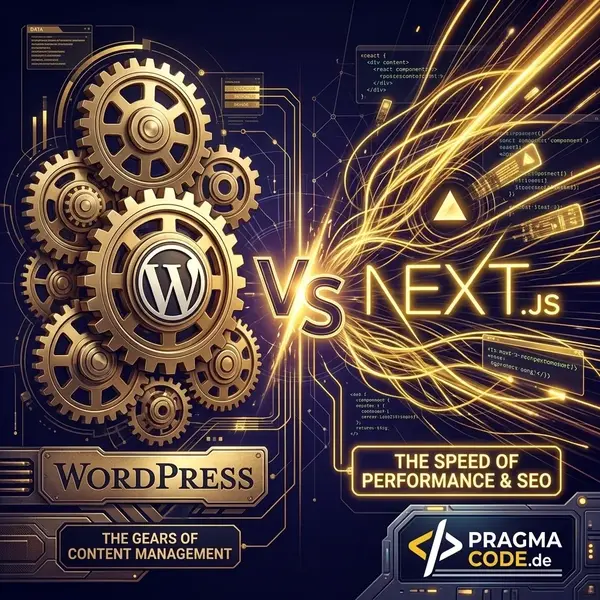
Improve Core Web Vitals: WordPress vs. Next.js
WordPress vs. Next.js performance showdown. Discover which framework delivers better Core Web Vitals scores.
Read moreReady for the tech switch?
Request your free migration check. We analyze your TYPO3 website and show you potential savings.