

Automate pre-accounting
document by document
Document intake, data capture and payment matching run automatically — without GL account coding. That stays with your tax advisor. We clear away the prep work, not the advisor.
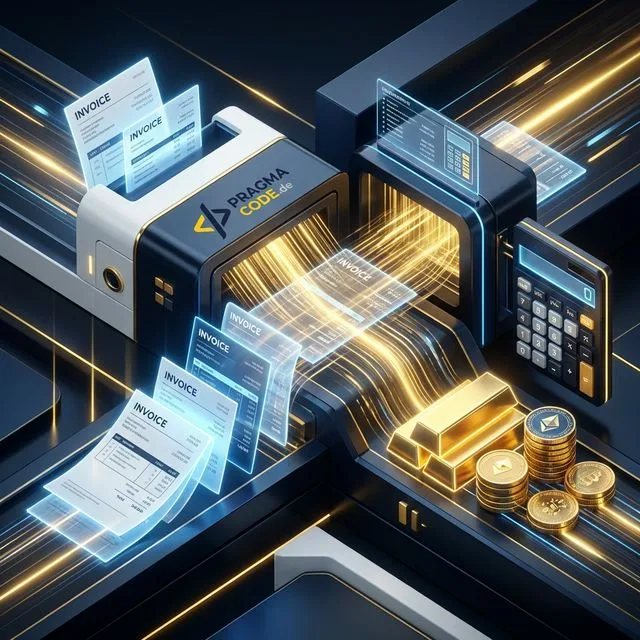
Deterministic where possible, AI only for edge cases.

What changes at month-end.
The document takes the same route — a human just no longer walks it by hand.
What we automate.
Six building blocks that carry pre-accounting together — each introducible on its own.
Consolidated intake
Invoices from a mailbox, scan or direct upload land in your ERP automatically — instead of scattered across inboxes.
AI data capture
Supplier, document number, date, amount and payment terms are extracted and matched against your master data.
Paid or outstanding?
Card, PayPal and subscriptions are debited automatically anyway. The system tells already-paid from outstanding-with-due-date.
Confidence routing
Confident cases pass through, uncertain ones go to the review queue. The threshold rises as trust in the system grows.
Payment matching
Bank movement meets open item — rule-based via amount and invoice number. Batch payments are resolved by subset search.
Spot missing documents
A debit without a matching document is flagged for follow-up — before your advisor has to ask.
What we work with.
No exclusive tool lock-in — we dock onto whatever you already run.
Your ERP
Connected via your system’s API — Billomat, lexoffice and sevDesk are examples, not a requirement.
Your tax advisor
GL account assignment stays where it belongs: in your advisor’s DATEV module.
GDPR & DPA
Data-processing agreement, least-privilege access, processing in an EU region.
Audit log
Every automated action logged with time, trigger and result — traceability in the spirit of GoBD.
Three fixed-price packages — from check to operations.
Clearly defined scope, fixed price, defined outcome. Every package starts with a free intro call.
Know what can be automated: your document flow mapped and assessed — before you invest.
Intake and capture in production — starting in shadow mode so you can compare.
The full chain through to payment matching — including step-by-step partial autonomy.
From a stack of documents to a checked data set.
Introduced step by step — the system watches first, then takes over.
Map the document flow
Which document types, what volumes, which special cases? And who does what by hand today?
Integration
Connect mailbox, scan folder and ERP — e.g. Billomat, lexoffice or sevDesk.
Shadow mode
The system proposes but writes nothing. You compare against how you work today.
Partial autonomy
Confident cases go through, the rest to the review queue. We tune the threshold together.
Operations & audit log
Every automated action is logged and traceable — for you and for your tax advisor.
Questions on document automation.
The points that come up in almost every intro call.
Does this replace my tax advisor?
Why don’t you assign GL accounts (e.g. SKR03)?
What happens when the AI is unsure?
How are batch and partial payments handled?
What about GoBD, GDPR and data location?
What does ongoing operation cost?
More on the topic.
Document processing, process automation and AI in the SMB sector.
Automating Accounting
The guide: intake, confidence routing and payment matching — without GL coding.
Read more
Agentic AI Workflows 2026
How autonomous AI agents redefine efficiency in mid-sized businesses.
Read more
AI Automation in Germany
What the research says about automation potential in mid-sized businesses.
Read moreBuilt from a real document workflow.
What you read on this page is not a whitepaper draft. The approach was developed in preliminary work for a mid-sized German B2B software vendor looking to automate its back office: a process review, an architecture concept and a working prototype demonstrated in the meeting.
-
Process first, software second
The starting point was not a product catalogue but the company’s actual workflow: who touches a document, where it gets stuck, which cases are routine and which are exceptions. The split into deterministic, AI and human followed from that — not the other way round.
-
A working prototype, not a slide deck
Alongside the concept, a usable application was built with two paths: document intake with extraction by a language model, confidence routing and a review queue — and payment matching that reconciles bank movements against open items deterministically. Every action is written to an audit log. General-ledger accounts are deliberately left out.
-
The bottleneck sat somewhere else
The most useful insight came from the conversation, not the code: mainstream accounting systems already handle documents that match cleanly. The time goes into the cases that do not match — the direct debit with no document at all, which someone has to retrieve from the provider. That is exactly what the approach on this page targets.
Building the agent is the quick part. Staying reliable is not automatic.
Models get deprecated, fallbacks kick in silently, prompts lose their effect — and unlike a workflow, an agent does not stop when that happens; it keeps answering. The Agent Operations product line takes over monitoring, the monthly quality sample against a fixed test-case set and, on request, the AI Act documentation. From €390 / month, cancel monthly.
Done with the document stack?
We look at your document flow and tell you which steps can be automated today — and which are better left to humans.