

The German Accessibility Strengthening Act (BFSG) has been in effect since June 2025. While initial scrutiny focused on surface-level declarations, 2026 brings the second wave: automated technical audits by specialized law firms. Discover why generic accessibility statements and JavaScript overlay widgets fail to protect your business and how frontend sanitization shields your store from claims up to €50,000.
This article is an in-depth expert contribution from our content cluster. Discover the complete overview on our main page:BFSG Accessibility →
The Grace Period Has Fully Expired
Since June 2025, the German Accessibility Strengthening Act (BFSG) has been enforced strictly. While the first year focused on formal deficits and missing administrative documents, 2026 brings the second wave: technical lawsuits. Specialized law firms use advanced scripts to crawl checkout paths, exposing deep technical WCAG violations and rendering simple 'Accessibility Statements' legally useless.
- The Illusion of Safety: Publishing an Accessibility Statement without backing it up with compliant frontend code is a legal hazard. In fact, it serves as a roadmap for lawyers looking for easy targets.
- Wave 1 vs. Wave 2: While 2025 targeted simple surface flaws (like missing statements or basic alt-text omissions), 2026 targets core code-level defects (such as keyboard traps, broken modal focus, and incorrect ARIA widgets).
- Frontend Sanitization is Mandatory: JavaScript "accessibility overlay" widgets do not prevent lawsuits and often make screenreader experiences worse. Only manual technical audits and code refactoring secure your shop.
- Introduction: The Reality of Accessibility in 2026
- The Changing Threat Landscape: Wave 1 vs. Wave 2
- The Illusion of the Alibi Accessibility Statement
- The Financial Dimension: How €50k Dispute Values Accumulate
- The 4 Most Critical Technical WCAG Violations Analyzed
- The Overlay Lie: Why JavaScript Widgets Increase Lawsuit Risks
- Technical Audits: The Only Trustworthy Shield
- Frontend Sanitization: A Step-by-Step Developer Guide
- Quick-Check: Your Blueprint for True Compliance
Introduction: The Reality of Accessibility in 2026
When the German Accessibility Strengthening Act (Barrierefreiheitsstärkungsgesetz - BFSG) came into full effect on June 28, 2025, panic surged across the European e-commerce sector. Many retail businesses rushed to implement compliance. Because structural software refactoring takes time and budget, thousands of merchants chose what seemed like the easiest shortcut: they generated a generic Accessibility Statement using online templates, placed it in their footer, and assumed they were legally secure.
Initially, this administrative patch worked. The first months did not witness the feared wave of lawsuits. Instead, minor warning letters targeted easy-to-spot formal flaws, such as missing statements, outdated legal imprints, or obvious missing alt attributes on primary branding graphics. This was the first wave (Wave 1)—characterized by automated scrapers scanning for superficial gaps.
However, 2026 has introduced a far more dangerous phase. We are now in the midst of the second wave (Wave 2). Plaintiff law firms and specialized consumer defense organizations have dramatically upgraded their technical arsenals. They now employ sophisticated crawlers that do not just check if an Accessibility Statement is online—they verify if the assertions made in that document are actually true. These headless scrapers execute programmatic purchase workflows, mapping out the entire checkout. If your compliance exists only on paper, you face severe legal liabilities.
„An Accessibility Statement not backed by clean, accessible code is not a shield—it is a detailed roadmap that highlights the exact coding flaws in your online shop for anyone looking to sue.“
The Changing Threat Landscape: Wave 1 vs. Wave 2
To secure your e-commerce operations in 2026, you must understand the deep shift in how websites are scanned and analyzed for compliance violations.
Comparison: Wave 1 (Formal Gaps) vs. Wave 2 (Deep Technical Audit)
- Scan Method: Simple link scraping to verify the presence of mandatory compliance declarations.
- Core Gaps: Missing Accessibility Statement, outdated legal imprint footer links, completely missing alternative text on header logos.
- Detection Ease: Extremely easy using basic script scrapers.
- Target Focus: Small-to-medium merchants without any compliance awareness.
- Dispute Values: Moderate, typically ranging between €2,000 and €5,000 for initial notifications.
- Scan Method: Interactive checkout simulations, screenreader emulation, and dynamic keyboard traversal scripts.
- Core Gaps: Keyboard traps, broken focus management in flyout menus, and non-semantic custom widgets lacking ARIA states.
- Detection Ease: Requires advanced interactive DOM analysis and programmatic validation.
- Target Focus: Mid-to-enterprise e-commerce platforms using generic templates or unverified third-party scripts.
- Dispute Values: High, commonly climbing to €15,000 to €50,000 per lawsuit.
While the first wave was broad and uncoordinated, the warning letters in 2026 are highly tailored. A typical lawsuit package now features a multi-page technical report containing specific code snippet references, step-by-step screenshots demonstrating keyboard focus failures, and trace logs from assistive technology emulators. Denying the violation is virtually impossible when presented with such granular evidence.
The Illusion of the Alibi Accessibility Statement
Why does simply publishing an Accessibility Statement fail to protect your business? The answer lies in the legal mechanics of the BFSG and European competition laws.
Under the European Accessibility Act (EAA), businesses are required to document their current compliance status. The law permits listing specific, unresolved technical barriers under a "disproportionate burden" clause, provided the business has a structured transition plan. Many shop owners believed they could use this clause to list all their coding deficiencies and buy infinite time.
Courts and regulatory authorities in 2026 have decisively shut down this loophole. A claim of disproportionate burden must be accompanied by a rigorous, pre-documented financial and structural audit. Simply writing "our developers are currently busy" is legally inadequate. Furthermore, by explicitly listing your unresolved WCAG violations in a public statement, you are providing plaintiff lawyers with a list of verified technical defects. They can simply navigate directly to your checkout, document the listed barrier, and file a lawsuit under competition laws (UWG). You have essentially handed them the evidence on a silver platter.
The Financial Dimension: How €50k Dispute Values Accumulate
Many online retailers fail to take accessibility seriously because they equate it with minor GDPR violations, which often result in small warnings. In contrast, accessibility lawsuits under the BFSG carry heavy financial consequences.
Administrative Fines
Imposed by state market monitoring regulators under § 38 BFSG
Up to €100,000Furthermore, persistent non-compliance can lead to immediate administrative orders halting your checkout system or freezing the entire e-commerce storefront.
Civil Dispute Values
Judicial dispute values established for B2C consumer lawsuits
Up to €50,000Determines the statutory calculation for legal and court fees. Losing an accessibility lawsuit at a €50,000 dispute value translates to over €10,000 in immediate procedural costs.
These massive dispute values reflect the economic and social importance of digital inclusion. Since an inaccessible online shop effectively excludes over 15% of the population from digital services, courts set the dispute values extremely high. Additionally, courts can treat distinct coding errors (e.g., an inaccessible cookie banner, a broken product search, and a faulty payment form) as separate violations, causing the total liability to accumulate rapidly.
The 4 Most Critical Technical WCAG Violations
To safeguard your storefront, your engineering team must audit and sanitize the codebase for these four critical technical flaws, which represent the vast majority of accessibility complaints in 2026:
1. Keyboard Traps – WCAG Success Criterion 2.1.2
A keyboard-only user (using the Tab key) opens a slide-out cart drawer or an interactive login modal. Once open, the keyboard focus becomes trapped inside the modal. Pressing the Escape key or tabbing through does not allow the user to return to the main catalog. The user is trapped and cannot complete their purchase or exit the modal without a mouse. This is a severe coding defect that almost always triggers immediate legal warnings.
2. Invisible Focus Indicators – WCAG Success Criterion 2.4.7
For aesthetic reasons, many frontend designers disable the default browser focus ring in their CSS stylesheets using outline: none; without replacing it with a custom high-contrast focus style. Consequently, keyboard-only users cannot visually track which interactive element (like a checkout button) is currently active. A distinct visual focus indicator is a mandatory requirement under WCAG and must maintain a contrast ratio of at least 3:1.
3. Missing ARIA Semantics on Custom Widgets – WCAG Success Criterion 4.1.2
While native HTML elements like <button> natively convey their role to assistive devices, modern JS components (built from styled <div> elements) lack these semantics. A screenreader only announces "group" or "element" when tabbing over a custom dropdown menu or accordion, leaving the blind user completely unaware of its interactive behavior. The correct integration of ARIA attributes (such as aria-expanded or aria-haspopup) is critical.
4. Inaccessible Error Feedback in Checkout – WCAG 3.3.1 & 3.3.3
If a customer enters an invalid postal code during checkout, many shops simply highlight the border in red. Visually impaired or colorblind users cannot perceive this change. Barrierefreie checkout templates must output clear text-based error messages and programmatically link them to their respective input fields via the aria-describedby attribute, prompting screenreaders to announce the error immediately.
Pro-Tip: Look Beyond Core Templates
Do not assume that your storefront is compliant just because you bought a certified accessible theme. Every third-party app or plugin you install—whether for product filtering, customer reviews, or marketing popups—injects custom DOM elements that can easily break keyboard flows and focus routing. Regular automated testing combined with manual verification is essential.
The Overlay Lie: Why JavaScript Widgets Increase Lawsuit Risks
Driven by the BFSG deadline, many "instant accessibility" services have emerged, selling Accessibility Overlays. These tools promise that copying a single line of JavaScript into your header will automatically make your entire shop compliant by displaying a widget that lets users adjust fonts, colors, or activate a virtual screenreader.
By 2026, both technical audits and legal rulings have confirmed: overlays are ineffective and often increase your legal exposure.
Interference with Real Assistive Technology
Blind users rely on highly personalized screenreaders like NVDA or JAWS. When an overlay attempts to inject a proprietary speech tool, system collisions occur, rendering the shop unusable.
No Structural Code Remediation
A script cannot resolve broken DOM hierarchies, repair tab sequences, or fix checkout keyboard traps. Critical WCAG violations remain untouched in the underlying source code.
Target Signal for Lawsuit Scrapers
Plaintiff firms use crawlers specifically looking for overlay signatures. An installed widget signals neglected frontend code—making the shop a prime target for deep audits.
Technical Audits: The Only Trustworthy Shield
To build a robust defense against accessibility lawsuits, your organization must adopt a dual strategy combining technical audits and frontend sanitization.
An engineering audit systematically evaluates all primary templates against the WCAG 2.1 Level AA standards. A reliable audit must utilize two distinct testing vectors:
Automated Scanning (30-40% Coverage)
Crawler tools scan all site URLs to identify color contrast violations, invalid HTML nesting, missing alt tags, and unlinked input labels, addressing the most obvious coding errors.
Manual Accessibility Testing (60-70% Coverage)
An expert tester navigates crucial user journeys (product searches, filtering, adding to cart, and checkout payments) solely using a keyboard and NVDA/VoiceOver screenreaders to identify focus traps and logic errors.
The resulting audit report provides your developers with a precise backlog of coding issues and corrective actions. In the event of a warning letter, this proactive audit documentation serves as a vital legal defense, demonstrating to regulators that you are actively working on compliance, which typically prevents the imposition of administrative fines.
Frontend Sanitization: A Step-by-Step Developer Guide
Once you have identified your coding gaps, your development team must perform a thorough frontend sanitization. This involves refactoring the codebase using modern accessibility practices:
Replace generic <div> wrappers with semantically correct HTML5 structural elements (<header>, <nav>, <main>, <article>, <footer>). Maintain a strict heading hierarchy without skipping levels.
Ensure that all interactive overlays (such as slide-out mini-carts) implement focus trapping. When the drawer opens, the keyboard focus must programmatically move to the first element in the drawer and remain constrained there. When closed, focus must return to the trigger element.
Equip interactive components with appropriate ARIA descriptors. An accordion header button requires aria-controls="panel-id" and a dynamic aria-expanded="true/false", letting visually impaired users know whether the section is open or closed.
Verify that all text elements meet contrast requirements. Crucially, error alerts and status markers must not rely solely on color codes (like red or green). Always append text-based cues or ARIA-live alerts to convey state changes clearly.
Quick-Check: Your Blueprint for True Compliance
Do not wait for a formal complaint to arrive. Use our quick-check blueprint to immediately assess your storefront's accessibility risk:
Quick-Check: Your Compliance Blueprint
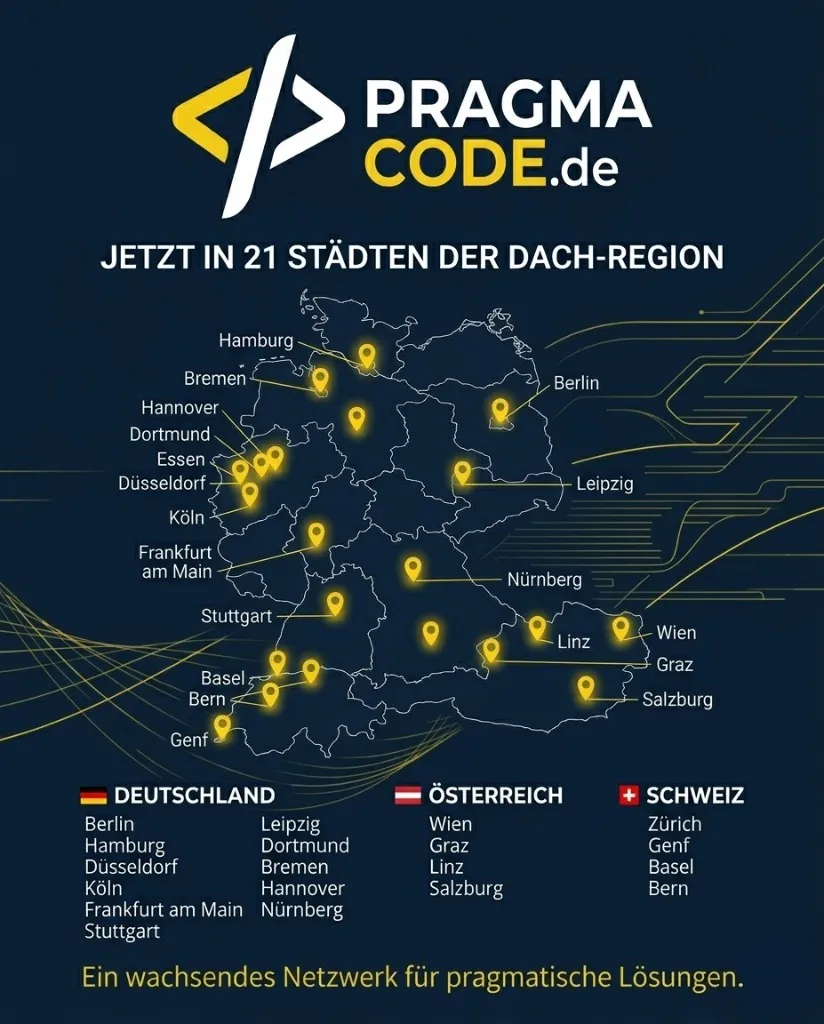
Our Regional Expertise
We are your digital partner – regionally anchored and successfully scaling across borders.
Have Questions About Compliance?
Let's check together how we can make your digital storefront fully secure, compliant, and highly performant.
Book your free strategy call nowExtended Specialized Glossary
Barrierefreiheitsstärkungsgesetz (BFSG)
Germany's Accessibility Strengthening Act, implementing the European Accessibility Act (EAA). It requires providers of B2C services in electronic commerce to make their digital offerings accessible. In effect since June 28, 2025.
Frontend Sanitization
The targeted refactoring and cleanup of frontend source code (HTML, CSS, JavaScript) to resolve technical defects. In accessibility compliance, this involves repairing focus management, keyboard navigation, contrast ratios, and ARIA semantics.
Formal Defect
An easily detectable, typically administrative error in digital offerings (e.g., an outdated accessibility statement or missing imprint). Unlike deep technical WCAG violations, formal defects are often flagged by simple automated scrapers.
Keyboard Trap
A severe accessibility defect where a keyboard-only user can navigate into an interactive element (such as a modal dialog or dropdown menu) but is unable to escape it using standard keyboard keys.
WCAG
The Web Content Accessibility Guidelines are the internationally recognized standard for digital accessibility developed by the W3C. WCAG 2.1 Level AA defines the minimum requirements referenced by the BFSG through the EN 301 549 standard.
Accessibility Statement
A document required by the BFSG that transparently informs about the degree of accessibility of a digital offering, names existing limitations, and provides a feedback mechanism for users.