
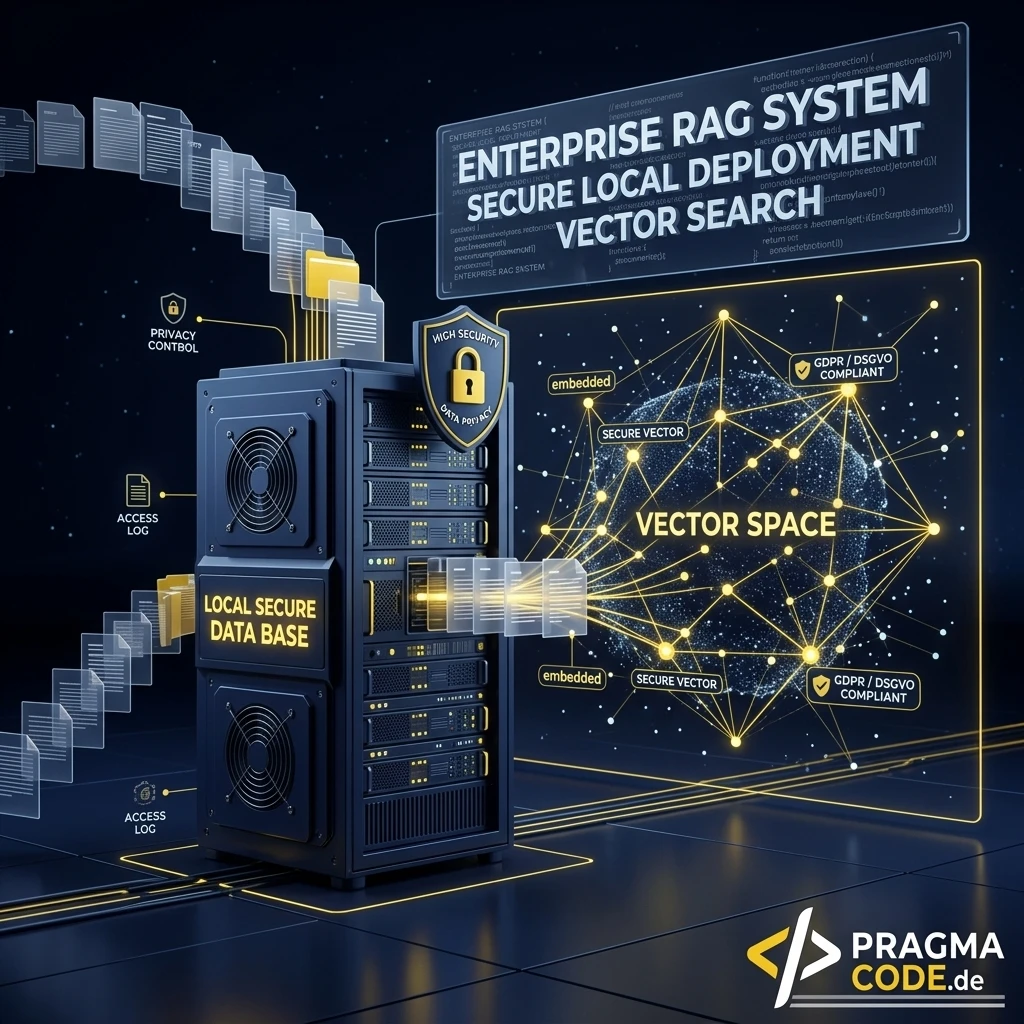
In the era of generative AI, enterprises face a strategic crossroads: transmit sensitive corporate reports, contracts, and R&D data to external cloud APIs, or achieve complete data sovereignty through local Enterprise RAG architectures. Discover how to build a high-performance knowledge retrieval engine without cloud data leaks using PostgreSQL, pgvector, n8n, and modern open-weight LLMs.
This article is an in-depth expert contribution from our content cluster. Discover the complete overview on our main page:AI & Automation →
The Sovereignty of Enterprise Knowledge
Why on-premise AI and local RAG represent the most vital line of defense for protecting trade secrets and intellectual property, and how to ground your GEO (Generative Engine Optimization) strategy on verified internal data structures.
- Legal Compliance & Zero Data Leakage: Local RAG architectures ensure 100% compliance with the GDPR, Trade Secrets Protection Acts, and the EU AI Act because proprietary corporate assets never traverse third-party cloud infrastructure.
- Modern Open-Source Stack: By uniting PostgreSQL 16+ with pgvector, n8n for workflow automation, and Ollama or vLLM, enterprises create a scalable ecosystem free of pay-per-token API fees or vendor lock-in.
- Advanced Retrieval & Reranking: Implementing Hybrid Search (Dense Vector + BM25 Full-Text), Reciprocal Rank Fusion (RRF), and cross-encoder Reranking elevates retrieval accuracy above 92%, systematically eliminating hallucinations in mission-critical workflows.
- 1. Introduction: The Privacy & Liability Trap of Cloud AI
- 2. What is Enterprise RAG and Why Must It Be Local?
- 3. The Four Pillars of Modern Local RAG Architecture
- 4. Comparison: Cloud RAG vs. On-Premise Enterprise RAG
- 5. Step-by-Step Production Implementation Guide
- 6. Advanced Retrieval: Hybrid Search, RRF & Reranking
- 7. Cost Traps, Hardware Sizing & Performance Optimization
- 8. Security Architecture, RBAC & GDPR Compliance
- 9. Conclusion and Strategic Implementation Roadmap
1. Introduction: The Privacy & Liability Trap of Cloud AI
Generative language models have revolutionized knowledge work across every industry sector. Modern Large Language Models (LLMs) analyze balance sheets in seconds, synthesize multi-page technical specifications, and generate tailored client communications. However, while productivity gains are undeniable, European enterprises face an acute legal and strategic challenge: sending unencrypted corporate records to US-based hyperscaler APIs directly violates the strict mandates of the General Data Protection Regulation (GDPR), trade secrets legislation, and industry compliance frameworks (such as TISAX, ISO 27001, and SOC 2 Type II).
When staff members feed confidential commercial agreements, proprietary engineering schematics, employee salary tables, or patented formulas into public cloud chatbots, management incurs direct corporate liability. Even when cloud vendors provide standard Data Processing Agreements (DPAs) claiming zero model retraining on enterprise prompts, fundamental legal vulnerabilities surrounding third-country data transfers (Schrems II, US CLOUD Act) and unverified vendor personnel access remain unresolved.
The definitive solution is local Enterprise RAG (Retrieval-Augmented Generation). Thanks to rapid breakthroughs in open-weight models (such as Meta's Llama 3, Qwen 2.5, and Mistral) and optimized vector databases, mid-market enterprises can now deploy an autonomous, high-performance AI knowledge engine entirely on their own infrastructure or within a private cloud in Europe.
"Data sovereignty is the decisive competitive advantage of the coming decade. Local RAG eliminates the artificial tradeoff between AI innovation and rigorous compliance."
2. What is Enterprise RAG and Why Must It Be Local?
Retrieval-Augmented Generation (RAG) directly resolves the most dangerous limitation of standard language models: their lack of access to proprietary, dynamic enterprise knowledge. Base foundation models know nothing about your live ERP bookings, current vendor contracts, field service logs, or proprietary internal SOPs. When queried without specific context, models frequently invent plausible-sounding yet factually inaccurate statements—known as hallucinations.
RAG overcomes this barrier by introducing an intelligent search and retrieval layer ahead of the language model. Instead of embarking on costly and computationally demanding model fine-tuning, RAG establishes a dynamic extraction pipeline:
-
Document Ingestion & Vectorization
Enterprise documents (PDFs, Word files, intranet articles, SQL records) are automatically ingested, partitioned into coherent semantic blocks (chunks), and transformed into numerical vector embeddings via a local embedding model.
-
Semantic & Lexical Retrieval
When an employee submits a natural language question, the system computes the query embedding and performs a millisecond-level similarity search against the vector repository alongside full-text indexes.
-
Context Injection & Grounded Synthesis
The most relevant source excerpts are injected directly into the LLM system prompt. The model acts strictly as an analytical synthesizer, generating a verified, source-attributed answer derived purely from the retrieved context.
A local Enterprise RAG hosts all three pipeline stages within your secure corporate network perimeter. Not a single byte of telemetry or corporate intelligence leaves your firewall. You retain total control over user access roles, audit trails, and model configurations.
3. The Four Pillars of Modern Local RAG Architecture
A production-ready on-premise RAG deployment relies on four core technological pillars engineered for high reliability and scale:
1. PostgreSQL with pgvector
PostgreSQL provides the relational and vector-enabled backbone. Through the open-source pgvector extension, it stores high-dimensional embeddings alongside structured metadata (department IDs, security tiers, creation timestamps). An HNSW index (Hierarchical Navigable Small World) delivers single-digit millisecond query latency across millions of vectors.
2. n8n Enterprise Workflow Engine
The open-source n8n platform serves as the workflow coordinator. It monitors storage repositories (Nextcloud, network shares, mailboxes, REST APIs), coordinates file extraction, executes Semantic Chunking, and manages calls to embedding and chat inference endpoints. n8n is fully self-hostable via Docker.
3. Ollama & vLLM Token Serving
For model execution, Ollama (ideal for developer workstations and lightweight deployments) or vLLM (for enterprise multi-user servers) provide OpenAI-compatible REST endpoints. They run frontier open-weight models such as Llama 3.3 (70B), Qwen 2.5 (32B), and Mistral Small 3 with optimal GPU memory utilization.
4. Hybrid Search & BGE Reranking
Pure semantic searches often falter on exact part numbers, contract clauses, or acronyms. The architecture pairs dense vector matching with BM25 keyword search using Reciprocal Rank Fusion (RRF) and passes candidates through a local cross-encoder model (such as bge-reranker-large).
4. Comparison: Cloud RAG vs. On-Premise Enterprise RAG
Before launching an AI knowledge project, IT leaders should evaluate the strategic tradeoffs between public cloud suites and private on-premise deployments:
Comparison: Cloud RAG vs. Local On-Premise RAG
- Data Privacy: Transfers data to US cloud datacenters; introduces GDPR exposure, Schrems II liabilities, and complex DPA terms.
- Cost Dynamics: Pay-per-token API fees for chat and embeddings plus monthly hosting fees for vector databases. Costs scale unpredictably with volume.
- Vendor Lock-in: Vulnerability to unexpected model deprecations, API rate limits, and unannounced price adjustments.
- Network Overhead: Bulk document synchronization consumes external bandwidth; cloud network hops introduce latency into real-time tools.
- Data Privacy: 100% GDPR compliant. All files, embeddings, and query traces remain strictly confined within your LAN.
- Predictable TCO: Fixed hardware investment (or fixed bare-metal lease). Zero marginal cost per query or document token.
- Sovereign Control: Complete freedom of model selection (Llama 3, Qwen, Mistral), controlled maintenance schedules, and customized security.
- Gigabit Speed: High-bandwidth internal network connectivity ensuring ultra-low latency document processing.
5. Step-by-Step Production Implementation Guide
Building a robust local RAG platform follows five sequential implementation stages:
Configure PostgreSQL with pgvector and Hybrid Indexes
Activate the vector extension, build tables for document chunks with dual vector and full-text columns, and configure HNSW indexes for rapid querying.
Deploy Inference Services with Ollama / vLLM
Provision the GPU-accelerated server environment on Ubuntu Linux and pull modern embedding, reranking, and generative instruction models.
Automate the Ingestion Pipeline in n8n
Establish automated workflows for file monitoring, document OCR, semantic text chunking, embedding generation, and database insertion.
Implement Hybrid Search & Cross-Encoder Reranking
Unite dense pgvector lookups and BM25 sparse search using Reciprocal Rank Fusion (RRF) in SQL for industry-grade accuracy.
Connect Chat UI & Role-Based Access Control (RBAC)
Integrate conversational endpoints (such as Microsoft Teams bots or web chat frontends) protected by strict user authorization filters.
Phase 1: PostgreSQL 16+ Schema with pgvector and HNSW Indexing
Execute the following SQL commands in your PostgreSQL console to activate vector capabilities, create the chunk schema, and generate dual vector and full-text indexes:
-- 1. Activate the pgvector extension
CREATE EXTENSION IF NOT EXISTS vector;

-- 2. Create the document chunk table
CREATE TABLE IF NOT EXISTS enterprise_document_chunks (
    id BIGSERIAL PRIMARY KEY,
    document_id VARCHAR(255) NOT NULL,
    document_title TEXT NOT NULL,
    chunk_index INT NOT NULL,
    content TEXT NOT NULL,
    -- Full-text search vector for English language (BM25 / tsvector)
    content_tsvector TSVECTOR GENERATED ALWAYS AS (to_tsvector('english', content)) STORED,
    -- 1024 dimensions matching modern embedding models (e.g. bge-large-en-v1.5 / mxbai-embed-large)
    embedding VECTOR(1024),
    -- JSONB metadata for RBAC (departments, clearance tiers, file paths)
    metadata JSONB NOT NULL DEFAULT '{}'::jsonb,
    created_at TIMESTAMP WITH TIME ZONE DEFAULT CURRENT_TIMESTAMP
);

-- 3. HNSW index for ultra-fast vector search (Cosine Distance)
CREATE INDEX IF NOT EXISTS idx_chunks_embedding_hnsw
ON enterprise_document_chunks
USING hnsw (embedding vector_cosine_ops)
WITH (m = 16, ef_construction = 64);

-- 4. GIN index for rapid full-text keyword retrieval (Sparse Search)
CREATE INDEX IF NOT EXISTS idx_chunks_tsvector_gin
ON enterprise_document_chunks
USING gin (content_tsvector);

-- 5. GIN index for fast metadata filtering (RBAC & Tenant Isolation)
CREATE INDEX IF NOT EXISTS idx_chunks_metadata_gin
ON enterprise_document_chunks
USING gin (metadata);
Pro Tip: Tuning HNSW Indexes in pgvector
The HNSW (Hierarchical Navigable Small World) index delivers significantly faster query speeds and higher recall compared to older IVFFlat algorithms, requiring no pre-training phases. For optimal balance, set m = 16 (number of bidirectional links per node) and ef_construction = 64 (search depth during index creation). For time-critical queries, session-level tuning via SET hnsw.ef_search = 40; allows granular control over latency versus accuracy.
Phase 2: Setting Up the Inference Server with Ollama
Install Ollama on your dedicated Linux server equipped with NVIDIA GPU acceleration (such as an RTX 4090 or A100/L40S). Pull the 1024-dimension embedding model mxbai-embed-large along with the Llama 3 (or Qwen 2.5) instruction model:
# 1. Install Ollama on Linux server
curl -fsSL https://ollama.com/install.sh | sh

# 2. Configure systemd for remote network access (OLLAMA_HOST=0.0.0.0:11434)
sudo systemctl edit ollama.service
# Under [Service], insert: Environment="OLLAMA_HOST=0.0.0.0:11434"
sudo systemctl restart ollama

# 3. Download the 1024-dimension embedding model
ollama pull mxbai-embed-large

# 4. Pull state-of-the-art enterprise chat model (Llama 3.3 70B or Qwen 2.5 32B)
ollama pull llama3.3:70b-instruct-q4_K_M
Phase 3: n8n Ingestion and Retrieval Pipelines
Document lifecycle management in n8n is structured across two specialized workflows:
1. The Ingestion Pipeline (ETL & Indexing)
An n8n cron trigger or webhook scans corporate repositories (SharePoint folders, Nextcloud shares, internal wikis). Modified documents (PDF, DOCX, Markdown) are read, structured text and tables extracted, PII filtered where required, and content partitioned into 800–1200 character segments via Semantic Chunking. n8n sends chunks to Ollama for vector computation and writes embeddings, raw text, and access control metadata to PostgreSQL.
2. The Retrieval & Query Pipeline
Staff queries arrive via an n8n webhook endpoint. n8n authenticates the user's role and departmental scope, generates the query embedding, and executes an authorized hybrid query against PostgreSQL. The top 15 results are evaluated by a local reranker. The top 5 refined excerpts are formatted into a fortified prompt for the Llama 3 model, which delivers an authoritative answer backed by exact source citations.
6. Advanced Retrieval: Hybrid Search, RRF & Reranking
Basic "Naive RAG" implementations fail in enterprise settings when faced with specific nomenclature. If an engineer searches for a component code like HE-3200-V4 or a legal analyst references Section 409A, vector similarity searches frequently fail to surface the exact record because embeddings model semantic topic proximity rather than verbatim string matches.
Production enterprise RAG solves this with a three-tier retrieval pipeline:
-- Advanced Hybrid Search with Reciprocal Rank Fusion (RRF) in PostgreSQL
WITH semantic_search AS (
    SELECT id, content, metadata,
           ROW_NUMBER() OVER (ORDER BY embedding <=> $1::vector) AS rank
    FROM enterprise_document_chunks
    WHERE metadata @> $2::jsonb -- RBAC filtering
    ORDER BY embedding <=> $1::vector
    LIMIT 30
),
fulltext_search AS (
    SELECT id, content, metadata,
           ROW_NUMBER() OVER (ORDER BY ts_rank_cd(content_tsvector, plainto_tsquery('english', $3)) DESC) AS rank
    FROM enterprise_document_chunks
    WHERE content_tsvector @@ plainto_tsquery('english', $3)
      AND metadata @> $2::jsonb
    ORDER BY ts_rank_cd(content_tsvector, plainto_tsquery('english', $3)) DESC
    LIMIT 30
)
SELECT COALESCE(s.id, f.id) AS chunk_id,
       COALESCE(s.content, f.content) AS content,
       COALESCE(s.metadata, f.metadata) AS metadata,
       -- RRF scoring formula with smoothing constant k = 60
       COALESCE(1.0 / (60 + s.rank), 0.0) + COALESCE(1.0 / (60 + f.rank), 0.0) AS rrf_score
FROM semantic_search s
FULL OUTER JOIN fulltext_search f ON s.id = f.id
ORDER BY rrf_score DESC
LIMIT 15;
Pro Tip: Cross-Encoder Reranking for Precision
Feed the top 15 candidate chunks from the SQL hybrid query into a local cross-encoder such as BAAI/bge-reranker-large or jina-reranker-v2. Unlike bi-encoders, cross-encoders evaluate the joint interaction between prompt and document text in a single inference pass. This dramatically increases contextual relevance and strips out tangential content before sending the payload to the primary LLM.
7. Cost Traps, Hardware Sizing & Performance Optimization
While on-premise RAG eliminates recurring per-token API charges, improper hardware sizing and architecture choices introduce bottlenecks:
The CPU Inference Trap: Unusable Latencies
Attempting to run 70B or even 32B models on standard server CPUs without dedicated GPU acceleration results in unacceptable generation speeds (< 2 tokens/second). Production corporate setups require dedicated GPUs (such as an NVIDIA RTX 4090 with 24 GB VRAM for 8B/14B models or dual A100/L40S GPUs for 70B models).
Rigid Token Chunking: Context Dilution
Blindly splitting text every 500 characters breaks apart markdown tables, source code snippets, and logical arguments. Adopt semantic chunking that respects heading structures and paragraph boundaries.
Concurrency Bottlenecks Under Query Spikes
When dozens of employees query the engine simultaneously, single-threaded inference servers crash. For high-volume production, deploy vLLM with PagedAttention and continuous batching paired with an NGINX or HAProxy load balancer.
8. Security Architecture, RBAC & GDPR Compliance
Self-hosting eliminates external cloud exfiltration. However, hardening the internal environment remains mandatory to satisfy GDPR (Articles 25 & 32), corporate secrecy laws, and ISO 27001 standards:
Role-Based Access Control (RBAC & RLS)
A sales representative must not access executive compensation sheets via the AI assistant. Document chunks are tagged with ACL metadata during ingestion. PostgreSQL enforces Row-Level Security (RLS) to restrict vector searches strictly to documents authorized for the requesting user.
Encryption At-Rest & In-Transit
All communication channels connecting the chat frontend, n8n orchestrator, PostgreSQL cluster, and Ollama/vLLM endpoints use TLS (HTTPS/WSS). Database partitions are protected at the operating system storage layer with LUKS or ZFS native encryption.
Tamper-Proof Audit Logging
Every employee prompt, retrieved chunk ID, and generated synthesis is recorded in immutable audit logs. This provides verifiable proof for compliance reviews and enables early detection of unauthorized prompt-injection attempts.
9. Conclusion and Strategic Implementation Roadmap
Local Enterprise RAG delivers the transformative capabilities of modern AI while guaranteeing absolute data sovereignty. By eliminating recurring token overhead, protecting intellectual property, and adhering to European compliance standards, businesses build a secure foundation for digital acceleration. Follow this three-phase roadmap for structured rollout:
-
Phase 1: Proof of Concept & Sandbox (Weeks 1–2)
Deploy a localized testbed using Docker, PostgreSQL/pgvector, and Ollama. Ingest a targeted internal pilot dataset and validate retrieval precision using Hybrid Search.
-
Phase 2: Enterprise Infrastructure & RBAC (Weeks 3–5)
Provision dedicated GPU hardware in your private datacenter. Integrate Active Directory / OAuth2 and build automated n8n ingestion workflows with strict metadata filtering.
-
Phase 3: Rollout, Frontends & Staff Onboarding (Weeks 6–8)
Roll out the conversational interface across Microsoft Teams or the corporate intranet. Conduct user prompt workshops and establish continuous quality benchmarking.
Quick Check: Your Path to Local Enterprise RAG
Do you have questions about RAG implementation?
Schedule a Free ConsultationOur Regional Expertise
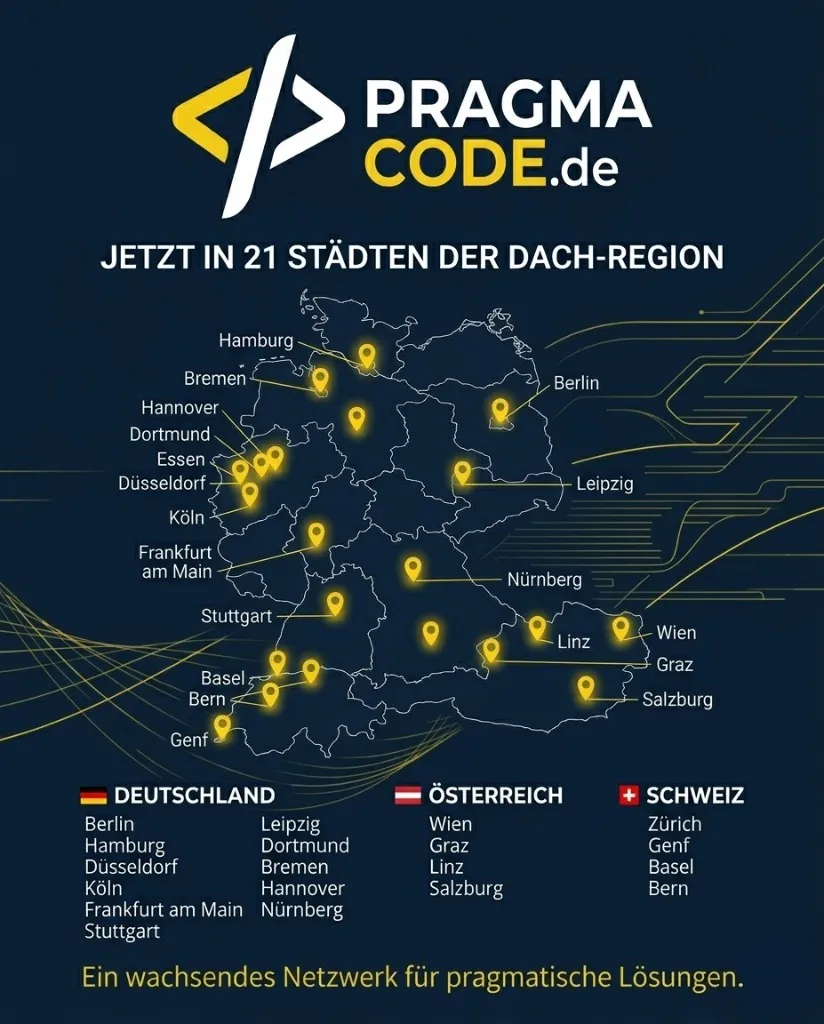
We are your digital partner – regionally anchored and successfully scaling across borders.
Have a vision?
Let's check together how we can make your idea take flight.
Book your free strategy call nowExtended Specialized Glossary
RAG
Retrieval-Augmented Generation - An architecture that dynamically supplies language models with internal corporate documents as verified context.
pgvector
An open-source extension for PostgreSQL enabling storage of vector embeddings directly inside relational tables with high-speed indexing.
Hybrid Search
A search architecture combining dense vector embeddings with sparse BM25 full-text indexing for superior retrieval precision.
Reciprocal Rank Fusion (RRF)
A ranking algorithm that merges disparate result lists from vector and full-text searches into a unified relevance score.
Reranking
A two-stage retrieval mechanism where a specialized cross-encoder model re-evaluates top search results to maximize answer quality.
Semantic Chunking
Context-aware document partitioning along natural thematic boundaries and structural headings rather than fixed token lengths.
Ollama
A lightweight open-source tool that simplifies local execution and deployment of large language models on on-premise hardware.
vLLM
A high-throughput LLM serving engine featuring PagedAttention for maximizing token throughput across concurrent user requests.