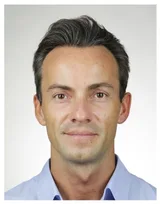

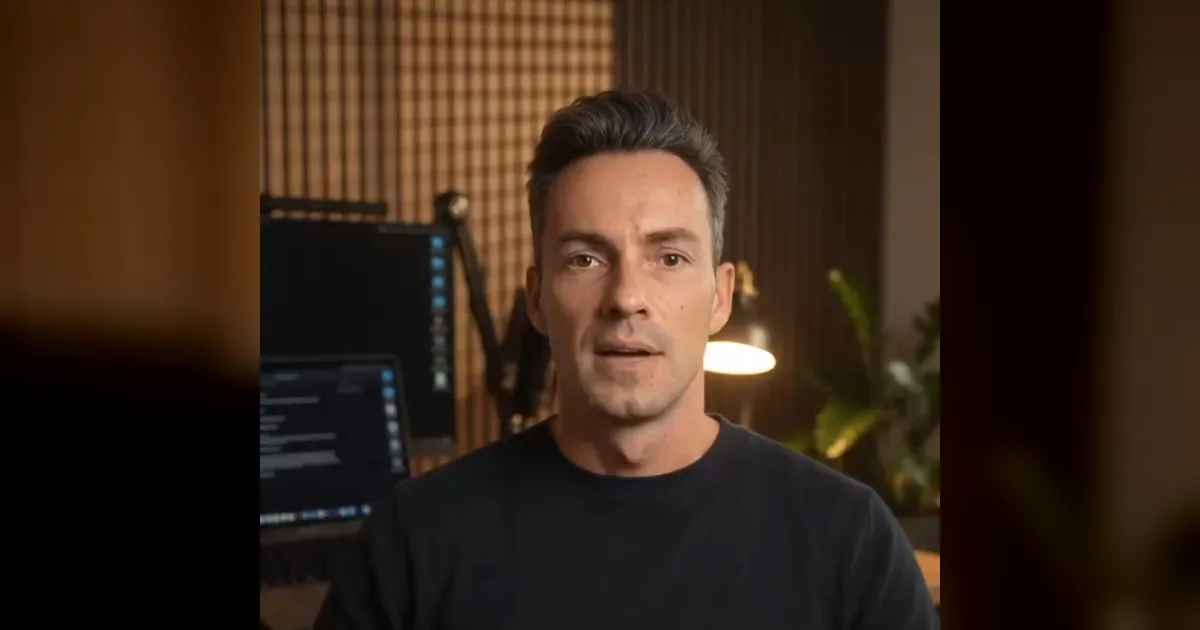
On 7 November 2026 I built my first promo video with Gemini Omni 1.2 Flash: 49 seconds about our AI phone assistant, spoken by my own avatar. Image and voice were good quickly. What I mainly learned was about the length of the takes, and that saves real money.
This article is an in-depth expert contribution from our content cluster. Discover the complete overview on our main page: AI Video Factory: videos with your avatar →
The project: 49 seconds about the phone assistant
Since 2 November 2026 an AI phone assistant has been answering the calls on Pragma Code's company number. For it I wanted a short vertical video for LinkedIn and WhatsApp Status: myself as an avatar, a few cutaway shots, subtitles, and at the end the number to try it out. I built it in Google Flow with Gemini Omni 1.2 Flash, which has been available there since 5 November 2026. The edit was done in Remotion.
The result: four avatar takes, two cutaway shots without the avatar, 49 seconds in total.
Image and voice: better than Omni 1.1
I found the facial expressions, image quality and voice similarity very good, better than with Omni 1.1. All avatar takes start from the same start frame: my office in the evening, black sweater, warm light. Omni 1.2 kept the room, clothing and light consistent across all takes. Variety therefore did not come from the avatar but from the cutaway shots and from different crops in the edit.
Two technical details for planning: Flow delivers 24 frames per second. Avatar takes could be downloaded in 1080p, the cutaway shots without the avatar only in 720p. For inserts of two to four seconds that is enough.
Takes too long: the model invents text
I set my first two takes to 15 seconds and put a lot of text into them. That went wrong, in two different ways:
- Take 1, 33 words: The text was spoken after 10.8 seconds. Then 1.3 seconds of silence, then a sentence that was not in the script, including a slip of the tongue (the same two words twice).
- Take 2, 40 words: Done after 11.0 seconds. But ten words in the middle of the text were missing, and the last sentence came twice.
My impression: Omni 1.2 plans only about eleven seconds of speaking time per take, no matter how long the take is set. Too much text gets shortened, leftover time gets filled. That is a finding from two takes; Google has not confirmed it. It was probably reinforced by my instruction that the avatar should "speak until the last frame". I removed it. Since then the instruction says: speak the text exactly once, then look calmly into the camera.
By the way, I kept the invented sentence. "That's real money you're losing" fit the content; only the repetition had to go.
Speaking pace: just under three words per second
I measured 2.7 to 3.1 words per second (in German). Long words eat time: "KI-Telefonassistenten ein" alone took about 1.4 seconds. With 12-second takes and less text it then ran cleanly:
- 29 words: spoken in 10.1 seconds
- 28 words: spoken in 7.6 seconds
After that the avatar smiled calmly into the camera, without repeating anything. I cut the pause in the edit anyway.
What the seconds cost
Flow bills in credits. At 720p every second up to second 10 costs three credits, from second 11 double that, so six. That matches Flow's help page and what was deducted from my account:
- 10 seconds: 30 credits
- 12 seconds: 42 credits
- 15 seconds: 60 credits
A 15-second take therefore costs twice as much as a 10-second one. In my first two tests the extra seconds only brought filler.
My rule: 10 seconds, 22 to 26 words
This turned into a simple rule: 10-second takes with 22 to 26 words. That is the cheapest tier, the text fits, and a short remainder gets cut. The Flow agent, incidentally, suggested 10 instead of 12 seconds on its own. The last take I generated (call note and fixed price) had 25 words in 10 seconds. I write out numbers in the script ("vierzehnhundertneunzig" rather than "1,490") so the avatar pronounces them correctly.
Cutting slips of the tongue: word timestamps are not enough
For the doubled slip I wanted to use the word timestamps from the speech recognition model Whisper. But Whisper smooths over repetitions: in the transcript the doubled phrase appears only once, and the word boundaries at that spot are off.
What worked was a more fine-grained approach: analyse loudness and zero-crossing rate in 10-millisecond steps (sibilants such as s, ch and f show up clearly), cut out candidate syllables and transcribe each one on its own, place cuts only in real silence (quieter than −45 dB) and transcribe the new seam once more. The final check is still done by ear.
Not tested yet
I have not tried the "Extend" function (Omni 1.2 only) or the avatars in Google Vids. I cannot say anything about them yet.
Conclusion
Omni 1.2 looks good and sounds like me. The money is decided by length: short takes, text that fits exactly, and an instruction that does not push the model to fill time. If you need videos like this regularly without handling takes and editing yourself, you will find the finished system in the AI Video Factory. And if you want to try the assistant from the video: AI phone assistant, the number is on the page.
Videos with your own avatar
I build you the system that produces videos like this regularly: avatar, voice, scripts and editing.
To the AI Video FactoryExtended Specialized Glossary
Take
A single generated video clip in Google Flow. Its length is set before generating and determines the cost in credits.
Start frame
The first image of a take that Flow is given. It fixes the room, clothing, light and framing.