


With its experimental Agentic Browsing audit category, Google PageSpeed Insights expands traditional performance diagnostics to machine interaction. Discover how autonomous AI agents navigate web applications via the accessibility tree, why WebMCP sets new standards, and how to make your digital infrastructure agent-ready.
This article is an in-depth expert contribution from our content cluster. Discover the complete overview on our main page:AI Agents & Process Automation →
GEO & Agentic Search in Transition
In 2026, it is no longer just human visitors navigating your website. Autonomous AI agents such as Perplexity, SearchGPT, Gemini in Chrome, and specialized enterprise procurement bots are scouring the web, inspecting catalogs, filling out forms, and executing transactions independently. Preparing your site for agentic interaction is the decisive factor in modern Generative Engine Optimization (GEO).
- New Audit Segment: Google PageSpeed Insights and Lighthouse introduce an experimental "Agentic Browsing" category in version 150+ to quantitatively measure website readiness for autonomous AI agents.
- Accessibility & Visual Stability: Scoring relies on an intact, semantically rich accessibility tree, a Cumulative Layout Shift (CLS) near zero, and structured machine feeds like
llms.txt. - WebMCP Integration: The emerging standard enables direct programmatic registration of interactive forms and business logic via declarative HTML tags and imperative TypeScript APIs.
- 1. Introduction: The Fundamental Shift from Human Browsing to the Agentic Economy
- 2. PageSpeed Insights & Lighthouse: The New Agentic Audit Standard
- 3. Scoring Architecture: How Agentic Browsing Audits Evaluate Sites
- 4. Why Scores Fluctuate: The 4 Failure Modes of Autonomous Browser Agents
- 5. The 4 Pillars of Agentic Auditing in Detail
- 6. WebMCP in Practice: Complete Implementation Examples
- 7. Framework Considerations: Hardening Next.js, Astro & SPAs for Agents
- 8. Step-by-Step Developer Roadmap for CTOs and Engineering Teams
- 9. Conclusion: AI Readiness as an Operational Competitive Advantage
1. Introduction: The Fundamental Shift from Human Browsing to the Agentic Economy
The World Wide Web is undergoing its most radical transformation since the invention of the mobile browser. For over thirty years, web engineering was entirely focused on appealing to human eyes. Developers refined responsive layouts, crafted micro-interactions, highlighted visual trust signals, and minimized loading latencies primarily to prevent human visitors from bouncing.
In 2026, this paradigm has fundamentally shifted. Increasingly, autonomous AI agents (AI Agents) act on behalf of human users. Powered by multimodal frontier reasoning models such as Claude 5, Gemini 3.7, and OpenAI Operator, these software agents navigate the web independently. They query B2B part catalogs, verify inventory levels, schedule service appointments, complete multi-step RFQ (Request for Quote) workflows, and finalize purchases. For many digital platforms and B2B enterprises, automated agent interactions already represent a significant double-digit percentage of daily traffic.
When the majority of your website traffic shifts from human eyes to machine crawlers and autonomous browser agents, visual aesthetics become secondary to deterministic machine readability, semantic precision, and programmatically accessible interaction layers. We call this SEO in the AI era and the emergent discipline of GEO (Generative Engine Optimization). A website that looks visually stunning but whose action targets cannot be parsed in the DOM simply does not exist in the emerging agentic economy.
Google has acknowledged this transition. With the release of the experimental Agentic Browsing audit in Google PageSpeed Insights and Lighthouse, the search pioneer provides engineers with a standardized diagnostic tool to quantitatively audit and improve the AI readiness of their applications. How does this audit work in detail, which metrics matter, and how can you prepare your infrastructure?
2. PageSpeed Insights & Lighthouse: The New Agentic Audit Standard
Lighthouse has long been the industry standard for assessing web quality. Spanning established categories like Performance, Accessibility, Best Practices, SEO, and Progressive Web Apps (PWA), the open-source suite powers modern CI/CD pipelines worldwide. The new audit category Agentic Browsing introduces a critical new dimension: programmatic controllability.
Experimental Status & Origin Trial in Chrome 150+
The Agentic Browsing category and WebMCP standards are currently under active evaluation in Chrome 150+. Developers can execute tests locally via Chrome DevTools or automatically through PageSpeed Insights. For production WebMCP tool registration on live domains, embedding a valid Google Origin Trial token in the HTML header is required.
While traditional SEO focused primarily on making text indexable by search engine bots, the Agentic Browsing audit evaluates interactive execution. An AI agent does not merely parse text – it acts. It needs to navigate complex multi-tiered menus, operate dynamic dropdowns, select date ranges in booking widgets, satisfy form validation constraints, and process asynchronous confirmation dialogs.
Lighthouse evaluates these interactions via the Chrome DevTools Protocol (CDP). Rather than merely measuring initial asset transfer times, Lighthouse inspects whether underlying components are semantically structured so that an autonomous agent can deterministically plan and execute its interaction sequence without human intervention.
3. Scoring Architecture: How Agentic Browsing Audits Evaluate Sites
Unlike mature Lighthouse categories like Performance or SEO, Agentic Browsing does not output a single aggregated score from 0 to 100. Because technical specifications for agentic web interaction are evolving rapidly, Google relies on a modular, data-driven diagnostic framework.
Instead of an arbitrary numerical average, the report delivers actionable insights across three complementary evaluation dimensions:
Fractional Score
A ratio indicating how many agentic readiness checks were passed completely (e.g. 4/4 in core checks). This provides engineering teams with immediate feedback on interface coverage.
Hard Validation Gates (Pass/Fail)
Specific checks immediately flag failures when baseline interaction criteria are violated – such as invalid JSON Schema definitions in WebMCP tools, unlabeled buttons, or blocking WAF rules.
Informational Coverage Counters
The audit itemizes all interactive forms and components present on the page and quantifies what percentage of them are successfully registered as agent-readable tools.
This diagnostic architecture functions as an engineering checklist. Sites passing all criteria ensure that generative search engines like Google Gemini or SearchGPT can not only cite their content, but directly execute transactions (such as reservations or quotes) within the AI conversation for the user.
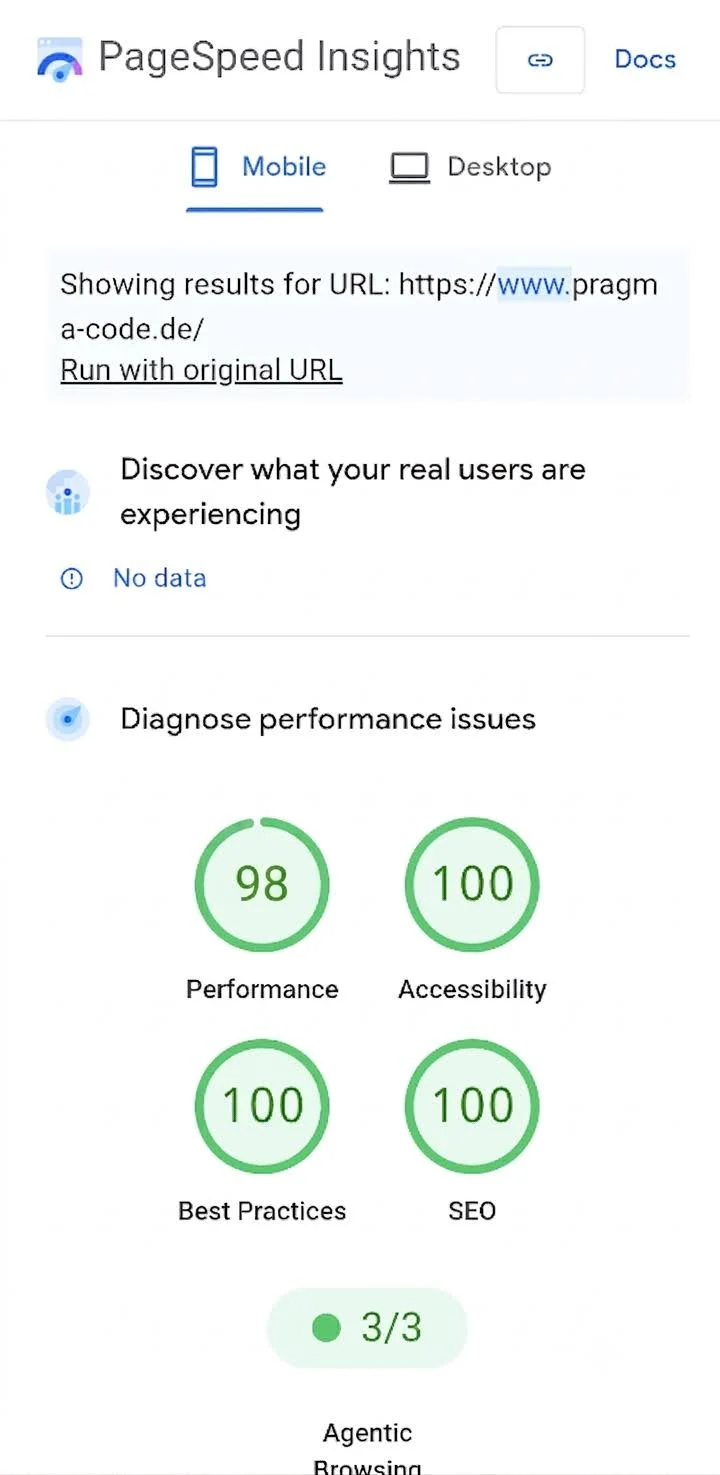
Figure: Mobile AI readiness diagnostics in Google PageSpeed Insights with perfect scores (100) across Accessibility, Best Practices, and SEO.
4. Why Scores Fluctuate: The 4 Failure Modes of Autonomous Browser Agents
Frontend engineers are familiar with fluctuating Lighthouse performance scores caused by server latency or volatile network routes. In the Agentic Browsing category, developers also encounter score variations. However, because the audit's evaluation algorithms are deterministic, variations typically stem from the dynamic nature of client-side web architectures.
Our benchmarks across customer deployments and pragma-code.de have identified four primary failure modes where autonomous agents fail on modern websites:
1. A11y Tree Inconsistencies & Shadow DOM Barriers
Pure client-rendered single page applications assemble DOM trees asynchronously. When custom Web Components utilize closed Shadow DOM roots (mode: 'closed') or inject ARIA labels only following user pointer interactions, the accessibility tree remains incomplete during the agent's snapshot. To the agent, the component does not exist.
2. Kinetic Target Mismatches via Layout Shifts (CLS)
AI agents operating via tools like Playwright or Anthropic Computer Use calculate interaction coordinates against the rendered viewport. If an unexpected layout shift occurs due to late-loading web fonts or promotional banners, button coordinates shift. The agent's simulated click hits blank whitespace or clicks an unintended element.
3. Asynchronous Hydration Delays (Hydration Mismatches)
With Server-Side Rendering (SSR), HTML is painted instantaneously, but event listeners only attach once the client JavaScript bundle finishes downloading and executing. If an agent triggers an action before hydration completes, the click produces no response. PageSpeed Insights heavily penalizes these race conditions.
4. Aggressive WAF & Bot Management Defenses
Modern Web Application Firewalls (such as Cloudflare Bot Management or AWS WAF) frequently block headless browser instances with Captchas or HTTP 403 errors. Unless firewalls are configured to recognize legitimate agentic browsing sessions, PageSpeed Insights and prospective agent transactions are blocked entirely.
5. The 4 Pillars of Agentic Auditing in Detail
The Agentic Browsing audit rests upon four technical pillars, each addressing a critical link in the interaction chain between automated agent and application.
Pillar 1: WebMCP Integration & Tool Interfaces
Monitors registration events over the Chrome DevTools Protocol. Validates declarative <tool> HTML tags and imperative JavaScript APIs via navigator.webMCP against official JSON Schema specifications.
Pillar 2: Agent-Centric Accessibility (A11y Tree)
Audits vital accessibility structures. Element names, explicit roles, and clean parent-child hierarchies within the accessibility tree ensure agents can orient themselves programmatically.
Pillar 3: Visual Stability & Target Precision (CLS)
Strict evaluation of Cumulative Layout Shift. The target threshold for flawless agent interaction is under 0.05, eliminating misplaced clicks during programmatic interactions.
Pillar 4: Machine Discoverability (llms.txt & JSON-LD)
Verifies presence of standard llms.txt and llms-full.txt manifest files at the domain root combined with valid Schema.org metadata for fast contextual ingestion without DOM overhead.
Classic Web Optimization vs. Agentic Web Optimization
- Target Audience: Exclusively human visitors navigating visually via desktop or mobile web browsers.
- Design Priorities: Visual polish, high-resolution imagery, brand typography, and content keyword density.
- Interaction Pattern: Visitors read copy, scroll exploratively, and fill out inputs sequentially by hand.
- Error Tolerance: High – humans intuitively adapt to minor layout shifts or missing icon text labels.
- Target Audience: Autonomous AI agents, reasoning crawlers, and automated assistants acting on behalf of users.
- Design Priorities: Structured accessibility trees, declared WebMCP tools, and concise summary feeds (llms.txt).
- Interaction Pattern: Agents execute actions programmatically using validated JSON schemas and A11y tree nodes.
- Error Tolerance: Near zero – missing labels or shifting targets abort agent execution loops immediately.
Pillar 1 in Detail: WebMCP (Web Model Context Protocol)
WebMCP is the foundational protocol for next-generation web interactivity. Adapted from Anthropic's Model Context Protocol (MCP), WebMCP brings standardized tool execution directly to browser environments. Rather than requiring LLMs to guess input mechanisms via screen scraping and computer vision, web applications provide strongly typed tool definitions.
Registration occurs either declaratively in HTML or imperatively in JavaScript. Lighthouse accesses this layer through the CDP WebMCP domain, validating parameter signatures, data types, and return values against schema specifications.
Pillar 2 in Detail: The Accessibility Tree as the AI's Eye
While human users navigate visually, an AI browser agent perceives pages primarily through the Accessibility Tree (A11y Tree). This browser-constructed data structure derives from the DOM, omitting presentation styles to focus strictly on semantic roles, states, and accessible names.
The Lighthouse audit evaluates three non-negotiable criteria:
Explicit Programmatic Names
Every button, input, and anchor must possess a readable computed name (via aria-label, <label for="...">, or inner text). Unlabeled icon buttons are invisible to autonomous agents.
Semantic HTML5 Roles
Use native HTML5 elements (<button>, <nav>, <dialog>) instead of clickable generic <div> containers. Div elements with click handlers are frequently ignored as static text by agent parsers.
Tree Visibility
Ensure interactive controls are not inadvertently obscured from assistive trees by parent attributes such as aria-hidden="true".
Pillar 3 in Detail: Visual Stability (CLS) as Interaction Anchor
A low Cumulative Layout Shift (CLS) score is an essential technical requirement for autonomous browser agents. When an agent prepares to submit an order, it computes the target button's bounding box coordinates in the viewport. If a layout shift occurs right as the click is dispatched, the simulated interaction fails.
In modern e-commerce stores, such misplaced clicks lead to aborted checkouts and lost conversions. PageSpeed Insights mandates a CLS score below 0.05 – ideally exactly 0.00 – for complete agentic reliability.
Pillar 4 in Detail: Discoverability via llms.txt
Alongside DOM inspections, Lighthouse checks for the presence of a valid llms.txt file at the domain root (https://your-domain.com/llms.txt). This standard provides language models with a lightweight Markdown directory of all essential pages and APIs, allowing crawlers to comprehend your business offerings in milliseconds without executing client-side scripts.
6. WebMCP in Practice: Complete Implementation Examples
To prepare your website for agentic audits, WebMCP offers two integration paths: declarative HTML tags and imperative TypeScript registration. Below are production-ready patterns for a B2B product search tool.
Pattern A: Declarative Tool Registration via HTML
The declarative approach is ideal for content-first websites (built with Astro, Hugo, or static CMS setups) and standardized search inputs:
<!-- Declarative WebMCP tool definition in head or body -->
<tool name="searchCatalog" description="Searches B2B catalog for machinery, spare parts, and pricing">
  <parameter name="query" type="string" description="Search term, keyword, or part number" required="true" />
  <parameter name="category" type="string" description="Optional filter: spare-parts, machines, software" required="false" />
  <parameter name="maxPrice" type="number" description="Maximum net price in EUR" required="false" />
</tool>
Browsers with native WebMCP capabilities (Chrome 150+) parse this element automatically and register it with the browser's agentic assistant.
Pattern B: Imperative Tool Registration via TypeScript / JavaScript
For dynamic web applications, SaaS platforms, and single-page apps (React, Vue, Angular), the imperative API provides deep integration with internal state, validation logic, and authenticated backend endpoints:
// webmcp-registration.ts
interface SearchParameters {
  query: string;
  category?: 'spare-parts' | 'machines' | 'software';
  limit?: number;
}

interface ProductResult {
  sku: string;
  name: string;
  priceNet: number;
  inStock: boolean;
}

// 1. Feature detection for WebMCP in browser environment
if (typeof window !== 'undefined' && 'webMCP' in navigator) {
  const mcp = (navigator as any).webMCP;

  // 2. Tool registration with formal JSON Schema
  mcp.registerTool({
    name: 'searchB2BCatalog',
    description: 'Enables autonomous AI agents to query real-time stock levels and net pricing.',
    parameters: {
      type: 'object',
      properties: {
        query: {
          type: 'string',
          description: 'Search keyword, product name, or manufacturer part number (MPN)'
        },
        category: {
          type: 'string',
          enum: ['spare-parts', 'machines', 'software'],
          description: 'Optional category filter'
        },
        limit: {
          type: 'number',
          description: 'Maximum number of items returned (default: 5)',
          default: 5
        }
      },
      required: ['query']
    },
    // 3. Execution handler invoked by AI agent
    execute: async ({ query, category, limit = 5 }: SearchParameters): Promise<{ products: ProductResult[]; count: number }> => {
      try {
        const params = new URLSearchParams({
          q: query,
          ...(category && { cat: category }),
          limit: limit.toString()
        });

        const response = await fetch(`/api/v1/products?${params.toString()}`, {
          headers: { 'Accept': 'application/json', 'X-Agentic-Client': 'WebMCP' }
        });

        if (!response.ok) {
          throw new Error(`API responded with status HTTP ${response.status}`);
        }

        const data = await response.json();
        return {
          products: data.items,
          count: data.total
        };
      } catch (err: any) {
        console.error('[WebMCP Execution Error]', err);
        return { products: [], count: 0 };
      }
    }
  });

  console.log('✓ WebMCP tool "searchB2BCatalog" successfully registered for autonomous agents.');
}
Pro Tip: Determinism & Response Latency
Lighthouse audits and live agent runtimes enforce strict execution timeouts (typically 3,000 ms). Ensure your execute handler queries optimized database endpoints or cached edge layers (Redis, Cloudflare KV) to deliver responses under 250 ms.
7. Framework Considerations: Hardening Next.js, Astro & SPAs for Agents
Modern frontend frameworks exhibit differing degrees of native agent readiness out of the box:
Astro (Content-First & Island Architecture)
Astro is inherently optimal for agentic browsing. Because pages deliver static, pre-rendered HTML by default, the accessibility tree is 100% complete upon the initial HTTP response. Layout shifts are eliminated through clean CSS, and interactive islands register WebMCP tools without blocking core tree discovery.
Next.js & Remix (React Server Components)
With React Server Components, ensure streaming boundaries (<Suspense>) do not introduce layout shifts. When skeleton placeholders are replaced by hydrated forms, container dimensions must remain fixed. Register WebMCP tools within client components via useEffect to prevent SSR conflicts.
Single Page Applications (Vite, CRA, Vue)
Traditional SPAs represent the steepest hurdle. Because the initial page payload is an empty root container (<div id="root"></div>), agent crawlers see no content during initial snapshots. Server-Side Rendering (SSR) or Static Site Generation (SSG) is mandatory to prevent audit failures (0/4).
8. Step-by-Step Developer Roadmap for CTOs and Engineering Teams
To systematically prepare your website for PageSpeed Insights Agentic Browsing audits, we recommend a 5-step roadmap:
-
Step 1: Deploy llms.txt & llms-full.txt Manifests
Publish a curated Markdown summary at your domain root listing key service catalogs, documentation pages, and contact workflows to provide immediate context for language models.
-
Step 2: Audit Accessibility Trees via Chrome DevTools
Open the Accessibility panel in Chrome DevTools to verify that every interactive button, link, and input possesses a valid computed name. Eliminate erroneous
aria-hiddenattributes on interactive elements. -
Step 3: Eliminate Cumulative Layout Shift (CLS)
Assign explicit
widthandheightdimensions to all images and banners. Pre-allocate container heights for dynamic widgets and leveragefont-display: optionalto prevent layout jumps. -
Step 4: Register WebMCP Origin Trial & Define Tool Schemas
Enroll your domain in the Google Chrome Origin Trial for WebMCP. Embed the origin token in your HTML head and register transaction workflows declaratively or via imperative TypeScript APIs.
-
Step 5: Implement Automated Regression Testing in CI/CD
Integrate headless Playwright tests and Lighthouse CI into your GitHub Actions pipelines. Verify schema compliance and accessibility tree integrity on every pull request.
9. Conclusion: AI Readiness as an Operational Competitive Advantage
The introduction of the Agentic Browsing audit category in Google PageSpeed Insights represents a historic turning point in web development. Success is no longer measured solely by how quickly pixels render for a human user – it is defined by how smoothly an automated AI agent can navigate and execute workflows within your application.
Companies that modernize their digital touchpoints today gain a significant competitive edge. While competitors remain invisible to AI purchasing agents due to fragile DOM trees or shifting layouts, your products and services will be directly accessible and actionable inside generative search engines.
With Lighthouse 150+, Google provides the diagnostics to guide this transition. Audit your accessibility tree, deploy your llms.txt, and implement the WebMCP standard today.
Quick-Check: Is Your Website AI-Ready?
llms.txt and llms-full.txt accessible at domain root.
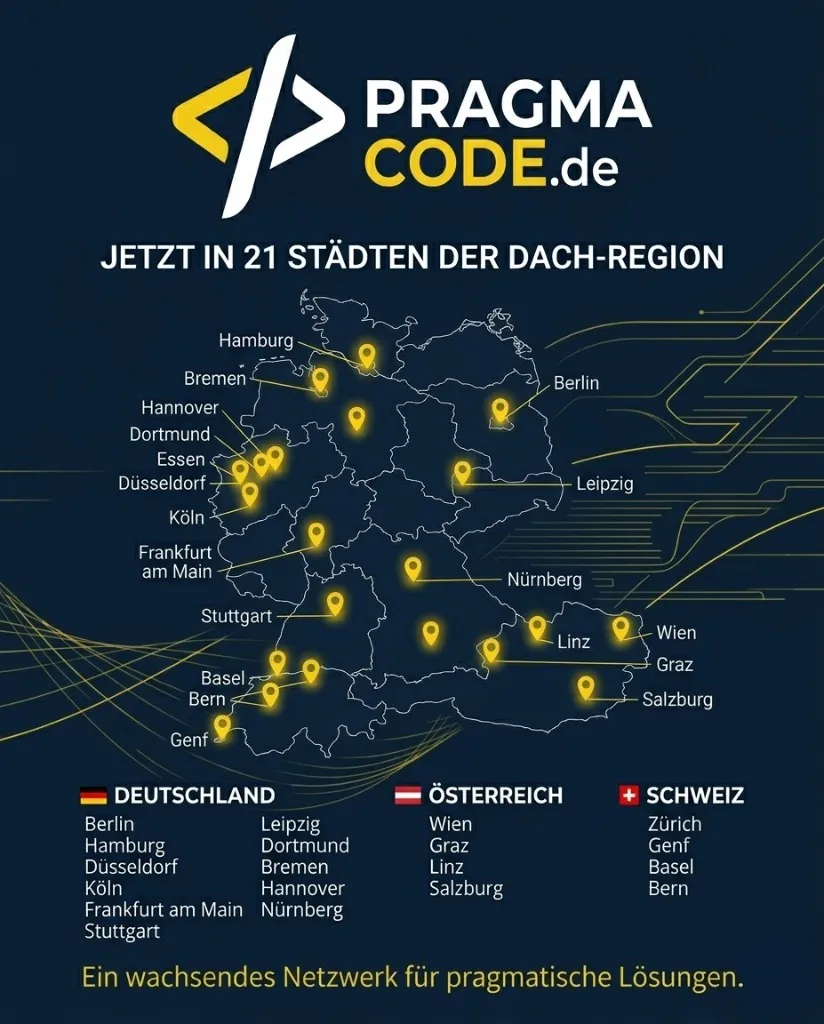
Our Regional Expertise
We are your digital partner – regionally anchored and successfully scaling across borders.
Do you have questions about the AI-readiness of your website?
Let's examine together how we can prepare your digital infrastructure for the era of autonomous AI agents.
Schedule a free consultationExtended Specialized Glossary
PageSpeed Insights
Google's performance analysis tool that measures web page loading speed and user experience. It evaluates both lab and field data, and recently introduced an experimental Agentic Browsing category.
Agentic Browsing
The automated navigation and interaction of autonomous AI agents on web pages. To facilitate this, sites must expose machine-readable structures like the accessibility tree and WebMCP tools.
WebMCP
An open standard proposed by Google for registering and validating web-based tools for AI agents. It allows websites to expose interactive forms and APIs directly in a machine-understandable format.
Accessibility Tree
A semantic subset of the DOM tree translated for assistive technologies and AI agents. It contains roles, names, and states of all interactive elements and serves as the primary data model for web agents.
Cumulative Layout Shift (CLS)
A Core Web Vitals metric evaluating visual stability. For AI agents, a CLS near zero is critical, as unexpected layout jumps cause simulated cursor clicks to miss their programmatic targets.
llms.txt
A structured standard for text files at the domain root providing AI models and web crawlers with a curated Markdown index of core site resources and documentation.