

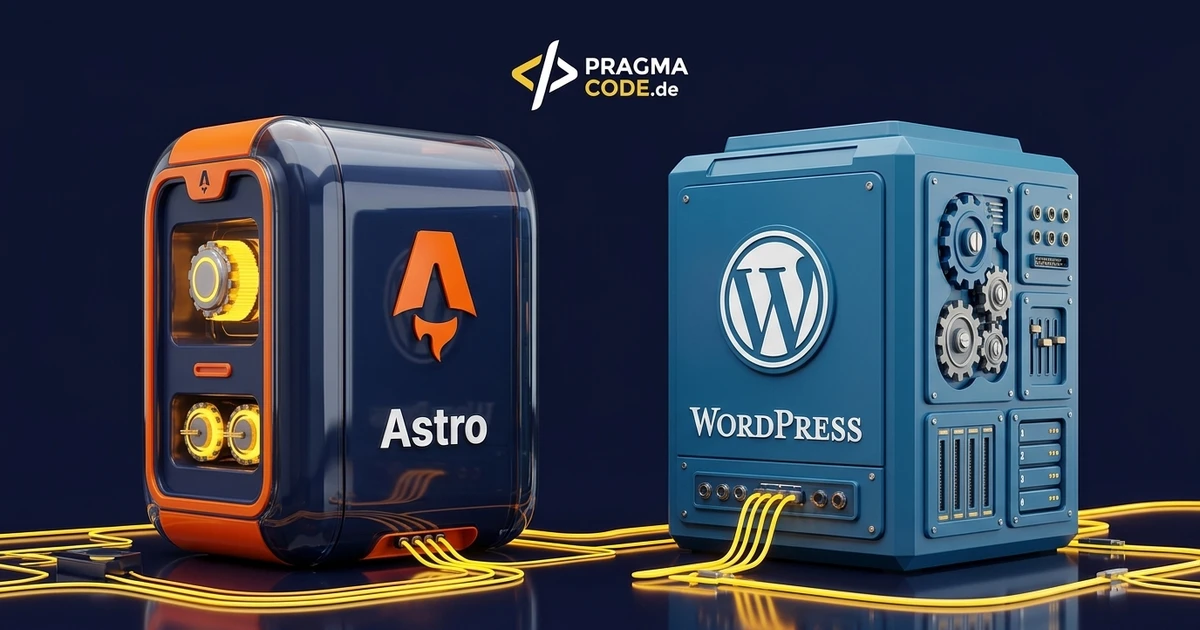
The comparison between Astro and WordPress is usually fought over load times. That is the easiest difference to measure, but not the most expensive one. Calculated over five years, the real decision is about maintenance effort, attack surface and who will be able to edit content in future.
This article is an in-depth expert contribution from our content cluster. Discover the complete overview on our main page: Web development for mid-sized companies →
- Load time is the smallest difference: WordPress can be made fast too. What cannot be optimised away is the ongoing maintenance and security effort.
- The real cost driver is attack surface: a site without a database and without a plugin ecosystem simply has less that needs patching.
- The decision hinges on editing: anyone with several people publishing daily decides differently from someone with a largely stable company site.
1. Why the load-time debate misleads
Almost every comparison between a modern web framework and WordPress opens with a speed test. The result is predictable and nevertheless says little, because it usually compares a carefully built new site with an old one grown over years. WordPress can be fast too — with a lean theme, no page builder, good caching and disciplined plugin use.
The point is a different one: with Astro, speed is the default state; with WordPress it is a state someone has to actively create and then permanently defend. And it is precisely that permanent defending which costs money over five years — not the milliseconds in a test report.
2. The structural difference
Both approaches ultimately deliver a website, but the route there is fundamentally different — and nearly everything else follows from that.
Comparison: assembled at request time vs. assembled at build time
- A database is involved: every request queries content and assembles the page — caching softens this but does not remove it.
- A PHP runtime on the server: software runs permanently and has to be kept current.
- Plugins extend the core: every feature is third-party code with its own update cycle.
- Attack surface grows with features: more plugins mean more places where something can stand open.
- Finished HTML on delivery: the server hands over files, nothing is assembled.
- No database in operation: what is not there cannot be compromised.
- Barely any JavaScript for the visitor: interactivity only where it is needed.
- Changes go through a build: traceable, versioned, revertible at any time.
This website is its own example: pragma-code.de runs on Astro. A full build produces 836 pages in under six seconds — German and English, including blog, glossary and city pages. What gets delivered is plain HTML.
3. Cost block 1: maintenance and security
This is the difference that shows up as real money. A WordPress installation is an ongoing operational responsibility: core updates, theme updates, plugin updates, PHP version changes, backups, and the question of what happens when a plugin is no longer developed.
1. Updates are mandatory, not optional
Vulnerabilities in widely used plugins are exploited automatically. An unmaintained WordPress site is not a theoretical risk but statistically a target. With a statically delivered site that operational update duty simply does not exist.
2. Every update can break something
The actual effort is not installing but checking afterwards: does the form still work, does the layout still hold, do the interfaces still respond. With many plugins that becomes a monthly routine somebody has to pay for.
3. Abandoned plugins are a time bomb
A plugin its developer no longer maintains often keeps working for years — until it breaks with a new PHP or WordPress version. Then an unplanned replacement investment is due, usually at the worst possible moment.
4. The database ages too
Over the years revisions, orphaned settings and leftovers of uninstalled extensions accumulate. That does not only slow things down, it makes every diagnosis more expensive.
In practice: a WordPress site needs a maintenance budget, a statically built site needs considerably less. With me the Web & Technology plan costs €390 per month and contains exactly that work — monthly security and performance updates for CMS, plugins and SSL, bugfix response within 48 hours on working days, and a monthly report on Core Web Vitals and uptime. With a static site the same support need is simply smaller.
The most honest sentence on the subject: with WordPress you are not paying for the software, you are paying for someone to keep it in check.
4. Cost block 2: editing and dependency
Now the side where WordPress clearly wins — and which technology comparisons like to leave out.
WordPress has an editorial system millions of people know. Anyone wanting to add a page, swap an image or change a text can do so without a developer. With a purely statically built site, a change generally goes through someone who triggers the build — and that is a dependency to take on deliberately, or not at all.
Dependency on the provider
When every text change triggers a request, waiting times and costs arise for trivialities. This is the strongest objection to a static site — and it is justified whenever nobody internally can handle it.
Several editors at once
As soon as multiple people with different permissions maintain content, need approvals and manage drafts, a fully featured editorial system plays to its strengths.
Ready-made features in one click
Booking systems, member areas, form logic: the WordPress ecosystem has finished extensions for all of it. In a custom-built approach that is development work — but without third-party code in operation.
5. The third path: combine both
The decision need not be all or nothing. In practice the most economical solution is often a mixture: WordPress stays in the background as the editorial system while delivery is handled by a fast static layer — or a shop keeps its existing system but gains static landing pages beside it for the pages that matter.
That is exactly how it was solved at ImkerPur: five static shop landing pages placed directly beside the existing JTL shop, with 100/100 in the PageSpeed test and 27 FAQ answers — without a single additional plugin in the shop system. The shop stayed as it was; the speed was built next to it.
For the conversion route that keeps the editorial system, the architectural options and platforms are detailed in our technical guide on Headless CMS for SMEs — WordPress or Strapi continues to manage content while Astro handles lightning-fast frontend delivery.
6. When each choice is right
WordPress: many editors, constant change
Daily content work by several non-technical people, a need for ready-made functional building blocks, approval workflows. Then the maintenance budget is well invested.
Astro: stable site, high standards
A company site that rarely changes fundamentally, where speed, security and low running costs matter. The common case in mid-sized business.
Combination: keep editing, gain speed
When the editorial system should stay but delivery has to become faster and safer. The pragmatic middle path with the least disruption.
Change nothing at all
If the existing site brings enquiries, is maintained and has no acute problems, switching is busywork. That is a legitimate answer too.
7. What a switch costs — and when it does not pay
A switch is a project with real costs: migrating content, setting redirects cleanly, rebuilding forms and interfaces, changing editorial processes. What that costs concretely and when it pays off is covered in WordPress migration: cost & ROI.
More important than the number is the trigger. A switch pays off when the existing site regularly costs money — through outages, security incidents, constant repairs, or because it demonstrably loses visitors. It does not pay off because a framework sounds more modern.
8. The third cost block both camps leave out
Maintenance and editing are the two items the argument is fought over. But there is a third that runs alongside every decision and appears in almost no comparison: what the site needs in infrastructure, and what happens to its existing visibility.
Hosting: the same price does not buy the same thing
A WordPress site needs a server permanently executing PHP and holding a database. The more visitors arrive simultaneously, the more computing power is required — and costs rise with success. A statically delivered site fundamentally needs only somewhere to serve files from. At the same traffic level that is considerably less demanding and scales almost arbitrarily without anyone intervening.
The difference barely matters for a small company site. It matters immediately when a campaign, a press article or a social media post briefly brings ten times the visitors. That is precisely when one site buckles and the other does not — and the outage costs more than three years of the hosting difference.
Rankings: the item that really hurts during a switch
When an existing site has visibility on Google, that visibility is an asset — and it is at risk during a migration. Not through the technology, but through craft errors: URLs changing without redirects, structured data disappearing, content quietly truncated during the move.
Every old URL needs a destination
Not a blanket redirect to the homepage, but to the corresponding new page. A catch-all redirect is technically a redirect and practically a loss of rankings.
Structured data does not migrate by itself
What a plugin previously generated — reviews, FAQs, opening hours, product data — has to be deliberately recreated in the new environment. Otherwise the rich results disappear, and nobody notices because the site works.
Measure beforehand or there is no comparison
The Search Console baseline belongs saved before the move. Without it you cannot later distinguish whether a decline came from the switch or from the season — and arguing about that costs more than the measurement.
These three points apply regardless of which direction you switch in. They are why a migration is a project and not a weekend — and why it only pays off when the existing site genuinely has a problem.
Quick check: which path fits?
A final note on the honesty of this comparison: this site runs on Astro, I earn money with both systems, and the most frequent advice I give in a first call is neither "Astro" nor "WordPress" but "leave it as it is". A website that brings enquiries and is maintained is not a modernisation case — it is a working tool. A technology switch is a remedy for a concrete problem and not an end in itself, and anyone reversing that pays for a rebuild to satisfy a feeling.
Conclusion
Astro and WordPress solve different problems. WordPress buys you editorial independence and pays for it with ongoing maintenance and security effort. Astro buys you low operating costs, high speed and a small attack surface, and pays for it by routing changes through a build.
So the question is not which is more modern but: who will maintain this site over the next five years, how often, and what may it cost per year? Anyone with those three answers has already answered the technology question — and often finds that a combination of both is the most economical outcome.
Have a vision?
Let's check together how we can make your idea take flight.
Book your free strategy call nowExtended Specialized Glossary
Core Web Vitals
Google's metrics for loading behaviour, interactivity and visual stability of a page.
Headless CMS
An editorial system that only supplies content, while presentation is handled by a separate application.
SSG (Static Site Generation)
Producing finished HTML pages at build time, so that neither a database nor an application server is needed in operation.
