


This article is an in-depth expert contribution from our content cluster. Discover the complete overview on our main page:n8n Automation →
Introduction: Shrinking the Efficiency Gap in the Middle Market
In the modern economy, time is the most rapidly dwindling resource. While large corporations maintain entire departments for "Digital Transformation" and "Process Excellence", medium-sized companies often struggle with a patchwork of isolated software solutions, Excel spreadsheets, and manual transfer errors. This is where the so-called efficiency gap arises: The discrepancy between what is theoretically possible (fully automated data flows) and practical reality (employees spending hours copying and pasting).
Process automation is no longer a luxury, but a survival strategy. With the advent of AI technologies, the playing field has also changed drastically. It is no longer just about pushing data from A to B, but about processing this data intelligently along the way. n8n has established itself in this environment as the Swiss Army knife for companies looking for flexibility, data sovereignty, and scalability without falling into the cost trap of proprietary cloud platforms.
What is n8n? A Technical Deep Dive
n8n (pronounced "n-eight-n") is an open-source-based workflow automation software based on an innovative node-based logic model. Unlike classic script solutions, which require in-depth programming knowledge, n8n offers a visual interface on which complex logics are mapped out by connecting "nodes".
Node-Based Logic vs. Classic Code
Each node in n8n represents a specific function or a connection to an external service (API). There are trigger nodes that start the workflow (e.g., an incoming webhook, a new email, or a fixed schedule), and action nodes that transform, filter, or send data to other services.
The highlight: Although n8n is a "low-code" platform, it offers full "pro-code" capabilities. Via the Code Node, developers can integrate JavaScript directly into the workflow to perform highly specialized data manipulations that go beyond standard functions. This makes n8n a solution that is attractive for both business analysts and experienced developers.
The "Fair-Code" Model
n8n follows a "Fair-Code" license model. This means the source code is visible and can be used free of charge for most private and commercial applications. License fees only apply for specific enterprise features or mass hosting by third-party providers. This creates transparency and trust – two core values of Pragma-Code.
Hosting Strategies: Cloud vs. Self-Hosted
One of the most important decisions when introducing n8n is the choice of the hosting environment. This is where n8n plays its greatest strength: freedom of choice.
Advantages of Self-Hosting (On-Premise)
- Maximum data sovereignty: Your data never leaves your own infrastructure. This is particularly critical for companies working with personal data in accordance with the GDPR.
- No task limits: Where cloud providers like Zapier charge per "task", a local n8n server always costs the same regardless of the number of workflows executed. At 100,000 tasks a month, this saves thousands of euros.
- Deep Integration: A locally hosted n8n can access internal databases and local server resources directly that are not accessible via the public internet.
Managed n8n by Pragma-Code
For companies that want to enjoy the benefits of self-hosting but do not have their own IT department for maintenance, we offer Managed n8n Hosting. We operate your instance on secure servers in Germany, taking care of backups, updates, and security patches while you retain full administrative control.
The Ultimate Comparison: n8n vs. Zapier vs. Make
When companies think about automation, the names Zapier or Make (formerly Integromat) often come up. Why do we at Pragma-Code still recommend n8n?
| Feature | Zapier | Make | n8n |
|---|---|---|---|
| Hosting | Cloud Only (SaaS) | Mainly Cloud | Cloud & Self-Hosted |
| Data Privacy | US-SaaS (Critical) | EU-SaaS (Good) | Absolute Control |
| Cost Model | Per Task (Expensive) | Per Operation | Flat Rate (Server Costs) |
| AI Integration | Basic Connection | Well Integrated | Native (LangChain) |
Why n8n Wins for SMEs
While Zapier is excellent for simple "If-This-Then-That" actions, it quickly reaches its functional and pricing limits with complex logic (iterations, conditions, error handling). Make offers a visual interface for complex logic but can become extremely expensive with high data volumes. n8n combines the visual power of Make with the freedom of open source.
AI + n8n: The Revolution of Intelligent Workflows
The true "killer advantage" of n8n in 2026 is the native integration of AI technologies. n8n was one of the first providers to integrate LangChain nodes directly into the interface.
Building Your Own AI Agents
With n8n, you can not only send simple API queries to ChatGPT. You can build genuine AI agents that:
- Have memory: Store information from previous interactions.
- Use tools: The AI decides independently whether to check the CRM, write an email, or query a database.
- RAG (Retrieval Augmented Generation): Load your own documents (PDFs, wikis) into a vector store so that the AI only responds based on your verified company data.
Local AI for Maximum Security
In combination with tools like Ollama or LocalAI, n8n can use AI models running locally on your server. This means: You can use the power of Large Language Models (LLMs) without a single word of your sensitive data being sent to servers in the US (OpenAI, Anthropic).
"The combination of n8n and local AI is the holy grail for privacy-conscious companies in Europe." – Alexander Ohl, Founder of Pragma-Code.
Advanced Workflow Design: Best Practices
A good workflow is more than just a chain of nodes. At Pragma-Code, we follow strict quality guidelines during design to guarantee reliability and maintainability.
1. Error Handling
In n8n, we use special Error Triggers. If a step fails (e.g., because an API is temporarily unreachable), a second workflow is automatically started. This informs the admin via Slack or automatically retries the action after a waiting period ("Auto-Retry").
2. Modularity and Sub-Workflows
Instead of building giant "spaghetti workflows," we rely on modularity. Recurring tasks – such as formatting dates or authenticating with a specific API – are outsourced to Sub-Workflows. These can be called by any number of other main workflows. This saves development time and makes updates child's play.
3. Versioning and Documentation
Every workflow in n8n can be exported in JSON format. We use this to version workflows in Git systems. This allows us to track changes and revert to a stable version at any time in the event of problems. Within the n8n interface, we make extensive use of Sticky Notes to explain the logic directly at the node for other team members.
Real-World Case Studies: n8n in Action
Case Study 1: The Digitized Craft Business
A medium-sized air conditioning business struggled with the flood of emergency calls. Solution: An n8n workflow receives the transcripts of the voice messages, an AI (GPT-5.5) extracts the address, urgency, and description of the problem. n8n compares this with the technicians' Google Calendar and automatically sends the customer an appointment proposal via SMS – all within 60 seconds, without manual intervention in the office.
Case Study 2: Automated B2B Sales for Service Providers
An agency wanted to automate lead research. Solution: n8n scans LinkedIn for relevant keywords. Found profiles are enriched with email addresses using a tool like Hunter.io. An AI model reads the lead's website and generates a personalized "icebreaker" for the first email. The finished email lands as a draft in the sales rep's inbox – ready to be sent.
E-Commerce Stock Sync
A retailer sells on Shopify, Amazon, and eBay. Solution: Every time a sale is made, n8n triggers a workflow that updates inventory across all other platforms in real time. At the same time, the invoice is created in SevDesk and the shipping provider is notified.
Technical Architecture: The Foundation for Scalability
A common mistake when introducing automation tools is neglecting the underlying infrastructure. n8n is written in Node.js and uses a PostgreSQL database (SQLite by default, which we do not recommend for production use).
Deployment Models in Detail
At Pragma-Code, we prefer to deploy n8n in Docker Containers. This allows for a strict separation of operating system and application. For extremely high loads (thousands of simultaneous executions), we configure n8n in Queue Mode. A Redis instance takes over task distribution, and multiple "worker" instances process workflows in parallel. This guarantees that your automations won't falter even during load spikes.
API Security & Credentials
Security is natively built into n8n. All access data (credentials) are stored encrypted in the database. n8n also supports External Secrets Management. We can configure n8n to retrieve passwords directly from systems like AWS Secrets Manager or HashiCorp Vault, so that sensitive keys never exist in plaintext within the application.
Hyper-Automation: A Look into the Future (2026-2030)
The term "hyper-automation" describes the trend of no longer just automating isolated tasks, but transforming entire business areas through a web of AI, RPA (Robotic Process Automation), and integration platforms like n8n.
From Simple Workflow to Autonomous System
In the future, workflows will no longer just be "pre-drawn". Thanks to AI agents, systems will be able to react independently to unforeseen situations (e.g., a delayed delivery or an unclear customer complaint) by creating new sub-workflows on-the-fly or adapting existing logics. Thanks to its API-first philosophy, n8n is perfectly prepared for this era.
Democratization of Automation
The barrier between "business" and "IT" is melting away. Due to improved visual editors and AI assistants in n8n (like the expression editor copilot), business departments can build their own automations, while IT only provides the secure framework (governance). This massively accelerates innovation cycles within the company.
Security and Compliance: n8n in the Enterprise Environment
For use in corporations or highly regulated industries, the Enterprise version of n8n offers additional features that Pragma-Code configures for you:
- RBAC (Role-Based Access Control): Only authorized employees can view or edit workflows.
- LDAP / SAML Integration: Seamless login with your corporate account.
- Audit Logs: Every change to a workflow is completely documented.
- External Secrets Management: Passwords and API keys are not stored in n8n itself but securely retrieved from systems like HashiCorp Vault.
The 5-Step Roadmap to Successful Automation
Many companies fail not because of the technology, but because of a lack of strategy. At Pragma-Code, we have developed a proven process to lead n8n projects safely to success.
Step 1: The Process Audit
Before we draw a single line of logic, we analyze your existing processes. We look for "low-hanging fruits" – tasks that are highly repetitive, high volume, and prone to error. The goal is a fast ROI (Return on Investment).
Step 2: Design & Prototyping
In this phase, we design the workflow visually in n8n. We define the triggers, required APIs, and data structures. An initial prototype often shows within a few days whether the logic delivers the desired results.
Step 3: Data Cleansing and Mapping
Automation is only as good as the data it processes. We ensure that the data formats between your systems (e.g., CRM and accounting) are perfectly coordinated. This is often where n8n's powerful Transformer Nodes come into play.
Step 4: Testing & Quality Assurance
In a sandbox environment, we test the workflow against all conceivable scenarios – including API error messages. Only when the workflow runs 100% stably does the migration to the production environment occur.
Step 5: Monitoring & Optimization
After go-live, we monitor the executions. n8n offers excellent logging functions with which we can see exactly where time is saved and where potential bottlenecks arise. A workflow is a "living project" that we continuously improve.
Maintenance and Troubleshooting: Ensuring Operations
Like any business-critical software, an n8n installation requires regular maintenance. We recommend a monthly maintenance window for updates to n8n itself and its underlying core packages.
Common sources of error in daily practice are expired API tokens or changes to third-party interfaces. By employing the Error Notification Workflow, our team is immediately notified if a token needs to be renewed, even before there is a noticeable disruption in your business processes.
Conclusion: Start Your Automation Journey
Automation with n8n is not a one-off project, but a journey. Companies that start modularizing their processes and refining them with AI today will have an unassailable efficiency advantage over their competitors in two to three years.
n8n provides the most stable and flexible foundation for this. Whether you are just starting or already want to migrate hundreds of Zapier tasks – the possibilities are limitless.
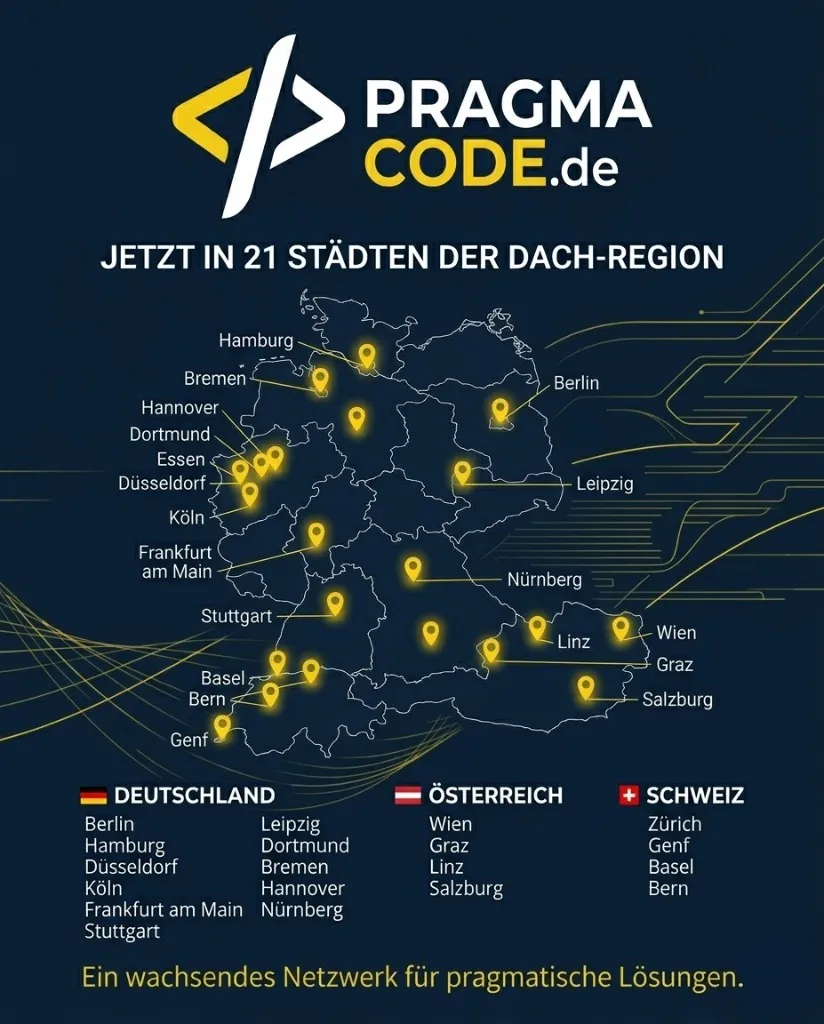
Our Regional Expertise
We are your digital partner – regionally anchored and successfully scaling across borders.
Have a vision?
Let's check together how we can make your idea take flight.
Book your free strategy call nowExtended Specialized Glossary
Workflow
The entire logical chain of steps that automates a business task.
Node
A single functional building block in n8n that takes over a specific task.
Webhook
A method for sending real-time data from one software to another (the "call" when something happens).
API (Interface)
The standardized connection through which n8n talks to other programs like Slack, CRM, or ERP.
JSON
The data format in which information flows between nodes in n8n. Compact and machine-readable.
Low-Code
Development with minimal manual coding effort, mostly through visual editors.
Vector Database
A special storage for AI knowledge that makes it possible to search documents for content at lightning speed.
Self-Hosting
Running software on your own servers – the gold standard for data protection.