

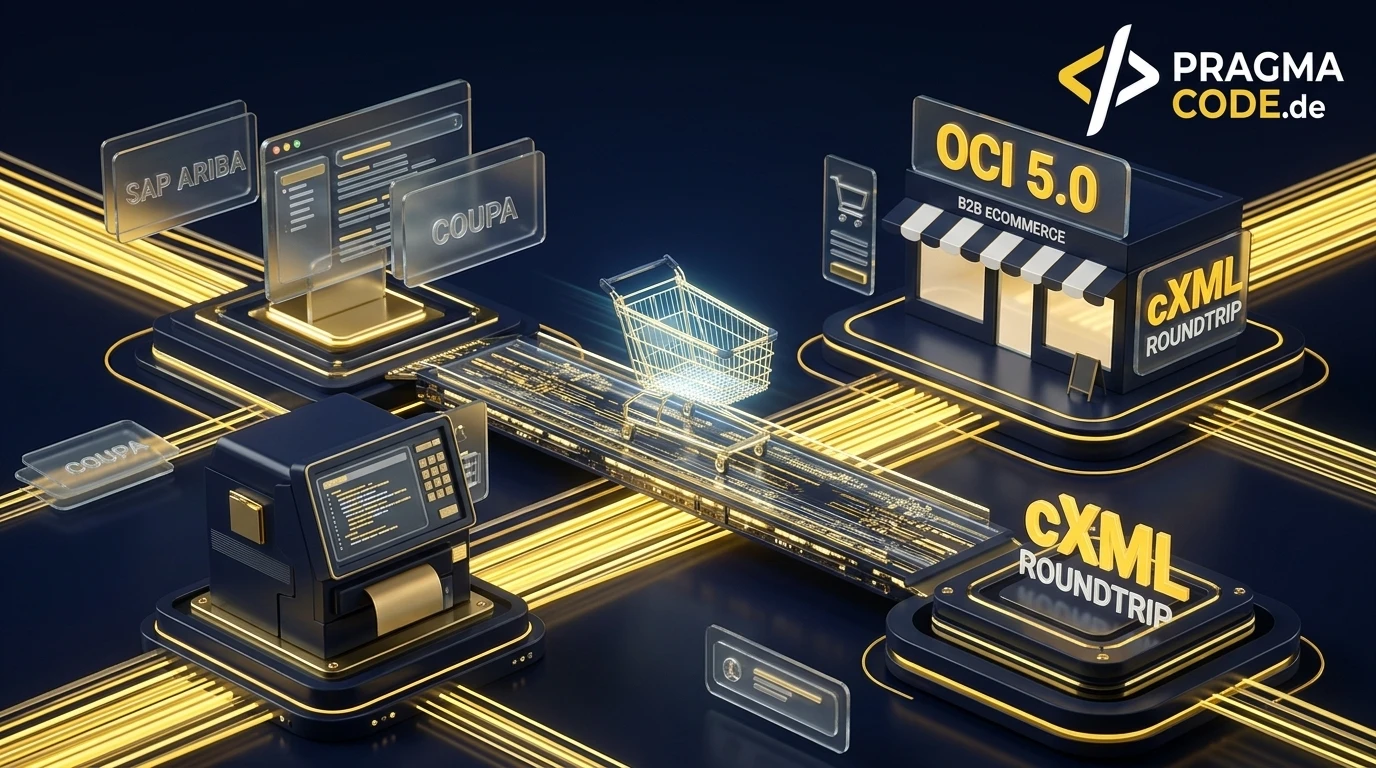
Enterprise corporations and institutional procurement teams increasingly demand direct PunchOut access from their ERP systems to supplier catalogs. Discover how B2B manufacturers and distributors seamlessly integrate OCI and cXML interfaces into their online stores to win enterprise tenders and automate order procurement.
This article is an in-depth expert contribution from our content cluster. Discover the complete overview on our main page: E-Commerce →
- Strategic E-Procurement Prerequisite: Enterprise corporations and public sector institutions strictly mandate PunchOut catalogs in their procurement tenders. Suppliers lacking OCI or cXML capabilities face automatic disqualification.
- Dual Protocol Landscape (OCI vs. cXML): While traditional European SAP setups rely heavily on Open Catalog Interface (OCI) using HTML Form POST transfers, global enterprise procurement networks like SAP Ariba and Coupa require cXML with tokenized two-way handshakes and validated XML payloads.
- Automated Roundtrip Operations: A reliable PunchOut workflow cuts order processing overhead by up to 85 percent, eliminates manual item transcription errors, and ensures seamless alignment with customer approval workflows and purchase order (PO) generation.
- 1. Introduction: The Paradigm Shift in Enterprise B2B Procurement
- 2. The PunchOut Roundtrip: Technical Mechanics Explained
- 3. Protocol Comparison: OCI vs. cXML Architecture
- 4. Enterprise E-Procurement Networks at a Glance
- 5. The 4 Critical Pitfalls in PunchOut Implementations
- 6. 5-Step Implementation Roadmap for B2B Suppliers
- 7. Summary & Action Checklist for Decision Makers
1. Introduction: The Paradigm Shift in Enterprise B2B Procurement
The operational reality of B2B procurement across automotive, manufacturing, chemicals, and healthcare sectors has undergone a fundamental transformation. Traditional ordering channels—such as static PDF price lists, unstructured email orders, or manual spreadsheets—are no longer tolerated in corporate purchasing departments due to compliance risks and soaring overhead costs.
Procurement executives face intense pressure to optimize transaction expenses: rogue purchasing (unauthorized maverick buying without pre-approved requisition) combined with manual invoice entry costs organizations between 80 and 150 euros per individual order. By centralizing purchasing through automated E-Procurement platforms such as SAP Ariba, Coupa, Jaggaer, and Onventis, enterprises slash transaction costs to under 10 euros per purchase order.
The bottom line for mid-market suppliers: B2B manufacturers and distributors that cannot connect their web stores directly to their enterprise buyers' procurement systems risk losing multi-year framework contracts. Providing a robust PunchOut catalog is no longer an optional perk—it is an indispensable requirement for enterprise sales.
However, many mid-market IT and e-commerce leaders are deterred by the perceived complexity of procurement integrations. Standards like OCI Form POSTs, cXML SetupRequests, UNSPSC commodity mapping, and browser cookie restrictions can appear daunting. This comprehensive guide breaks down how PunchOut integration works, contrasts OCI with cXML, and provides an actionable blueprint to integrate PunchOut into modern B2B architectures.
2. The PunchOut Roundtrip: Technical Mechanics Explained
A PunchOut catalog functions as an interactive, real-time bridge between a buyer's ERP software and a supplier's digital storefront. Rather than uploading static catalog files (like CSV or BMEcat feeds that immediately turn obsolete when inventory fluctuates or material surcharges apply), the buyer shops directly in the supplier's live web catalog under strictly controlled contract terms.
This automated flow is known as the PunchOut Roundtrip and consists of four deterministic steps:
Initiation (PunchOut Setup Request)
The corporate buyer clicks the supplier tile inside their ERP (e.g., SAP Ariba or Coupa). The procurement system dispatches an authenticated request (OCI login or cXML PunchOutSetupRequest) to the supplier's gateway, passing a secure session token and the destination callback URL (HOOK_URL or BuyerCookie).
Authenticated Catalog Navigation
The supplier's B2B shop validates the handshake, initializes an isolated session, and transparently logs the buyer in. The buyer browses pre-approved product assortments, customer-specific net prices, tiered volume discounts, product configurators, and technical data sheets.
Cart Return (Data Transfer)
Instead of completing a conventional consumer checkout, the buyer clicks "Transfer Cart to Procurement System". The store packages all line items (SKU, description, unit price, quantity, ISO unit of measure, UNSPSC code) and posts the payload back to the buyer's ERP callback endpoint.
Requisition & Purchase Order Generation
The buyer's ERP ingests the structured cart data and automatically creates an internal purchase requisition (PR). Once internal approvals (cost center sign-offs and budget verifications) are completed, the ERP transmits an official purchase order (PO) to the supplier via EDI or cXML OrderMessage.
Level 1 vs. Level 2 PunchOut (Storefront vs. Item-Level Search)
In enterprise e-procurement implementations, two distinct integration tiers exist:
Level 1 PunchOut (Storefront-Level): The buyer clicks the supplier's logo within their procurement platform and lands on the homepage or catalog root of the supplier's store. From there, they utilize the supplier's on-site search, category navigation, and configuration tools. This represents the standard implementation path for most B2B suppliers.
Level 2 PunchOut (Item-Level Deep-Linking): The buyer searches for a specific technical SKU or keyword (e.g., "High-Precision Ball Bearing DIN 625-2RS") directly within their enterprise ERP's global search bar. The ERP queries a pre-indexed feed (Short-Text CIF or cXML index) and returns multi-vendor results. Clicking the item punches out directly to the pre-configured product detail page in the supplier's shop, drastically shortening procurement cycle times and maximizing supplier conversion.
3. Protocol Comparison: OCI vs. cXML Architecture
Suppliers building B2B PunchOut integrations primarily encounter two standards. While both facilitate automated cart transfers, their underlying transport mechanisms, data schemas, and security layers differ significantly.
Comparison: Open Catalog Interface (OCI) vs. cXML PunchOut
- Origin & Governance: Proprietary standard created by SAP SE, deeply established across on-premise SAP ERP (ECC 6.0, S/4HANA) and SAP SRM systems.
- Data Transport Format: Browser-based HTML Form Data (URL-encoded Key-Value pairs). Line items are posted via hidden
<input type="hidden">elements to the Hook URL. - Authentication: Simple HTTP GET/POST with credentials (e.g.,
USERNAME,PASSWORD,HOOK_URL). Susceptible to session replay without custom token handling. - Field Structure: Indexed tabular naming conventions such as
NEW_ITEM-DESCRIPTION[1],NEW_ITEM-PRICE[1],NEW_ITEM-MATGROUP[1]. - Extensibility: Constrained to predefined standard OCI variables; custom attributes require proprietary custom fields (
NEW_ITEM-CUST_FIELD).
- Origin & Governance: Open industry standard established by Ariba, widely adopted by modern cloud procurement suites (Coupa, SAP Ariba, Jaggaer).
- Data Transport Format: Strict, well-formed XML over HTTP POST (MIME type
text/xml) with rigorous DTD and XSD schema validation. - Authentication: Secure 2-way server handshake. The ERP sends a
PunchOutSetupRequestwith aSharedSecret; the shop responds with a one-timeStartURL. - Field Structure: Hierarchical XML structures containing elements like
<ItemDetail>,<UnitPrice>, and<Classification domain="UNSPSC">. - Extensibility: Highly modular and extensible using standard
<Extrinsic>elements for industry-specific data payloads.
The OCI Specification (Field Mapping & Variables)
The Open Catalog Interface (OCI) operates entirely through client-side browser posting. When the buyer finalizes product selection, the web application renders an HTML form that automatically submits via JavaScript to the HOOK_URL provided during the initial session handoff.
Key OCI standard variables for each cart item index [n] include:
NEW_ITEM-DESCRIPTION[n]
Full-text product description (max. 40 or 256 characters depending on OCI release version).
NEW_ITEM-MATNR[n]
Unique vendor part number for automated master record matching in the supplier's ERP.
NEW_ITEM-QUANTITY[n]
Requested purchase quantity with exact decimal formatting (e.g., 10.000).
NEW_ITEM-UNIT[n]
Standardized ISO/SAP unit code (e.g., PCE for pieces, KGM for kilograms, MTR for meters).
NEW_ITEM-PRICE[n]
Customer-specific net unit price in agreed currency terms (e.g., 124.50).
NEW_ITEM-CURRENCY[n]
3-letter ISO transaction currency code (e.g., EUR, USD, CHF).
NEW_ITEM-PRICEUNIT[n]
Price quantity multiplier (e.g., 1 or 100 for pricing quote per 100 units).
NEW_ITEM-LEADTIME[n]
Guaranteed replenishment lead time in working days for automated ERP material planning.
NEW_ITEM-MATGROUP[n]
Standardized 8-digit UNSPSC or eCl@ss commodity code for automated cost center accounting.
Expert Tip: UTF-8 Encoding & Multi-Tenant Session Isolation
Always ensure character strings in NEW_ITEM-DESCRIPTION are strictly UTF-8 encoded without broken entities to prevent parsing crashes in older SAP S/4HANA middleware. Additionally, store an internal reference token in a custom hidden field to keep multiple concurrent buyers from the same corporate network completely isolated.
The cXML Architecture (Two-Way Server Handshake)
In contrast to OCI, cXML relies on a direct server-to-server validation protocol before the buyer ever accesses the supplier's web storefront:
Phase 1: Setup Request (Server-to-Server): The buyer's e-procurement platform sends a PunchOutSetupRequest via HTTP POST to the supplier's PunchOut gateway. This XML document contains buyer identification tokens (Sender Identity), the configured SharedSecret, the target callback endpoint (BuyerCookie and BrowserFormPost), and custom parameters. The supplier gateway validates credentials and returns a PunchOutSetupResponse containing a single-use tokenized StartURL.
Phase 2: Browser Redirect & Order Message: The ERP redirects the buyer's browser to this StartURL, establishing an authenticated session. Upon cart completion, the store packages the selected items into a PunchOutOrderMessage XML document and submits it back to the BrowserFormPost endpoint.
4. Enterprise E-Procurement Networks at a Glance
Mid-market B2B suppliers connecting to large enterprise clients encounter several leading procurement networks, each with distinct technical requirements:
1. SAP Ariba (Ariba Network)
The dominant global B2B procurement network. SAP Ariba primarily enforces cXML and requires supplier registration with an Ariba Network ID (ANID). PunchOut stores must pass formal testing in Ariba's sandbox. Supports advanced Level 2 item deep-linking and real-time catalog subscriptions.
2. Coupa Software
The fastest-growing cloud procurement suite among enterprise corporations. Coupa operates on standard cXML and strictly validates 8-digit UNSPSC commodity classifications and ISO currency codes. Coupa provides suppliers with a streamlined sandbox testing environment for roundtrip certification.
3. Jaggaer (formerly Pool4Tool / BravoSolution)
Widely adopted across European manufacturing, automotive supply chains, and public procurement. Jaggaer provides mature support for both OCI (releases 4.0 and 5.0) and cXML, offering deep configurability for custom line-item attributes.
4. Onventis & Newtron
Prominent e-procurement solutions throughout the DACH region and Central European mid-market clusters. Widely utilized by mid-sized purchasing consortiums and industrial groups, featuring seamless OCI integrations and BMEcat data support.
5. The 4 Critical Pitfalls in PunchOut Implementations
In practice, PunchOut projects fail not because enterprise buyers lack interest, but because of architectural missteps during shop development. Avoiding these four pitfalls saves months of troubleshooting and test cycles:
Pitfall 1: iFrame Cookie Blocking & SameSite Policies
Many procurement applications load supplier catalogs within an embedded <iframe> inside their intranet UI. Modern web browsers (Chrome, Safari, Edge) block third-party cookies inside iFrames by default. Without a configured SameSite=None; Secure cookie architecture or tokenized URL session handling, buyers lose their login state upon first click.
Pitfall 2: Missing or Invalid UNSPSC Commodity Codes
Enterprise procurement systems mandate valid 8-digit UNSPSC codes or eCl@ss identifiers on every returned cart item. If commodity codes are missing from the OCI or cXML payload, the buyer's ERP rejects the cart transfer with an unhelpful schema validation error.
Pitfall 3: Monolithic Hardcoding Without Decoupled Middleware
Hardcoding PunchOut endpoints directly into a monolithic storefront codebase creates severe technical debt. Every custom field requested by a new enterprise client requires code deployments. Modern architectures employ a decoupled middleware layer (e.g., serverless Next.js API routes or n8n) to handle protocol transformation independently.
Pitfall 4: Stale Contract Pricing and Inventory Latency
Nothing destroys buyer confidence faster than price discrepancies between the PunchOut catalog and contractual ERP master records. Mid-market stores must implement low-latency in-memory caching (e.g., Redis) combined with live validation at cart return to prevent rejected purchase requisitions.
6. 5-Step Implementation Roadmap for B2B Suppliers
To launch a robust, compliance-ready PunchOut integration on schedule, mid-market B2B suppliers should execute this structured 5-stage plan:
-
Step 1: Client Requirements & Protocol Specification
Coordinate with the enterprise buyer's procurement and IT teams to define precise integration parameters: target procurement platform (SAP Ariba, Coupa, Jaggaer), required protocol (OCI 4.0/5.0 vs. cXML 1.2), and mandatory data fields (UNSPSC, ISO units, currency rules).
-
Step 2: Middleware & Gateway Architecture
Deploy a dedicated PunchOut gateway layer in front of your B2B store. This gateway ingests inbound OCI logins and cXML
PunchOutSetupRequests, verifies shared secret credentials, and initiates isolated guest sessions equipped with buyer-specific pricing matrices. -
Step 3: Master Data Normalization & Commodity Mapping
Ensure all catalog items contain standardized ISO unit codes (PCE, KGM, MTR) and valid UNSPSC or eCl@ss classifications. Configure mapping tables inside your PIM or store backend to enrich cart payloads dynamically during cart return.
-
Step 4: End-to-End Sandbox Certification
Conduct end-to-end integration testing in the customer's staging environment. Validate the complete roundtrip: ERP punchout initiation, personalized catalog navigation, cart return, and subsequent purchase order transmission.
-
Step 5: Production Deployment & Health Monitoring
Switch to production credentials and establish automated logging and alerting for failed cart transfers, expired tokens, or schema validation errors, ensuring immediate resolution before procurement workflows are impacted.
7. Summary & Action Checklist for Decision Makers
Implementing PunchOut catalogs via OCI and cXML is the single most effective strategic lever for mid-market B2B suppliers to secure preferred vendor status with enterprise clients. By removing procurement friction, suppliers drastically lower transaction costs for both parties and lock in long-term framework contracts.
With modern, API-first e-commerce architectures, PunchOut integration is no longer a multi-month ordeal. By deploying a modular middleware gateway, mid-market businesses can establish fully certified OCI and cXML connections in a matter of weeks.
Quick-Check: Your PunchOut Readiness
Ready to Connect Your B2B Store to SAP Ariba, Coupa, or OCI?
Schedule a Free Technical ConsultationOur Regional Expertise
We are your digital partner – regionally anchored and successfully scaling across borders.

Have a vision?
Let's check together how we can make your idea take flight.
Book your free strategy call now