

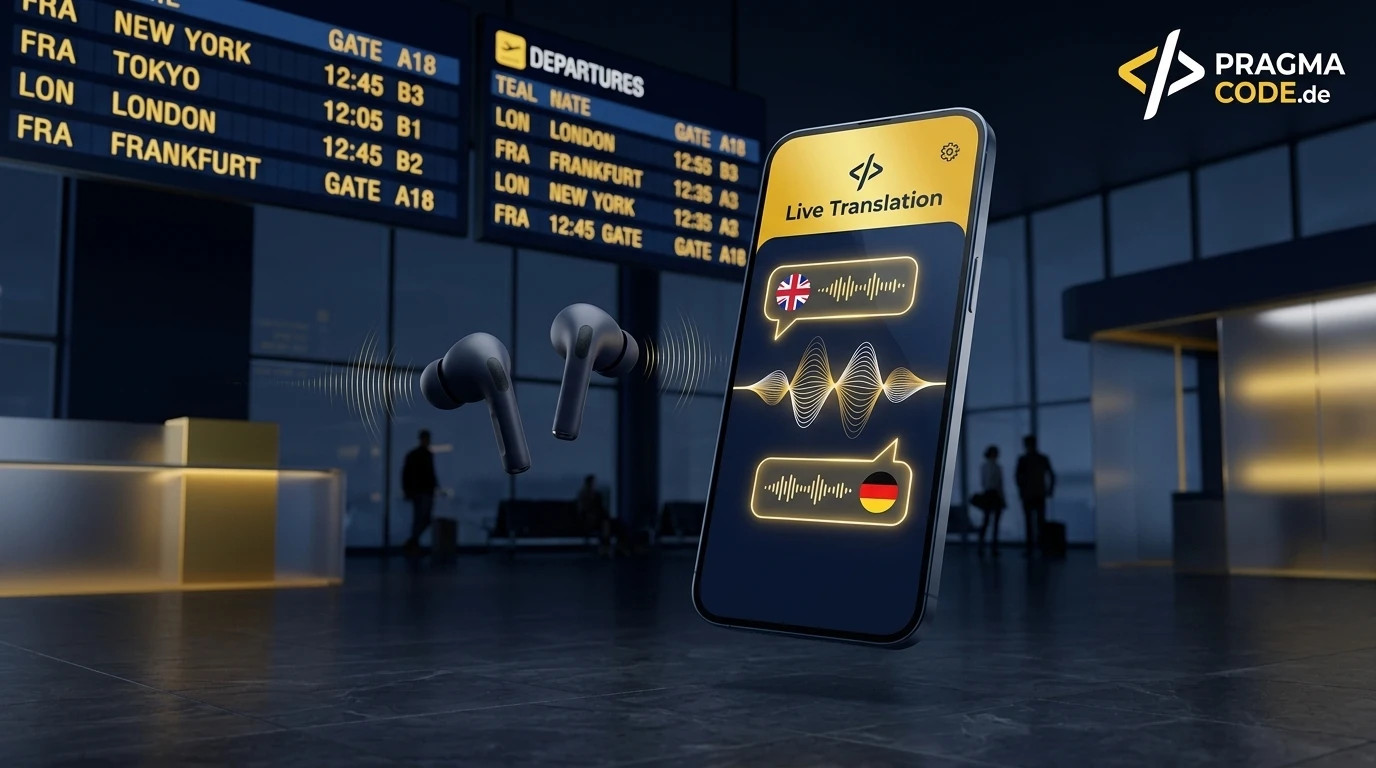
Traveling without language barriers was a sci-fi dream for decades. With Google Translate's latest upgrades – powered by multimodal Gemini AI models, continuous Listening Mode, background playback, and discrete Earpiece Mode – your smartphone becomes a personal, real-time simultaneous interpreter in your ear.
This article is an in-depth expert contribution from our content cluster. Discover the complete overview on our main page: AI Automation for Enterprises →
- Eradicating the Language Barrier: Google Translate evolves from an isolated text dictionary into an ambient, adaptive audio companion that translates live speech across 70+ languages.
- Four Specialized Operational Modes: Featuring Listening, Conversation, Text only, and Custom settings, the app accommodates any travel scenario from crowded street markets to quiet museums.
- Background Audio & Earpiece Mode: Android travelers can keep live translations running with their phone screen locked in their pocket; iOS and Android users can discretely listen by holding the phone to their ear.
- 1. The Evolution: From Static Dictionary to Multimodal Travel Companion
- 2. Live Translation Deconstructed: The 4 Operational Modes
- 3. The 2026 Upgrades: Background Audio & Earpiece Mode
- 4. Five Essential Real-World Scenarios for Travelers & Expats
- 5. System Comparison: Conventional Translation vs. Gemini Live Translation
- 6. Pro Tips: Offline Packs, Audio Latency, and Battery Optimization
- 7. Step-by-Step: How to Configure Live Translation for Travel
- 8. Quick-Check: Travel Preparation Checklist
- 9. Conclusion & Outlook: The Future of Frictionless Global Travel
1. The Evolution: From Static Dictionary to Multimodal Travel Companion
Every international traveler knows the uneasy feeling of standing on a bustling train platform in Tokyo, an unfamiliar bus depot in Naples, or a vibrant souk in Marrakech when an urgent loudspeaker announcement blares out. In the past, travelers were stranded with clumsy dictionary apps, frantic typing into translation boxes, or flipping through dog-eared phrasebooks. Early digital translation utilities were crippled by mechanical friction: they demanded manual button tapping, unnatural conversational halts, and constant eye contact glued to a touchscreen.
In 2026, we are witnessing a profound paradigm shift. Every month, people translate around one trillion words across Google Translate, Google Search, and visual translations within Google Lens and Circle to Search. Yet the most impactful technological breakthrough is happening in auditory, real-time voice interpretation. Powered by Google's multimodal Gemini reasoning models, Translate is abandoning rigid input-output paradigms to establish an ambient, conversational audio bridge.
Modern Live Translation functions as a continuous cognitive service. It listens to fluid speech, decodes grammatical dependencies across complex sentence boundaries, and renders natural spoken translations with pitch-perfect cadence. For international explorers, digital nomads, and global business executives, this eliminates the awkward ritual of shoving a phone display into a stranger's face. True communication returns to where it belongs: natural, eye-to-eye human engagement.
2. Live Translation Deconstructed: The 4 Operational Modes
Opening the Google Translate app and tapping the Live Translation icon presents travelers with a clean, situation-aware interface. Rather than treating all conversations identically, the system provides four distinct modes engineered for specific environments encountered while on the move.
1. Listening Mode
Continuous one-way auditory translation. The smartphone microphone captures external foreign speech (such as Japanese, Spanish, or Arabic) and streams instant audio translations directly to your wireless earbuds. Tailor-made for guided museum tours, lectures, and public transit announcements.
2. Conversation Mode
Full bidirectional, turn-taking dialogue. When your conversation partner speaks, you receive translations privately in your earbuds. When you reply in your native tongue, the smartphone projects clean, clear speech in their language through the loudspeaker while displaying subtitles.
3. Text only Mode
Completely silent visual transcription for noise-sensitive surroundings. Foreign speech is instantly transcribed and translated into a dynamic teleprompter stream on your smartphone display. Essential for libraries, temples, historic sanctuaries, and formal meetings.
4. Custom Settings
Comprehensive personalization control. Fine-tune speech playback tempo, voice gender characteristics, conversational pause sensitivity thresholds, and ambient background noise filtering to maintain optimal audio clarity under windy or crowded street conditions.
The Listening Mode has quickly become a gamechanger for cultural exploration. As you wander through an ancient neighborhood or join a walking tour conducted exclusively in the regional dialect, Google Translate acts like an invisible, private tour docent whispering into your ear. There is no need to pause walking or pull out your phone: the system strips out street echo and streams crisp, translated audio continuously.
In Conversation Mode, the Gemini reasoning engine eliminates the clumsiness of manual turn-taking. Travelers no longer need to tap a button every time someone speaks. Instead, the model analyzes vocal pitch, cadence, and pauses to distinguish between both participants automatically. If a merchant at a night market makes an offer, the app recognizes their dialect and speaks German into your ear. When you respond, it seamlessly switches back and answers in the merchant's tongue, creating a spontaneous and organic negotiation flow.
3. The 2026 Upgrades: Background Audio & Earpiece Mode
Google's recent upgrades for iOS and Android directly eliminate the most persistent pain points reported by frequent flyers and globetrotters. Usage data reveals that more than a third of live translation sessions now exceed five minutes in duration. People are no longer seeking quick translations for isolated words; they are relying on Translate for sustained, long-format dialogues and situational awareness.
1. Background & Lock Screen Audio
Live translation on Android now continues uninterrupted in the background. Travelers can multitask seamlessly—checking walking directions in Google Maps or calling a ride in Grab—or lock their phone screen and tuck it securely into a backpack while listening via earbuds.
2. Earpiece Mode (Receiver Audio)
No headphones handy? On iPhone and Android devices, travelers can simply hold the phone to their ear like a traditional phone call. The proximity sensor automatically routes the translated audio output straight through the internal receiver speaker.
3. Conversational Pause Detection
Advanced neural voice models intelligently distinguish between natural breathing pauses, mid-sentence hesitation, and true sentence completion, preventing premature cut-offs and maintaining coherent semantic syntax.
4. Acoustic Noise Isolation
Neural beamforming and speech isolation models isolate vocal acoustics while suppressing industrial train terminal reverb, espresso machine clatter, and street traffic roar, guaranteeing accurate transcription.
The Earpiece Mode solves an awkward, everyday travel friction: you are rushing through a bustling airport, and your earbuds are packed deep inside your carry-on luggage. Blasting translated speech through the phone's loudspeaker creates a spectacle and gets drowned out by airport terminal chatter. With Earpiece Mode, you simply raise the phone to your ear. Your ear naturally blocks ambient terminal roar, allowing you to catch every syllable of a vital gate change announcement.
Meanwhile, background audio execution on Android is an immense safety and usability triumph. Walking through unfamiliar alleys after dark with an illuminated smartphone screen invites pickpockets. With background audio, your phone stays out of sight, while your discrete earbuds provide continuous, live translation and ambient awareness.
4. Five Essential Real-World Scenarios for Travelers & Expats
Technological benchmarks are impressive on paper, but how does Live Translation hold up in the messy, fast-paced reality of global travel? Here are five authentic travel challenges where these new upgrades make an indelible difference.
1. Urgent Transit & Flight Announcements
Platform alterations, delayed bullet trains, and sudden gate reassignments are frequently broadcast solely in the host country's language. With Listening Mode running in your ear, you comprehend transit instructions long before the bewildered crowd figures it out.
2. Street Food Markets & Food Allergies
Authentic culinary gems rarely feature translated menus. Conversation Mode allows travelers to chat spontaneously with food vendors regarding ingredients, spice intensities, and critical allergens like peanuts or shellfish—receiving instant spoken responses.
3. Cultural Expeditions & Walking Tours
Local historians and park rangers offer rich narratives, yet tours are often conducted strictly in Japanese, Italian, or Mandarin. Continuous Listening Mode unlocks immersive cultural context without requiring rented tour headphone hardware.
4. Medical Emergencies & Pharmacies
When unexpected health issues arise, precision is non-negotiable. Conversation Mode prevents hazardous misunderstandings regarding prescription dosages, symptom nuances, and pre-existing medical conditions in foreign hospitals.
5. Global Trade Shows & Networking
For international entrepreneurs and executives attending conventions in Asia or Europe, discrete Text-Only or Earpiece modes facilitate real-time comprehension of technical vendor pitches without hiring costly onsite interpreters.
Consider a medical scenario abroad: an expat developing acute abdominal pain cannot afford twenty minutes of leafing through translation dictionaries. By speaking candidly in their native tongue, nuances like "sharp, burning sensation that worsens after eating" are accurately translated into the local medical terminology. The pharmacist immediately grasps the situation, dispensing the correct remedy with precise dosage instructions relayed directly into the patient's ear.
5. System Comparison: Conventional Translation vs. Gemini Live Translation
To appreciate why these updates represent a true turning point, compare the user experience of traditional translation apps against the new Gemini Live Translation architecture:
Comparison: Legacy Translation Apps vs. Gemini Live Translation
- Interaction: Requires manual text typing or pressing a microphone button before and after each sentence.
- Output: Static text displayed on screen; text-to-speech sounds robotic and monotone.
- Multitasking: Sessions terminate immediately upon locking the screen or switching to mapping apps.
- Acoustics: Highly vulnerable to background noise; frequently cuts off mid-sentence due to ambient sound.
- Discretion: Mandates blasting speech over the external speaker or thrusting the screen in people's faces.
- Conversational Flow: Clunky, fragmented, and hindered by repetitive interface tapping.
- Interaction: Hands-free continuous listening with intelligent pause and speaker identification.
- Output: Direct audio streaming into wireless earbuds or private phone receiver listening.
- Multitasking: Background execution on Android preserves active translation with the screen locked.
- Acoustics: Acoustic Noise Isolation filters out loud terminal chatter and street clatter.
- Discretion: Subtle audio delivery via in-ear buds or holding the phone naturally to your ear.
- Conversational Flow: Natural, fluid conversational cadence with preserved tonal intonation.
As the comparison proves, translation software has transformed from a clunky reference utility into an invisible, ambient cognitive layer that accompanies travelers wherever they venture.
6. Pro Tips: Offline Packs, Audio Latency, and Battery Optimization
To ensure your live translation sessions run flawlessly without draining your battery before noon or exhausting your international data roaming quota, seasoned globetrotters rely on several practical habits.
Expert Tip: Audio Latency & Offline Redundancy
Before leaving your hotel or airport Wi-Fi, always download offline language packages for your destination countries inside Google Translate. While Gemini Live Translation leverages cloud infrastructure over 5G for maximum nuance, it automatically falls back to onboard neural processing during signal dropouts in tunnels or remote mountains, ensuring your conversation never cuts out.
Headphone choice and configuration play a vital role. If you are utilizing true wireless earbuds (such as Google Pixel Buds Pro, Apple AirPods Pro, or Sony WF-1000XM5), make sure to enable Transparency Mode. This permits ambient sound and your conversation partner's voice to filter through naturally, while the translated audio lays down as a smooth acoustic overlay in your ear.
Regarding power consumption: running continuous microphone monitoring, DSP beamforming, and neural audio synthesis demands hardware resources. During long walking tours, keep your smartphone screen turned off using Android's background translation feature. This conserves up to 60% of battery life compared to keeping the display illuminated. Keeping a compact 5,000 mAh magnetic battery pack in your jacket pocket ensures your pocket interpreter remains active throughout ten-hour exploration days.
7. Step-by-Step: How to Configure Live Translation for Travel
Setting up your device for seamless international translation takes less than two minutes. Follow this step-by-step roadmap before your next departure.
-
Step 01: Update the App & Grant Permissions
Open the Google Play Store or Apple App Store and verify that Google Translate is updated to the latest build. Ensure permissions for continuous microphone access and background audio activity are enabled in your operating system settings.
-
Step 02: Download Offline Language Packs
Tap your profile avatar in the upper right corner, select "Downloaded languages," and save your native language along with the destination tongues (such as Spanish, Japanese, or Italian) for offline resilience.
-
Step 03: Pair Wireless Earbuds & Activate Transparency
Connect your Bluetooth in-ear headphones to your smartphone. Enable Transparency Mode in your audio controls so you retain situational awareness of surrounding street traffic and airport sounds.
-
Step 04: Launch Live Translation Mode
On the Google Translate home screen, tap the microphone icon labeled "Live." Configure your primary and foreign language pair, then select either Listening or Conversation mode based on your setting.
-
Step 05: Verify Background Audio & Earpiece Playback
On Android, lock your phone screen or switch to Google Maps while speaking a trial sentence to confirm continuous audio streaming. On iPhone, raise the phone to your ear to verify that audio routes cleanly through the earpiece receiver.
8. Quick-Check: Travel Preparation Checklist
Before heading to the departure gate or boarding the train, review this pre-flight checklist to ensure your digital translation toolkit is ready for the journey:
Quick-Check: Ready for International Travel with AI Translation
9. Conclusion & Outlook: The Future of Frictionless Global Travel
Google Translate's live translation upgrades represent a milestone in everyday consumer AI. What sci-fi authors envisioned as the universal "Babel Fish" is now an accessible reality for billions of smartphone owners. The technology recedes gracefully into the background, stripping away fear of the unknown, encouraging travelers to venture off beaten paths, and providing reassurance in critical moments.
For modern digital organizations, engineers, and product designers, this evolution underscores an undeniable trajectory: multimodal speech AI (Speech-to-Speech) is rapidly shifting from experimental novelty to baseline expectation. Any enterprise building digital portals, customer support services, or mobile applications must recognize voice comprehension and real-time dialog as core pillars of modern software architecture.
Looking to integrate voice AI and intelligent agent workflows into your operations?
Schedule Free ConsultationOur Regional Expertise
We are your digital partner – regionally anchored and successfully scaling across borders.

AI automation for your business?
I deliver this for small and mid-sized businesses: at a fixed price agreed upfront, working directly with the person who builds it. Process, scope and pricing are on the service page.
See service & pricing Or request a free intro callExtended Specialized Glossary
Live Translation
The automated, real-time conversion of spoken language between two parties without manual input pauses, powered by multimodal AI models such as Google Gemini.
Speech-to-Speech (S2S)
Direct AI-driven conversion of audio signals from one spoken language into another, preserving tone, conversational cadence, and intonation without isolated intermediate text pipeline delays.
Earpiece Mode
A mobile translation playback feature that routes audio through the phone receiver when held to the ear, enabling discrete audio translation in loud environments without headphones.
Acoustic Noise Isolation
Neural filtering algorithms within speech models designed to suppress ambient background noise like airport chatter or street traffic, ensuring precise voice recognition.
