

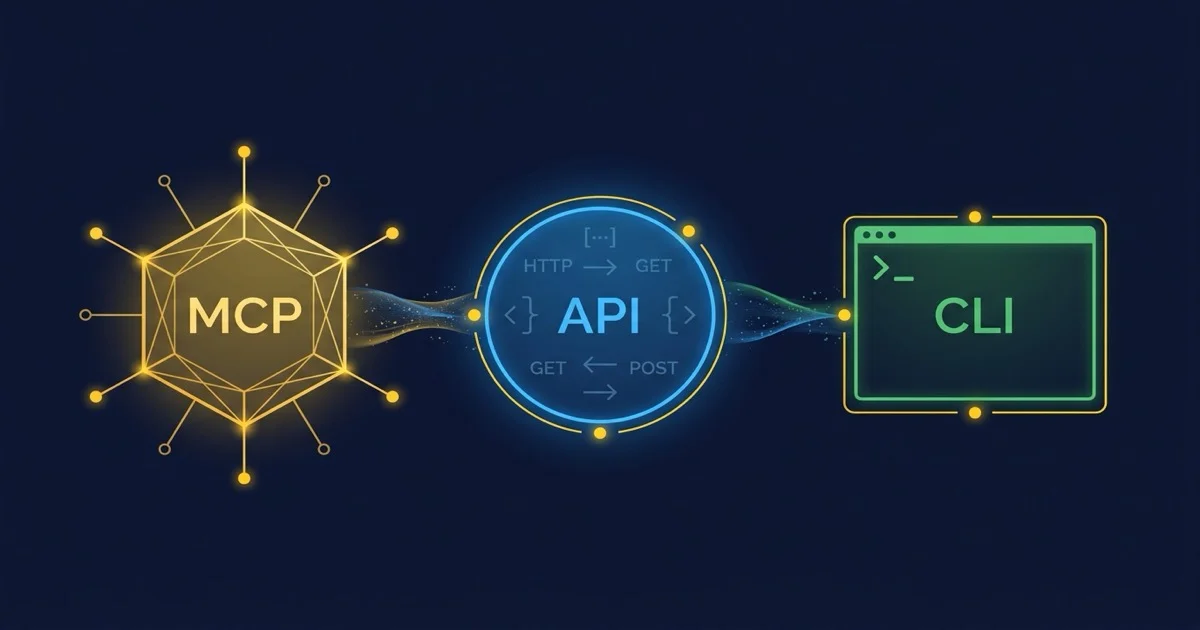
Your ERP needs to be accessible to AI agents. But through which channel? The Model Context Protocol promises agent-native access, a REST API is the proven standard, and a CLI wrapper can be built in an hour. This comparison shows when each connector is the right choice — and why the answer is almost always 'all three, but in different roles.'
This article is an in-depth expert contribution from our content cluster. Discover the complete overview on our main page: AI & Automation for SMEs →
Three Protocols, One Goal: AI on Company Data
2026 is the year AI agents stopped merely answering and started acting. But before an agent can create an invoice in your ERP or close a support ticket, it needs a connector. MCP, REST API and CLI are the three candidates — and each has its domain.
- MCP (Model Context Protocol): Agent-native protocol with bidirectional tool access, fine-grained permission control and integrated audit trail — ideal for real-time interaction between LLMs and enterprise systems.
- REST API: The proven standard for cross-system CRUD operations with the broadest ecosystem, best documentation landscape and universal tooling support.
- CLI Connector: The fastest way to make an existing system accessible to agents — via stdio as MCP transport, as a batch processor or as a scripting bridge.
- What Are MCP, API and CLI?
- Anatomy of a Connector: Schema, Authentication, State
- MCP in Detail: The Agent-Native Layer
- REST API in Detail: The Universal Standard
- CLI in Detail: The Underestimated Third Option
- Comparison Matrix: 8 Decision Criteria
- Decision Tree: When to Use Which Connector
- Hybrid Architectures: MCP as Orchestrator
- Case Study: An SME Opens Its ERP
- Security and Compliance
- Conclusion and Recommendations
1. What Are MCP, API and CLI?
Before an AI agent can create an invoice in your ERP, close a support ticket or check inventory levels, it needs a defined channel into the target system. Three connector types dominate the 2026 landscape — and each solves the problem at a different protocol level.
MCP — Model Context Protocol
An open JSON-RPC 2.0 protocol initiated by Anthropic, specifically designed to provide AI models with access to tools, data sources (resources) and context prompts. It defines a standardized server-client architecture with an integrated permission model.
REST API — Representational State Transfer
The proven architectural style for web interfaces that has served for over two decades. A REST API exposes resources via HTTP verbs (GET, POST, PUT, DELETE), uses JSON as data format and is typically described machine-readably via OpenAPI 3.1 specifications.
CLI — Command-Line Interface
A text-based program controlled via terminal commands that handles its input/output through standard streams (stdin/stdout/stderr). CLI tools follow POSIX conventions, can be embedded in shell scripts and serve as stdio transport for MCP servers.
The key insight upfront: These three connector types are not competitors but complementary layers. An MCP server internally often calls REST APIs, and its process is often launched as a CLI binary. Understanding the three levels means building better integration architectures.
2. Anatomy of a Connector: Schema, Authentication, State
Every connector must answer three fundamental questions: What can I do? (schema), Who is allowed to use me? (authentication), and Do I remember anything between two calls? (statefulness). The differences in these three dimensions determine which connector fits which use case.
Comparison: Schema, Auth & State
- MCP: Tool definitions with JSON Schema as input parameters. The model sees the name, description and expected parameters of each tool.
- API: OpenAPI 3.1 with complete path, parameter and response definitions. Machine-readable but limited to HTTP semantics.
- CLI:
--helpoutput, man pages or informal README. No standardized machine-readable description.
- MCP: OAuth 2.1 (since spec revision March 2026), scoped tokens, session-based — the server can maintain context between calls.
- API: API keys, OAuth 2.0, JWT — each request is principally stateless (RESTful), sessions only via token binding.
- CLI: Environment variables, configuration files, SSH keys — auth is process-local, state only via filesystem or database.
Expert Tip: Think Schema-First
Regardless of which connector you choose: always start with the machine-readable interface description. An AI agent can only work as autonomously as its tool definitions are precise. OpenAPI specs and MCP tool schemas are not "nice documentation" — they are the operating manual for the model.
3. MCP in Detail: The Agent-Native Layer
The Model Context Protocol was released by Anthropic as an open-source standard in 2024 and has become the de facto protocol for communication between AI agents and external systems by 2026. Google, Microsoft and OpenAI now support the protocol. The architecture consists of three roles:
MCP Host
The application in which the language model runs — a chat interface like Claude Desktop, an IDE like Cursor or AntiGravity, or an agent framework like LangGraph. The host decides which servers are connected and when a tool call is executed.
MCP Client
A 1:1 connection between host and a single server. The client negotiates capabilities (tools/list, resources/list), forwards tool calls and receives results. It isolates the security context per server.
MCP Server
The service that exposes internal systems (ERP, CRM, DMS, database) as tools, resources and prompts via the protocol. It enforces access rights, validates inputs and logs every call to the audit trail. See our deep dive: MCP Servers on Company Data for details.
What fundamentally distinguishes MCP from a REST API is bidirectionality: the server can actively send notifications to the client (e.g., when a resource changes), and the model can accumulate context across multiple tool calls within a running session. A REST API does not know this pattern natively — there the client must poll or configure webhooks.
The second unique feature is the three-primitive architecture: Tools (executable actions), Resources (readable data sources) and Prompts (pre-built context templates) form a vocabulary that agent frameworks understand directly. A REST API delivers raw endpoints; the semantic classification (is this an action or a read query?) must be done by the agent itself.
4. REST API in Detail: The Universal Standard
REST APIs have been the standard for system integration on the web for over twenty years. Their strengths lie in universality, mature toolchain and broad acceptance. Every modern ERP, every CRM and every SaaS product offers a REST API — often with an OpenAPI 3.1 specification that enables machine consumption.
For AI agents, REST APIs are especially the superior choice in the following four scenarios:
Stable, Versioned API
The target system already provides a production-ready interface (e.g. DATEV, Shopify, HubSpot) with clear documentation and version guarantees.
Standardized CRUD Operations
Standard read, create, update, and delete operations on data records are completely sufficient for the targeted business process.
Cross-System Integration
Integration spans heterogeneous third-party systems and cloud services that all communicate natively via HTTPS.
Infrastructure Already Established
Rate limiting, pagination, request throttling, and caching are already robustly implemented and battle-tested at the API gateway layer.
Our article on autonomous API integration via OpenAPI shows how AI agents parse OpenAPI specifications at runtime, dynamically link endpoints and autonomously correct their payloads when APIs change (Self-Healing). The pattern “Agent + OpenAPI spec = autonomous API access” is the most direct way to open existing systems for AI.
The limits of a REST API become apparent when the agent needs more than data access: conversational context across multiple calls, dynamic capability discovery (which endpoints exist?) and fine-grained, user-specific permissions are technically possible but require additional infrastructure. This is exactly where MCP comes in.
5. CLI in Detail: The Underestimated Third Option
CLI connectors are often overlooked in architecture discussions — unjustly. In practice, they are the fastest way to make an existing system accessible to AI agents, and they play a key role as a transport layer for MCP servers.
1. stdio as MCP Transport
The stdio transport is the default startup mode for local MCP servers: the host starts the CLI binary as a child process and communicates via stdin/stdout. No HTTP server, no port config — the agent speaks directly with the process.
2. Shell Scripting & Pipes
CLI tools can be composed via pipes (|): datev-cli export --month=09 | jq '.items[]' | wc -l. For agents running agentic workflows, this is a powerful composition pattern that requires no API registration.
3. Batch & Cron Tasks
For scheduled tasks (nightly data sync, weekly report), a CLI call via cron or systemd timer is often simpler and more robust than a permanently running API server.
4. Rapid Prototyping
A CLI wrapper around an existing Python script can be built in an hour. For proof-of-concept work on whether an AI agent can work with an internal system, this is often the entry point before a full MCP server is developed.
5. Sandbox & Isolation
CLI processes can be isolated via containers, chroot or seccomp profiles. For security-critical operations, the agent can execute a CLI call in a sandbox with clearly limited blast radius.
The weaknesses of a pure CLI connector lie in the lack of standardized schema description (no equivalent to OpenAPI or MCP tool definitions), limited error handling (exit codes vs. structured error objects) and missing bidirectionality. A CLI call is always one-way: command in, result out, done.
6. Comparison Matrix: 8 Decision Criteria
The following matrix condenses the differences across the eight dimensions that are decisive for connector selection in SMEs:
1. Real-Time Context & Bidirectionality
MCP: Fully bidirectional — server can send notifications, client maintains session context. API: Unidirectional (request/response), webhooks as workaround. CLI: Unidirectional (command → output), no session concept.
2. Auth Granularity & Least Privilege
MCP: OAuth 2.1 with scoped tokens per tool and user. API: OAuth 2.0 / API keys — scoping at endpoint level, not field level. CLI: Process permissions of the executing user — coarse-grained.
3. Tooling & Ecosystem Breadth
MCP: Growing — thousands of community servers, SDKs for TypeScript, Python, Java, C#. API: Maximum — Postman, Swagger, OpenAPI Generator, every HTTP tool. CLI: Universal — every shell, every operating system.
4. Deployment Effort & Time to Market
MCP: Medium — server development needed, but SDKs accelerate massively. API: Variable — using existing API: fast; building new one: weeks to months. CLI: Minimal — a Python script with argparse becomes a connector in an hour.
5. Agent Ecosystem & Nativity
MCP: Natively supported by Claude, Gemini, GPT-4o, and leading agent frameworks. API: Requires Dynamic Tool Calling via OpenAPI parsing. CLI: Needs process wrappers (often: MCP server with stdio transport).
6. Debugging & Monitoring
MCP: MCP Inspector for interactive tool tracing and session inspection. API: Maximum maturity — Postman, cURL, browser DevTools, APM suites. CLI: Logging via stderr and exit codes.
7. Vendor Independence
MCP: Open standard (MIT license) with broad community backing. API: Vendor-agnostic by definition following W3C/IETF standards. CLI: Bound to respective binary and operating system.
8. Cost Transparency & TCO
MCP: Runs on private infrastructure or local processes — predictable fixed costs. API: Frequently volume- or call-based pricing models (e.g. DATEV per batch). CLI: Pure compute resources without external API fees.
7. Decision Tree: When to Use Which Connector
Choosing the right connector is not a fundamental technical decision but a question of the specific use case. The following decision tree leads to the right approach in four steps:
Does the agent need real-time context between calls?
Yes → MCP server. The session-based protocol maintains context across multiple tool calls. An AI agent that checks an order, queries inventory and then creates an invoice needs context between these steps.
No → Continue to step 02.
Does a stable, documented API already exist?
Yes → Use the REST API directly. Why build an additional layer when the agent can autonomously address the API via an OpenAPI spec? (See Autonomous API Integration.)
No → Continue to step 03.
Is it a one-time batch job or a recurring process?
Batch/One-time → CLI connector. A shell script or Python CLI that the agent calls via subprocess or as an MCP tool via stdio is perfectly sufficient.
Recurring & complex → Continue to step 04.
Does the agent need fine-grained permission control per user?
Yes → MCP server with OAuth 2.1 and scoped tokens. The server enforces the calling user's permissions at the tool level.
No → REST API with standard OAuth or API key.
Expert Tip: The CLI-to-MCP Upgrade Path
Start with a CLI connector for the proof-of-concept. When the agent goes to production, wrap the CLI binary as an MCP server with stdio transport. Using the MCP TypeScript SDK, this takes less than a day — and you gain schema discovery, auth and audit trail without changing the core code.
8. Hybrid Architectures: MCP as Orchestrator
In practice, the answer to “MCP, API or CLI?” is almost always: all three — but in different roles. The most commonly encountered architecture looks like this:
MCP Server as Agent Frontend
The MCP server defines the tools that the AI agent is allowed to see and call. It handles schema description, permission checking and audit logging. The agent communicates exclusively via MCP — it sees neither the underlying APIs nor the CLI calls.
REST APIs as Backend Integration
Within the MCP server, the tool handlers call the REST APIs of the target systems: DATEV booking data service, Shopify Admin API, HubSpot CRM API. The API complexity (pagination, rate limiting, retry logic) is encapsulated by the server — the agent receives a clean result.
CLI Tools for Filesystem & Batch
For local operations (PDF generation, CSV export, file conversion), the MCP server calls CLI tools as subprocesses. This is more robust than an API for operations that take place on the server's filesystem.
n8n & iPaaS as Workflow Glue
For complex multi-system workflows (ERP → CRM → email → accounting), n8n as iPaaS middleware remains relevant. The MCP server can expose an n8n workflow as a tool — the best of both worlds.
This architecture is not a theoretical construct. Our MCP server article describes exactly this pattern in practice: an MCP server that accesses the ERP via its REST API, generates PDFs via a CLI tool and writes the audit trail to a local database.
9. Case Study: An SME Opens Its ERP
A mid-sized mechanical engineering company (120 employees, SAP Business One as ERP, DATEV for accounting) wants to provide its sales team with an AI assistant that answers customer inquiries, creates quotes and checks delivery times. Here is how the three connectors shape the architecture:
CLI connector. A Python script reads SAP article master data via the SAP Service Layer REST API and outputs it as JSON to stdout. The agent calls the script as an MCP tool via stdio. Effort: 2 days of development, no infrastructure.
MCP server. The CLI script is extended into a full MCP server with the TypeScript SDK. Three tools emerge: lookup_article, create_quote, check_delivery_time. Each tool has its own scoped token — sales can create quotes, marketing can only look up articles.
REST API. The MCP server gets a fourth tool: export_invoice_to_datev. It internally calls the DATEV booking data service API. The agent only sees the MCP tool — the DATEV API complexity (batch format, document images, GoBD sequence numbers) remains encapsulated.
CLI tool. For PDF quote generation, the MCP server calls a wkhtmltopdf CLI binary as a subprocess. A fifth tool generate_quote_pdf accepts the quote data, renders an HTML template and returns the PDF path.
The result: Four months after project start, the mechanical engineer has an AI assistant that autonomously creates quotes, checks delivery times, transfers invoices to DATEV and generates PDFs — via a single MCP server that internally orchestrates REST APIs and CLI tools.
10. Security and Compliance
Every connector opens a channel into internal systems. The security requirements differ fundamentally by type:
Least Privilege at Tool Level
MCP servers must be configured according to the least privilege principle: each tool receives only the permissions it needs for its specific task. A lookup_article tool may read but never write. This is possible with REST APIs via scopes, with CLI tools only through process isolation.
Prompt Injection via Data Sources
Indirect prompt injection is the greatest security risk across all three connectors: an attacker places an instruction in a database field, email or PDF that the agent interprets as a command when reading it. MCP servers therefore need output sanitization and approval flows for write operations.
Audit Trail & Traceability
For GDPR and NIS-2 compliance, every access to personal data must be logged. MCP servers offer this natively. REST APIs require server-side access logging. CLI tools need explicit logging — without a wrapper, every call is lost.
Transport Encryption
MCP (SSE/HTTP): TLS 1.3 mandatory. MCP (stdio): Process-local, no network. REST API: HTTPS standard. CLI: No network for local execution; SSH or VPN required for remote calls.
Expert Tip: Human-in-the-Loop as Safety Net
For write operations (creating invoices, placing orders, modifying customer data), we generally recommend a Human-in-the-Loop approval flow — regardless of connector type. The MCP server can implement this via sampling requests to the host, with APIs through webhook-based approval workflows.
Conclusion: Not Either-Or, But a Symphony
The question "MCP, API or CLI?" is a false dichotomy. In practice, the three connector types are not competitors, but complementary layers of a modern integration architecture:
MCP — The Control Layer
Defines what the agent is allowed to see and execute: Authorization, scope enforcement, semantic tool catalogs, and complete audit logging.
REST APIs — The Data Layer
Transport data across heterogeneous systems: Standardized CRUD operations, gateway policies, caching, and universal HTTP connectivity.
CLI Tools — The Execution Layer
Handle local operations and serve as a rapid launchpad: Local scripts, pipes, automated cron batches, and lean stdio transports.
When planning an AI project for your SME, don’t start with the protocol choice but with the question: Which business processes should the agent support? From there, it follows which systems need to be connected, which permissions the agent needs and how the architecture should look.
Quick Check: Your Connector Strategy
Have questions about the connector strategy for your AI projects?
Schedule a free consultationOfficial Sources & Primary Documentation
- Anthropic / Model Context Protocol (2024–2026): "Model Context Protocol Specification" – The official protocol specification with JSON-RPC 2.0 message format, capability negotiation, tool/resource/prompt primitives and OAuth 2.1 authorization.
- OpenAPI Initiative (2021–2026): "OpenAPI Specification v3.1.0" – The international standard for machine-readable REST API descriptions, on which Dynamic Tool Calling and autonomous API integration are based.
- Google Chrome (2026): "WebMCP" (Chrome for Developers) – The browser side of the protocol: how websites provide tools for AI browser agents via
document.modelContext. - IEEE / The Open Group (2017): "POSIX.1-2017 (IEEE Std 1003.1)" – The standard for CLI conventions, process management and stdio streams on which CLI-based connectors are built.
Our Regional Expertise
We are your digital partner – regionally anchored and successfully scaling across borders.

AI automation for your business?
I deliver this for small and mid-sized businesses: at a fixed price agreed upfront, working directly with the person who builds it. Process, scope and pricing are on the service page.
See service & pricing Or request a free intro callExtended Specialized Glossary
Model Context Protocol
An open communication protocol (JSON-RPC 2.0) initiated by Anthropic that provides AI models with standardized access to external tools, data sources and prompts through a unified server-client architecture.
JSON-RPC 2.0
A lightweight remote procedure call protocol that encodes function calls as JSON objects over arbitrary transport channels (HTTP, stdio, WebSocket) and forms the foundation of the MCP message format.
OpenAPI 3.1
An open standard for machine-readable interface description of REST APIs based on JSON Schema that enables AI agents to autonomously validate payloads and generate functions.
stdio Transport
An MCP transport channel where communication between host and server occurs via standard input and standard output (stdin/stdout) of a child process — ideal for local CLI-based MCP servers.
Scoped Token
An access token whose validity is restricted to a narrowly defined set of permissions, resources and a short lifetime, enforcing the least-privilege principle at the connector level.
Dynamic Tool Calling
The ability of an LLM-based agent to dynamically instantiate and execute function signatures and interface descriptions at runtime, rather than relying on statically pre-programmed connectors.
