

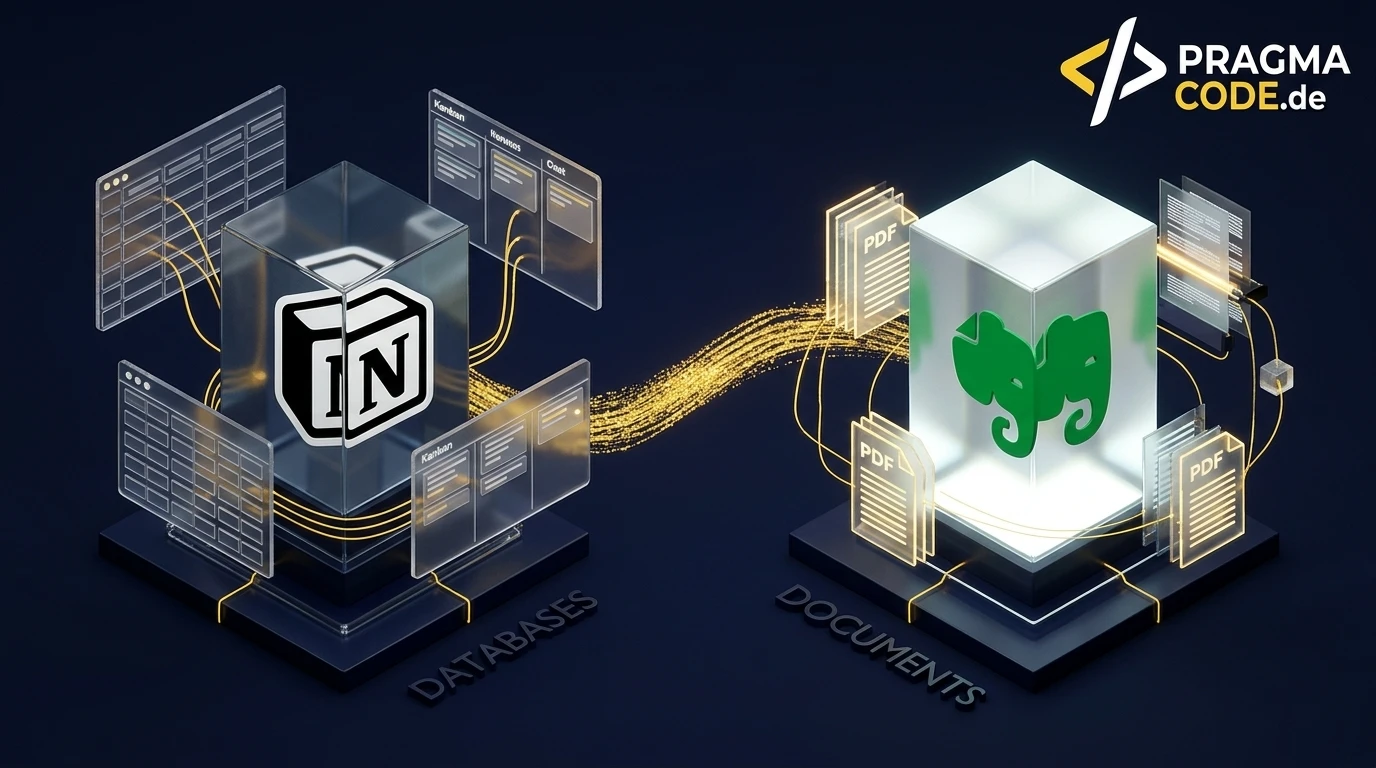
The rivalry between Notion and Evernote seemed settled just a few years ago. In 2026, the playing field has fundamentally shifted: while Notion has evolved into a modular enterprise operating system driven by AI Skills and external agent orchestration, Bending Spoons has rebuilt Evernote into an ultra-fast, military-grade document vault powered by mathematical CRDT synchronization and an overhauled desktop PDF editor with permanent GDPR redaction. This in-depth guide benchmarks both architectures across data modeling, daily workflows, AI intelligence, and total cost of ownership.
This article is an in-depth expert contribution from our content cluster. Discover the complete overview on our main page: IT Strategy & Consulting →
- Divergent Paradigms, Not Feature Parity: Notion operates as a highly customizable relational operating system for collaborative team workflows, whereas Evernote serves as a specialized, ultra-fast document vault engineered for unstructured capturing, OCR indexing, and document governance.
- September 2026 Releases Redefine the Playing Field: Notion positions itself as an autonomous agent hub with its new AI Skills Library and Developer Agent SDK. Evernote answers with release
v. 11.34.8, introducing an integrated desktop PDF suite with permanent GDPR redaction and contextual AI note collaboration. - The Power of a Hybrid Architecture: Forward-thinking enterprises avoid false dichotomies by pairing both tools: Evernote acts as the friction-free document and research repository, while Notion drives active project execution, internal wikis, and sprint deliverables.
Two Architectural Philosophies in the Age of Agentic AI
Selecting an organizational workspace in 2026 is no longer about comparing simple note editors. It hinges on foundational information architecture: Do you require an adaptable, relational no-code canvas to sculpt your company's operational processes, or a battle-tested, instant-capture digital safe equipped with universal OCR and binary-level PDF manipulation?
- 1. Paradigm Shift 2026: Document Vault vs. Modular Enterprise OS
- 2. September 2026 Releases: Benchmarking the Latest Updates
- 3. Core Features & Capture Velocity Compared
- 4. Artificial Intelligence: Notion AI vs. Evernote AI Assistant
- 5. Synchronization Engine, Offline-First & Performance
- 6. Security Architecture, Data Privacy & GDPR Compliance
- 7. Pricing Models, Hidden Traps & Total Cost of Ownership (TCO)
- 8. B2B Decision Matrix: Which Platform Fits Your Team?
- 9. The Hybrid Architecture & Migration Roadmap
- Official Sources & Primary Documentation
1. Paradigm Shift 2026: Document Vault vs. Modular Enterprise OS
For more than a decade, the physical notebook metaphor governed digital record keeping. Thoughts were written on pages, slotted into notebooks, organized inside stacks, and retrieved via hierarchical tags. This intuitive framework turned Evernote into a global benchmark. However, when Notion reshaped the market, it discarded static note containers in favor of a relational, block-based workspace: every paragraph is an independent object, every page a modular container, and every collection a database.
In 2026, these platforms no longer compete as interchangeable note-taking apps. Instead, they embody two distinct, mature methodologies for building a corporate Second Brain:
Architectural Comparison: Notion vs. Evernote
- Core Architecture: A relational Block Editor where every element (text, callout, table, embed) exists as an atomic node within an underlying graph structure.
- Structuring Logic: Dynamic bottom-up data modeling utilizing relational properties, formula calculations, rollup rollups, and multi-view displays (Kanban, Timeline, Calendar, Gallery).
- Primary Strength: Interconnected project wikis, sprint tracking, customer-facing client portals, and collaborative operational workflows.
- Setup Friction: High. Without strict architectural governance, teams quickly suffer from over-customization and workspace clutter.
- Core Architecture: A containerized document vault centered around durable note records, multi-tier notebook stacks, and universal media attachments.
- Structuring Logic: Top-down organization aligned with the PARA framework, combined with global tagging systems and industry-leading OCR across images, handwriting, and PDFs.
- Primary Strength: Frictionless quick capture, long-term archival of financial receipts and legal contracts, and deep PDF manipulation.
- Setup Friction: Negligible. Zero maintenance required; completely functional right out of the box without template construction.
The strategic choice is therefore not a matter of feature counts, but of operational alignment: Does your business require an adaptable operating system to design and orchestrate team processes (Notion), or a resilient, instantaneous document sanctuary to store, OCR-search, and redact critical business records (Evernote)?
2. September 2026 Releases: Benchmarking the Latest Updates
Both Notion Labs and Bending Spoons have deployed critical product updates in September 2026. These releases highlight the divergent trajectories of both engineering teams.
Evernote v. 11.34.8 (September 15, 2026): Desktop PDF Suite & GDPR Redaction
With release v. 11.34.8, Evernote bridges the gap to specialized enterprise document management systems. Users can now reorder pages, split large scans, and merge independent PDFs directly within note containers. Most importantly for compliance-conscious organizations, the update delivers a native Permanent Redaction tool that cryptographically purges sensitive PII, bank account details, and confidential clauses from the PDF binary stream before files are exported or shared.
Notion September 2026: AI Skills Library & Developer Agent SDK
Notion is accelerating its transition into an orchestration hub for autonomous AI agents. The freshly launched AI Skills Library empowers organizations to codify recurring team workflows — such as compliance audits, product spec reviews, or sprint retrospectives — into reusable prompt instructions. Simultaneously, the new Developer Agent SDK (Public Beta) allows external coding agents like Claude Code and Cursor to query workspace databases in real time and commit structural updates programmatically.
Mobile Quick Capture & Navigation Enhancements
Mobile workflows received significant upgrades across both ecosystems: Evernote rolled out a native Mobile Share Extension on September 15, 2026, allowing users to route web links, invoices, and camera scans into specific notebooks with tags directly from the operating system share sheet. This follows the September 1 introduction of a Floating Table of Contents for long notes. Meanwhile, Notion 3.6 introduced automated meeting transcripts with AI speaker identification and interactive embedded HTML blocks.
3. Core Features & Capture Velocity Compared
The daily utility of any knowledge tool is dictated by capture friction. If recording an urgent insight requires five seconds of loading screens or five mandatory database attributes, team members inevitably revert to disorganized desktop sticky notes.
Relational Databases vs. Notebook Hierarchies
This is where Notion establishes its competitive moat. A Relational Database in Notion bridges disparate company entities. A client record seamlessly links to its respective contracts, open bug tickets, and sprint milestones. Formulas 2.0 unlock advanced programmatic expressions, conditional styling, and automated status calculations.
Evernote intentionally eschews relational database schema. A note remains a self-contained container. Organization is maintained through three specialized retrieval layers:
Notebooks and Stacks
A clean two-tiered hierarchy separating major departments, client portfolios, and corporate entities without complex schema setups.
Tags (Hierarchical Taxonomies)
Infinitely nestable keyword taxonomies that can be filtered multidimensionally across all accounts and workspaces.
Saved Boolean Searches
Sophisticated search parameters (e.g. tag:contract created:month-1 contains:pdf) that replicate dynamic query views without database configuration.
Web Clipper: The Industry Gold Standard
When curating web intelligence, Evernote's Web Clipper remains unmatched. While Notion's extension often captures simple bookmark summaries or unformatted text blocks that degrade visual fidelity, Evernote provides four specialized capture engines in a balanced 2x2 grid:
1. Simplified Article
Strips banner ads and sidebar noise, preserving clean typography for focused archival reading and research synthesis.
2. Full Page Archive
Archives the exact HTML and CSS DOM tree, creating an immutable offline snapshot of target web pages.
3. Direct PDF Extraction
Identifies embedded PDF whitepapers on web pages and deposits the raw binary file directly into chosen notebooks.
4. Annotated Screenshots
Empowers users to crop screen regions, add callouts, arrows, and highlighter text before saving.
4. Artificial Intelligence: Notion AI vs. Evernote AI Assistant
Both platforms have deeply integrated generative intelligence, yet their technical implementations serve fundamentally different end goals.
1. Notion AI: Connected Enterprise Copilot
Notion AI operates across the breadth of your company's workspace. Through conversational Q&A, it synthesizes knowledge across hundreds of cross-linked pages, attributing specific sources. With third-party connectors linking Slack, Google Drive, and GitHub, Notion AI transforms into a centralized enterprise intelligence engine.
2. Evernote AI: Deep Semantic Search & OCR
Evernote's Semantic AI Search focuses on extracting truth from unstructured data vaults. It processes handwritten sketches on whiteboard snapshots, scanned receipts, and multi-megabyte PDF manuals using natural language queries. The September 2026 AI Assistant adds contextual comment interactions and slash-prompt templates.
In short: Notion AI assists in generating new concepts and connecting cross-functional projects, whereas Evernote AI excels at locating exact needle-in-a-haystack data points across years of archived documentation.
5. Synchronization Engine, Offline-First & Performance
A tool's synchronization pipeline determines its reliability when working remotely, on high-speed rail networks, or during international travel with erratic cellular connectivity.
Prior to its acquisition by Bending Spoons, Evernote suffered from persistent note conflict duplicates. The new engineering leadership replaced the legacy delta engine with a ground-up implementation of CRDT (Conflict-free Replicated Data Types). Every keystroke is treated as a deterministic mathematical operation, enabling true multi-client offline editing that merges instantly without sync divergence upon reconnection.
Expert Insight: Notion's Cloud-First Bottleneck
Notion was built primarily as a cloud-dependent web application wrapper on top of Electron and React. While recent desktop builds cache recently opened documents locally, complex relational databases cannot operate fully offline. Navigating through uncached pages or editing relational properties without an active internet connection regularly exposes loading spinners. For traveling executives requiring 100 % dependable offline stability, Evernote maintains an architectural advantage.
6. Security Architecture, Data Privacy & GDPR Compliance
For European companies, legal practices, and medical consultancies, data protection compliance is a non-negotiable operational prerequisite. Both platforms adhere to high security standards through different models:
Evernote Security & Compliance Framework
Corporate Ownership & Hosting: Bending Spoons is an Italian technology corporation based in Milan, operating under European privacy directives. Data is hosted across Google Cloud Platform and AWS facilities. All data in transit and at rest is secured via TLS 1.3 and AES-256 encryption. The new PDF redaction suite enables irreversible PII sanitization directly within notes prior to distribution.
Notion Enterprise Governance & Controls
Certifications & Administration: Notion Labs Inc. (San Francisco, USA) provides rigorous SOC 2 Type II certifications, ISO 27001 compliance, and a comprehensive Data Processing Addendum (DPA) featuring EU Standard Contractual Clauses. Enterprise tiers offer SAML SSO, automated SCIM provisioning, workspace audit logging, and granular page permissions.
Portability & Mitigating Vendor Lock-in
Evaluating vendor resilience requires understanding data export mechanisms and structural portability during a potential platform migration:
Vendor Lock-in & Data Portability Compared
- Standardized XML Archive (.enex): Exports entire notebooks into structured XML files or standalone HTML and PDF records.
- Lossless Binary Preservation: Embedded attachments (RAW scans, image files, audio memos) remain uncompressed in their original formats.
- Universal Interoperability: Virtually every modern productivity tool supports native, automated .enex migration.
- Clean Markdown Export: Static text pages, nested sub-pages, and headers export cleanly as standard Markdown and HTML.
- Relational Logic Break: Databases are dismantled into isolated CSV files; rollup formulas, relations, and views are stripped away.
- Manual Reconstruction: Complex corporate workspaces require tedious manual schema rebuilding in any new destination system.
7. Pricing Models, Hidden Traps & Total Cost of Ownership (TCO)
Pricing strategies reflect each product's target audience. Evernote has transitioned into a dedicated premium utility, while Notion relies on per-seat licensing supplemented by modular AI add-ons.
Cost Trap 1: Evernote's Elimination of Freemium Utility
Evernote's free tier is strictly limited to 50 notes and a single notebook, functioning purely as a product trial. Productive use requires the Personal plan (approx. $129/year) or Professional plan (approx. $179/year). While expensive for simple text notes, this expense is easily recouped by businesses replacing standalone PDF editors like Adobe Acrobat Pro and traditional document management software.
Cost Trap 2: Notion's Cumulative Per-User & AI Invoicing
Notion offers a generous free tier for solo users, but enterprise deployments scale quickly. The Plus tier costs approximately $10/user/month, while the Business plan runs $15–$18/user/month. Adding Notion AI incurs an extra $8–$10/user/month. For a 25-person team, annual licensing easily surpasses $7,000 — excluding internal overhead dedicated to workspace governance and setup.
Cost Trap 3: The Productivity Drain of Notion Overengineering
The most insidious hidden cost in Notion is workspace design paralysis. Because Notion offers limitless flexibility, employees frequently squander billable hours tweaking dashboard aesthetics, refactoring relational formulas, and building elaborate templates rather than executing core business responsibilities.
8. B2B Decision Matrix: Which Platform Fits Your Team?
To provide actionable clarity for leadership teams, consultants, and procurement managers, we have mapped both tools across five common business personas:
1. Document & Compliance Custodians (Winner: Evernote)
Lawyers, tax advisors, auditors, and executives handling high volumes of invoices, contracts, and scan files. The pairing of full-text OCR, permanent PDF redaction, and instant capture is unmatched.
2. Agile Software & Digital Agencies (Winner: Notion)
Teams coordinating sprint boards, project roadmaps, client delivery portals, and living design systems. Notion's interconnected relational databases far surpass Evernote's static lists.
3. Researchers, Analysts & Publishers (Winner: Evernote)
Knowledge professionals curating whitepapers, market studies, and technical publications. Evernote's Web Clipper captures pixel-perfect layouts, while semantic search connects disparate ideas.
4. Corporate SOPs & Company Intranets (Winner: Notion)
Organizations standardizing employee onboarding, company policies, and operational wikis. Modular permission hierarchies and nested pages make Notion the ideal internal knowledge hub.
5. Independent Strategists & Founders (Tie / Hybrid)
Leaders requiring robust mobile capture and financial receipt archiving on the go (Evernote), while simultaneously architecting client advisory frameworks and project deliverables (Notion).
9. The Hybrid Architecture & Migration Roadmap
In modern high-performance organizations, experienced knowledge architects increasingly integrate both tools in a symbiotic division of labor:
Evernote as the Knowledge Vault (Cold & Warm Archive)
Inbound unstructured material — vendor contracts, expense receipts, web research, meeting whiteboard snapshots, and technical documentation — flows directly into Evernote. Deep OCR and semantic retrieval ensure instant lookup without manual categorization.
Notion as the Execution Engine (Active Workspace)
Notion powers live operational delivery: sprint backlogs, team wiki pages, editorial content schedules, and strategic OKRs. Notion pages reference static documents inside Evernote via deep links, preserving a lean, lightning-fast database structure.
Roadmap: Executing a Structured Platform Migration
If your organization decides to transition between platforms, follow this 5-stage migration blueprint to ensure business continuity and prevent data corruption:
-
Stage 1: Workspace Inventory & Pruning
Audit legacy notes, purge outdated files, and separate active operational data from cold archival records. Never migrate obsolete scratchpads into a fresh relational database structure.
-
Stage 2: Target Architecture Blueprints
Model your destination workspace before importing raw data. For Notion, establish master databases (Projects, Tasks, Resources). For Evernote, establish notebook stacks based on the PARA methodology.
-
Stage 3: Controlled Pilot Migration
Avoid bulk imports. Test an isolated notebook via
.enexexport into Notion (or markdown exports into Evernote). Verify image resolution, table integrity, and file attachments. -
Stage 4: Metadata Enrichment & Relation Linking
Because static tags cannot automatically map to relational database properties, dedicate time to linking records, assigning team owners, and establishing formula attributes within Notion.
-
Stage 5: Operational Enablement & Governance SOPs
Establish strict team guidelines to prevent digital entropy: mandate slash commands (
/) and database templates in Notion, or standardize clipping rules and tag conventions in Evernote.
Quick-Check: Summary of Your Ideal Choice
Official Sources & Primary Documentation
- Notion Labs Inc. (September 2026): "Notion Releases" – Official release notes covering reusable AI team skills, the developer agent SDK, and enterprise sync updates.
- Evernote / Bending Spoons (September 15, 2026): "Evernote Release Notes v. 11.34.8: Desktop PDF Suite, Permanent Redaction & AI Evolution" – Technical release documentation covering PDF page editing, GDPR redaction tools, and note comment interactions.
- Bending Spoons Engineering (2025/2026): "Architecting a Next-Generation Realtime Sync Engine for Evernote using CRDTs" – In-depth architectural analysis on mathematical conflict-free replication in distributed note-taking systems.
Looking to elevate your enterprise knowledge workflows?
Whether you are designing a tailored Notion operating system, integrating automated AI pipelines, or architecting a compliant digital archive: we help modern organizations build resilient, high-performance software environments.
Schedule a Free Strategy ConsultationOur Regional Expertise
We are your digital partner – regionally anchored and successfully scaling across borders.

Have a vision?
Let's check together how we can make your idea take flight.
Book your free strategy call nowExtended Specialized Glossary
Notion
A modular all-in-one productivity and collaboration platform combining relational no-code databases, block-based documents, team wikis, project management, and integrated AI agents within a unified workspace.
Evernote
A digital note-taking and document archiving platform specialized in rapid capture, notebook hierarchies, OCR text extraction across scans and handwriting, desktop PDF editing, and semantic AI search.
Second Brain
A personal and organizational knowledge management methodology leveraging external digital systems as an extended cognitive repository to systematically capture, curate, and retrieve ideas, notes, and project data.
Relational Database
A structured data model where records and tables are linked bidirectionally through logical relations. In no-code workspaces like Notion, this enables rollup formulas, dynamic multi-view filtering, and connected entity workflows.
Block Editor
A document editing paradigm where every paragraph, heading, image, callout, or table operates as a standalone, draggable, and convertible content block rather than a monolithic flow of static text.
CRDT (Conflict-free Replicated Data Types)
Mathematically proven data structures for distributed computing that allow multiple clients to concurrently edit notes and documents online and offline without encountering merge conflicts.
Web Clipper
An advanced browser extension designed to capture web content in various formats (simplified article, full webpage, PDF, annotated screenshot) with instant tagging and notebook routing.
Semantic AI Search
An AI-powered retrieval system that interprets user queries based on contextual meaning rather than raw keyword matches, enabling natural language questions over unstructured notes and scanned documents.
