

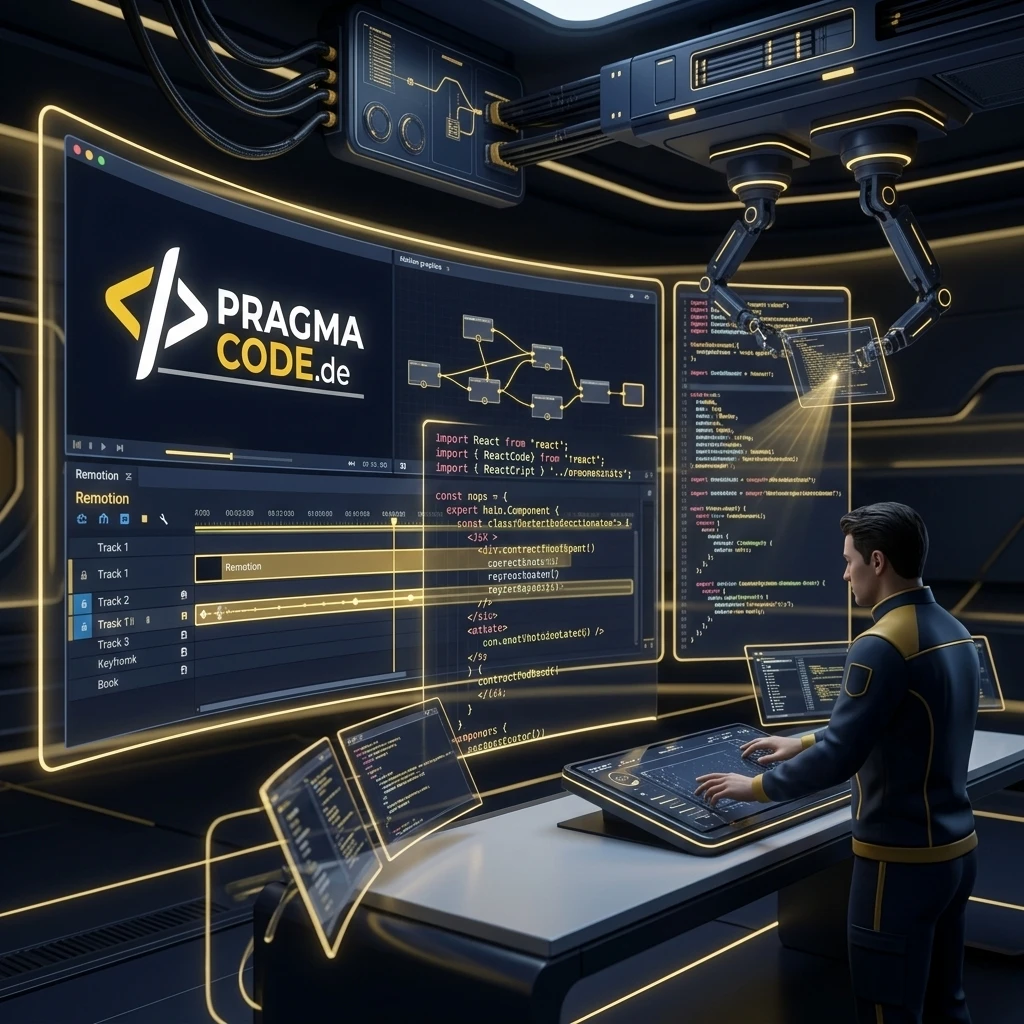
For decades, video editing has been a manual, bottleneck-prone process in Adobe After Effects or Premiere. Remotion ushers in a new era: video ads, product demos, and explainer films are programmed directly in React, dynamically populated via data feeds, and rendered in seconds on serverless cloud infrastructure. Here is how to transform video production into a scalable Content Factory.
This article is an in-depth expert contribution from our content cluster. Discover the complete overview on our main page: AI Automation for Enterprises →
- Paradigm Shift: Videos are no longer manually edited on graphical timelines, but engineered as declarative, modularly version-controlled React components.
- Templates & Velocity: The official Remotion Templates library provides battle-tested motion design blueprints for performance ads, kinetic typography, and SaaS product showcases.
- Content Factory Scaling: By orchestrating Remotion Lambda, modern Agentic AI, and n8n workflows, enterprises render hundreds of tailored promotional and explainer videos completely autonomously.
- Radical ROI Advantage: Serverless rendering costs of pennies per video replace expensive agency hourly retainers and compress delivery times from weeks to seconds.
Code Instead of Render Farms: The Industrial Revolution of Video Content
In the era of generative AI, hyper-personalization, and rapid product release cycles, traditional manual video editing hits insurmountable economic walls. Remotion unites the modern web frontend ecosystem with deterministic high-speed video rendering — creating the foundation for future-proof, scalable enterprise communications.
- 1. The End of Manual Video Editing: Why Remotion?
- 2. The Remotion Template Ecosystem & Motion Graphics
- 3. Hands-On Code: Building an Explainer Video Block in React
- 4. The Pragma-Code Content Factory: From API Feed to Video Ad
- 5. Enterprise Infrastructure: AWS Lambda vs. GDPR Cloud Rendering
- 6. Core Use Cases: Ads, Explainers & Personalized B2B Videos
- 7. B2B Economics: Cost Breakdown & ROI Analysis
- 8. Comparison: Traditional Video Editing vs. Remotion Pipeline
- 9. Roadmap: 5 Steps to Your Enterprise Content Factory
- 10. Conclusion & Outlook
1. The End of Manual Video Editing: Why Remotion?
Traditional video editing inside desktop suites like Adobe After Effects, Premiere Pro, or DaVinci Resolve has followed the same operational principle for three decades: A video editor or motion designer arranges video clips, graphics, keyframes, and audio tracks visually along a timeline. For feature films, brand commercials, or bespoke documentary work, this artisanal approach is undoubtedly effective. However, when modern B2B and e-commerce companies must produce dozens of tailored video ads weekly for TikTok, Instagram Reels, LinkedIn, and YouTube Shorts — or when account-based marketing requires delivering personalized video onboardings to every qualified inbound lead —, this manual workflow breaks down completely.
Conventional video workflows suffer from systemic bottlenecks: Proprietary project files such as .aep or .prproj are monolithic binary blobs that cannot be diffed, version-controlled via Git, or reviewed in automated pull request pipelines. Every minor modification — whether a refreshed corporate color palette, an updated discount voucher, or correcting a typo in a lower-third caption — forces a motion designer to open the project file manually, make adjustments, and trigger an expensive rendering task on a local workstation or dedicated render farm.
This is where Remotion changes the rules of the game. Remotion transforms the browser domain model (HTML DOM, CSS, SVG, Canvas, and WebGL) into a deterministic, programmable video rendering pipeline. Instead of moving keyframes around with a mouse inside desktop GUIs, software engineers write standard, declarative React code. Every single video frame is strictly defined as the visual state of a React component at a millisecond timestamp t. By leveraging the built-in useCurrentFrame() hook, components compute their exact positions, rotations, colors, and layout transformations dynamically for each frame.
Expert Tip: Why Web Technologies for Video Production?
Because Remotion builds upon standard HTML, CSS, SVG, Canvas, and WebGL, developers gain immediate access to the entire web development ecosystem: Tailwind CSS for responsive typography and styling, Three.js for immersive 3D viewports, Recharts or D3.js for data-driven animated graphs, and Lottie for high-performance vector animations. Whatever can be visualized in Chrome can be rendered as a broadcast-grade 4K MP4 video.
The architectural advantages of this code-driven paradigm transform modern marketing engineering:
Absolute Determinism & Reproducibility
Because every frame is computed purely mathematically via code, the rendered video looks 100% identical on every cloud instance worldwide. Zero GPU driver conflicts, zero platform glitches, and zero visual drift.
Native Data Binding via REST, GraphQL & SQL
Headlines, pricing badges, product imagery, voiceover tracks, and chart metrics are standard React props. They can be injected dynamically from PostgreSQL, Supabase, headless CMS APIs, or automated n8n workflows.
Full Git Version Control & CI/CD Pipelines
Video templates follow standard software engineering rigor: feature branches, pull requests, automated visual regression tests, modular code reviews, and transparent commit logs.
Parallel Serverless Cloud Rendering at Scale
Utilizing Remotion Lambda, a long-form video is partitioned into hundreds of parallel frame chunks, rendered simultaneously in the cloud, and stitched together in seconds. Rendering hours become seconds.
2. The Remotion Template Ecosystem & Motion Graphics
Deploying a code-driven video engine does not mean starting from a blank page. The official template library at remotion.dev/templates provides a rich ecosystem of production-grade blueprints, motion graphic patterns, and architectural boilerplates. These templates address common commercial requirements across B2B and B2C marketing operations and serve as a reliable foundation for custom enterprise frameworks.
The 4 primary categories of the modern template ecosystem include:
1. Social Media & Kinetic Typography
Engineered for 9:16 vertical displays across TikTok, Instagram Reels, and YouTube Shorts. Features automated word-level captions via Whisper AI, dynamic color-shifting text highlights, and high-impact hook animations.
2. Software Product Demos & Feature Showcases
Enables animated execution of syntax-highlighted code blocks, interactive terminal prompts, simulated browser viewports, and dynamic KPI dashboards for software applications.
3. Dynamic Product Ads & Live Inventory
Automated ingestion of product photography, strike-through sale pricing, stock inventory counts, and customer reviews directly from Shopify, WooCommerce, or SAP Commerce Cloud.
4. B2B Explainer Films & Process Diagrams
Structured step-by-step visual roadmaps for technical documentation, animated bar and pie charts, and architectural diagrams designed for professional consultancies.
Through the paradigm of Component-Driven Video, these templates are not rigidly duplicated, but assembled modularly like reusable building blocks. Brand design guidelines — such as primary color tokens, typography scales, layout padding, and corporate logos — are defined centrally. With Remotion version 4, engineering teams also benefit from OffthreadVideo for seamless integration of external video clips, hardware-accelerated canvas computations, and intelligent bundle caching. When a company updates its brand identity, tweaking a single CSS variable re-aligns every future video automatically.
3. Hands-On Code: Building an Explainer Video Block in React
To examine how code translates into fluid video animations, let us inspect a concrete Remotion component. Remotion leverages standard React hooks like useCurrentFrame and useVideoConfig to handle millisecond-level progression, while mathematical helpers such as interpolate and spring generate natural physics-based motion without manual CSS keyframe spaghetti.
import { Composition, interpolate, spring, useCurrentFrame, useVideoConfig } from "remotion";
import React from "react";

// 1. Video Component accepting TypeScript props for dynamic data injection
export interface ProductFeatureProps {
  title: string;
  subtitle: string;
  badgeText: string;
  metricValue: string;
  metricLabel: string;
}

export const ProductFeatureCard: React.FC<ProductFeatureProps> = ({
  title,
  subtitle,
  badgeText,
  metricValue,
  metricLabel,
}) => {
  const frame = useCurrentFrame();
  const { fps } = useVideoConfig();

  // Physics spring animation for entrance from bottom
  const cardEntrance = spring({
    frame,
    fps,
    config: { damping: 12, mass: 0.5, stiffness: 100 },
  });

  // Delayed opacity fade-in for subtitle and metrics
  const contentOpacity = interpolate(frame, [15, 35], [0, 1], {
    extrapolateLeft: "clamp",
    extrapolateRight: "clamp",
  });

  // Scale spring pop-in for the KPI metric badge
  const metricScale = spring({
    frame: frame - 25,
    fps,
    config: { damping: 10, mass: 0.4 },
  });

  return (
    <div
      style={{
        flex: 1,
        backgroundColor: "#0f1430",
        color: "#ffffff",
        display: "flex",
        flexDirection: "column",
        justifyContent: "center",
        alignItems: "center",
        transform: `translateY(${(1 - cardEntrance) * 120}px)`,
        borderRadius: "28px",
        padding: "60px",
        fontFamily: "'Outfit', sans-serif",
        border: "1px solid rgba(255, 200, 41, 0.2)",
        boxShadow: "0 20px 60px rgba(0, 0, 0, 0.5)",
      }}
    >
      <div
        style={{
          backgroundColor: "#ffc829",
          color: "#0f1430",
          padding: "10px 20px",
          borderRadius: "9999px",
          fontWeight: "800",
          fontSize: "20px",
          letterSpacing: "0.05em",
          textTransform: "uppercase",
          marginBottom: "24px",
        }}
      >
        {badgeText}
      </div>

      <h2 style={{ fontSize: "64px", margin: "0 0 16px 0", fontWeight: "800", textAlign: "center" }}>
        {title}
      </h2>

      <p style={{ fontSize: "32px", opacity: contentOpacity, color: "#94a3b8", textAlign: "center", maxWidth: "800px" }}>
        {subtitle}
      </p>

      <div
        style={{
          marginTop: "40px",
          display: "flex",
          flexDirection: "column",
          alignItems: "center",
          transform: `scale(${Math.max(0, metricScale)})`,
          opacity: contentOpacity,
        }}
      >
        <span style={{ fontSize: "80px", fontWeight: "900", color: "#ffc829" }}>{metricValue}</span>
        <span style={{ fontSize: "24px", color: "#cbd5e1", textTransform: "uppercase", letterSpacing: "0.1em" }}>
          {metricLabel}
        </span>
      </div>
    </div>
  );
};

// 2. Registering composition inside Remotion Root for 9:16 vertical ratio
export const RemotionRoot: React.FC = () => {
  return (
    <Composition
      id="ProductFeature"
      component={ProductFeatureCard}
      durationInFrames={180} // 6 seconds at 30 fps
      fps={30}
      width={1080}
      height={1920}
      defaultProps={{
        title: "Content Factory 2026",
        subtitle: "Enterprise Programmatic Video Creation at Scale",
        badgeText: "Pragma Code Automation",
        metricValue: "95% Speedup",
        metricLabel: "Cloud Cluster Rendering Efficiency",
      }}
    />
  );
};
This snippet demonstrates the power of Programmatic Video: By passing a structured JSON payload via an API call, the exact same React component renders hundreds of unique customer-facing or localized video assets. No motion design tool needs to be launched, and no human editor needs to intervene — raw structured data transforms directly into broadcast-ready video frames.
Furthermore, developers can integrate the official @remotion/captions package. By processing Whisper AI transcriptions, Remotion receives millisecond-accurate word-level timestamps. The component highlights each word in signature yellow precisely as it is spoken — creating the proven kinetic karaoke caption effect that dramatically enhances watch times on LinkedIn, Reels, and Shorts.
4. The Pragma-Code Content Factory: From API Feed to Video Ad
A Remotion template delivers its full business value when integrated into an enterprise-wide automation architecture. This is precisely where Pragma Code comes in. As engineering specialists in modern cloud architectures, workflow automation with n8n, and AI-driven video generation, we design and implement turnkey Content Factories for ambitious organizations.
A Content Factory is not a conventional creative agency — it is a custom, software-powered media assembly line. Instead of treating video production as an isolated, labor-intensive creative chore, we transform visual media production into a scalable, version-controlled software product.
🏭 What is the Pragma-Code Content Factory?
The Content Factory connects your enterprise data infrastructure (PIM, CRM, ERP, or CMS) directly to serverless Remotion rendering clusters via n8n automation and Agentic AI. New product releases, blog articles, or customer conversion triggers are detected in real time, automatically paired with voiceover tracks and captions, and rendered into finished MP4 video assets without human intervention.
The automated production line operates across four seamless stages:
Data Triggers & Agentic AI Scriptwriting
An event trigger (e.g., publishing a blog post, updating inventory in PIM, or capturing a high-intent CRM lead) fires a webhook. A specialized AI agent (powered by Claude 3.7 Sonnet or Gemini 2.5 Flash) analyzes input data, extracts key selling points, and writes a second-by-second storyboard script with visual cue timings.
Neural Audio Synthesis & Timed Transcription
The approved script is dispatched to a neural Text-to-Speech service. Microsoft Edge-TTS or ElevenLabs v3 synthesizes an authentic, human-grade voiceover track. Concurrently, Whisper AI extracts millisecond-accurate word-level VTT coordinates for dynamic typography.
Deterministic Headless Cloud Rendering
The aggregated payload (copy, audio, subtitles, images, and brand design tokens) is transmitted as JSON to the Remotion cloud cluster. Serverless workers partition the composition into parallel chunks, render frames using Headless Chrome, and encode the final MP4 with mastered audio.
Omnichannel Distribution & Analytics Feedback
The completed video is automatically distributed via API to YouTube Shorts, LinkedIn, Instagram, TikTok, or your client portal. The pipeline logs rendering analytics, thumbnail tests, and engagement metrics back to your BI dashboard for continuous performance tuning.
5. Enterprise Infrastructure: AWS Lambda vs. GDPR Cloud Rendering
For mid-market enterprises and compliance-sensitive industries, adopting programmatic video raises essential questions regarding data privacy, computational throughput, and regulatory compliance. Remotion provides architectural flexibility through two distinct deployment models:
Model A: Remotion Lambda (AWS Serverless)
The video is automatically decomposed into hundreds of discrete frame slices and rendered concurrently across distributed AWS Lambda functions. A three-minute 4K video that would take 15 minutes locally renders in under 20 seconds. Billing is strictly based on execution time — ideal for high-volume performance marketing spikes.
Model B: Autonomous Docker Clusters & On-Premises (GDPR Compliant)
For organizations with rigorous compliance mandates (e.g., healthcare, financial services, or legal tech), Pragma Code deploys containerized Remotion pipelines via Docker on dedicated European servers (e.g., Hetzner or private cloud). Sensitive customer data never leaves European jurisdiction.
To reinforce this enterprise architecture, we enforce strict compliance guardrails:
Zero-Data-Retention Pipelines
Ephemeral render frames and voice audio snippets are flushed immediately from memory upon final MP4 compilation. No sensitive lead or customer data persists on rendering nodes.
Granular API Authentication & Secret Isolation
Render endpoints are protected by HMAC signatures and rotating OAuth credentials. Video rendering workers possess zero write access to your core ERP or customer databases.
6. Core Use Cases: Ads, Explainers & Personalized B2B Videos
Where does Data-Driven Video Generation with Remotion unlock the highest business ROI? Consider these primary enterprise applications:
A) Scaled E-Commerce Performance Ads across D2C & B2B Channels
An online retailer managing thousands of catalog SKUs cannot produce video ads manually for every single product. A Remotion ad template pulls product imagery, discount tiers, customer reviews, and live stock levels directly from the e-commerce API. When pricing changes or a flash sale begins, the pipeline renders hundreds of targeted video ad variants for Meta, Google, and TikTok in minutes.
B) Automated B2B Explainer Videos for Software Releases
SaaS and platform providers know the challenge: As soon as a product tour video is manually recorded and produced, a software release alters button placements or menu hierarchies, rendering the video obsolete. A Remotion explainer template consumes live UI code blocks, SVG icons, and feature parameters. Upon every software release, your CI/CD pipeline compiles up-to-date explainer and changelog videos automatically — always reflecting the actual release state.
C) Personalized 1-to-1 Sales Outreach in Account-Based Marketing
In high-ticket enterprise sales, personalized outreach generates exponentially higher response rates. Connected to our marketing automation systems, your CRM generates an individualized video for every qualified lead: The video incorporates the recipient's name, their company logo, and an animated ROI calculation chart tailored to their business size. The prospect receives a highly customized pitch while your team's manual editing overhead remains zero.
D) Onboarding & Compliance Training Videos for HR
Welcoming new team members across remote organizations requires continuously conveying company values, cybersecurity rules, and internal tooling. With Remotion, HR departments generate tailored onboarding videos that greet new hires by name, illustrate their personalized learning journey, and dynamically compile role-specific training modules.
7. B2B Economics: Cost Breakdown & ROI Analysis
Transitioning from manual video production to a software-driven Remotion Content Factory fundamentally reshapes corporate unit economics. Instead of incurring heavy recurring agency fees, companies make a single capital investment in reusable code that yields compounding returns with every video rendered.
Traditional Agency Production
Manual timeline editing, revision cycles & administrative project management.
$800 – $2,500Typical cost per individual explainer or promo video with 5 to 14 business days turnaround.
Pragma-Code Content Factory
Serverless cloud rendering powered by Remotion Lambda or Docker clusters.
$0.03 – $0.15Direct cloud compute cost per video with under 30 seconds render time and infinite scaling.
Consider a real-world calculation: A mid-market enterprise requires 40 explainer and promotional videos each month for product launches, paid ad variants, and customer onboardings. Outsourcing this volume to an external video agency incurs monthly expenditures of at least $32,000 (at a conservative $800 per video). With an in-house Remotion pipeline, the monthly cloud compute cost for those same 40 videos is less than $10. Even when accounting for upfront template engineering and API integration, the entire system pays for itself within the first 60 to 90 days of operation.
8. Comparison: Traditional Video Editing vs. Remotion Pipeline
Comparing conventional manual workflows against a modern code-driven Content Factory highlights why leading tech companies are upgrading their media stack:
Comparison: Traditional Video Editing vs. Remotion Content Factory
- Production Time: Multiple days to weeks per individual video asset
- Cost Structure: High hourly retainers for video editors and production agencies
- Scalability: Strictly restricted by human staff capacity
- Personalization: Feasible only in rare edge cases due to extreme labor costs
- Data Ingestion: Error-prone manual copy-pasting of product facts and copy
- Maintenance: Logo or branding changes require re-editing every single project
- Production Time: Seconds to minutes via serverless cloud rendering clusters
- Cost Structure: Minimal cloud infrastructure costs measured in cents per video
- Scalability: Thousands of unique video assets rendered simultaneously
- Personalization: Fully automated for every lead, customer, or localized store
- Data Ingestion: Direct REST API, GraphQL, and database synchronization
- Maintenance: Single centralized code update updates all future video assets
9. Roadmap: 5 Steps to Your Enterprise Content Factory
Establishing a programmatic video engine follows a structured, milestone-driven deployment roadmap. At Pragma Code, we partner with clients from initial concept through continuous production:
-
Phase 1: Use Case Audit & Motion Design Strategy
Identify primary high-impact video formats (social ads, explainer videos, or lead reports). Establish corporate brand tokens (color schemes, typography, layout grids, audio assets) and define target aspect ratios (9:16 vertical, 16:9 landscape, or 1:1 square).
-
Phase 2: Remotion Template Architecture & Prototyping
Develop modular, responsive React components following modern Remotion design patterns. Implement physics-based spring animations, smooth transition curves, and dynamic slot placeholders for variable data structures.
-
Phase 3: Data Connectors, Audio Synthesis & Captions
Connect video props to enterprise data sources (PIM, CRM, or headless CMS). Integrate neural Text-to-Speech models (Edge-TTS or ElevenLabs) and implement automated Whisper AI pipelines for frame-accurate subtitles.
-
Phase 4: Cloud Infrastructure with Remotion Lambda or Docker
Deploy serverless rendering infrastructure on AWS Lambda or containerized on-premises servers. Execute load testing to benchmark render velocity, error recovery, and cloud cost efficiency under peak load.
-
Phase 5: Workflow Orchestration & 24/7 Autonomous Operations
Embed the rendering engine into n8n workflows, webhook listeners, or CI/CD pipelines. Implement monitoring dashboards for automated quality assurance and conduct turnkey team handoff.
10. Conclusion & Outlook
Programmatic video creation powered by Remotion is not a fleeting trend — it represents the structural industrialization of digital media marketing in the AI era. Where static imagery and generic copy are ignored in crowded feeds, dynamic, personalized video content commands measurable attention. Organizations that transition their video production from manual bottlenecks into an automated Content Factory establish an enduring competitive advantage in speed, scale, and operational ROI.
Quick-Check: Is Your Company Ready for Remotion?
Ready to Build Your Own Content Factory?
Schedule Free ConsultationOur Regional Expertise
We are your digital partner – regionally anchored and successfully scaling across borders.

AI automation for your business?
I deliver this for small and mid-sized businesses: at a fixed price agreed upfront, working directly with the person who builds it. Process, scope and pricing are on the service page.
See service & pricing Or request a free intro callExtended Specialized Glossary
Remotion
An open-source framework for React enabling developers to programmatically create and render MP4 videos using HTML, CSS, Canvas, and WebGL.
Programmatic Video
The automated creation and customization of video content driven by data, scripts, and APIs without manual video editing.
Component-Driven Video
A video production paradigm where graphics, subtitles, animations, and scenes are programmed as reusable software components.
Remotion Lambda
A cloud-native rendering engine built on AWS Lambda that splits video rendering into hundreds of parallel chunks to finish rendering in seconds.
Data-Driven Video Generation
Dynamically connecting video templates with data sources (e.g., CRM, ERP, REST APIs) to render hundreds of personalized video variants automatically.
