

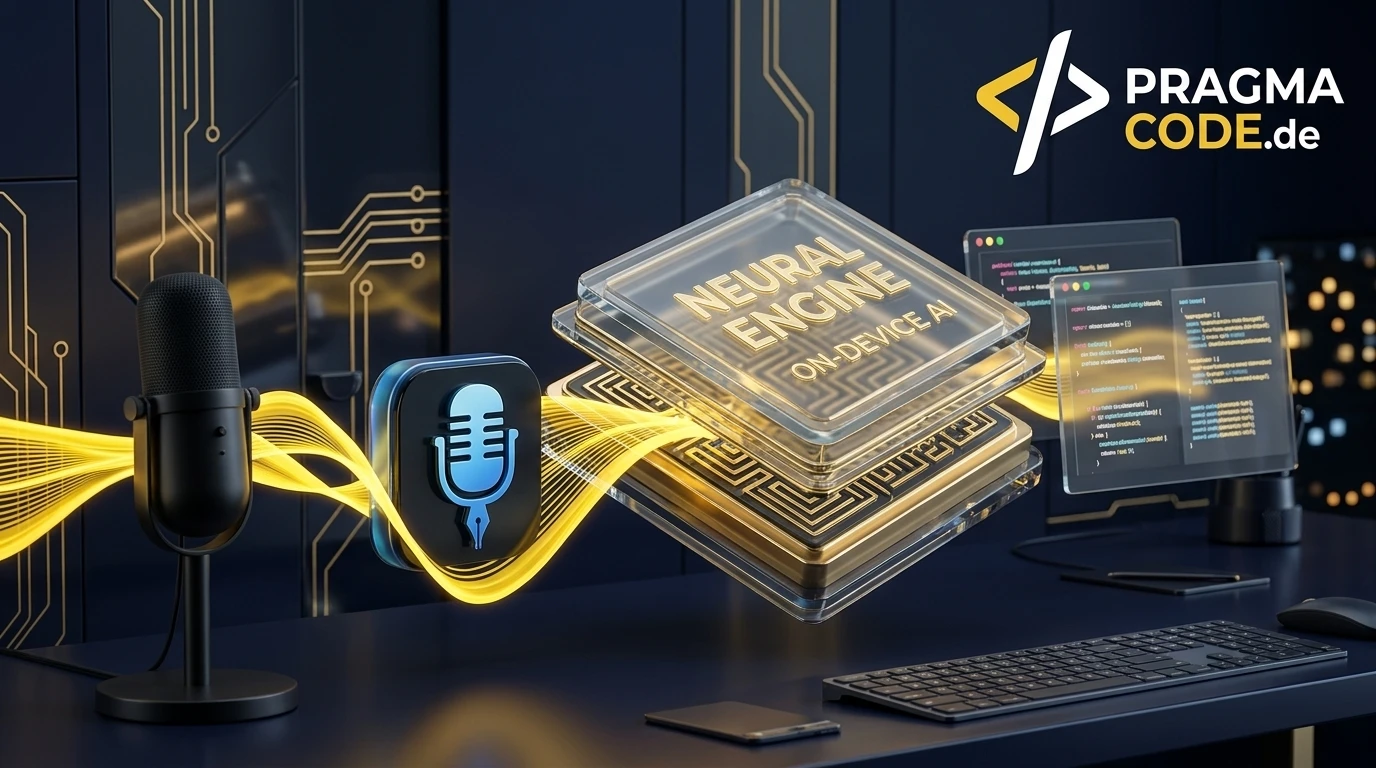
Software development in 2026 is no longer about typing syntax line by line. Autonomous coding agents like Claude Code, Cursor, and Antigravity IDE have shifted the engineering bottleneck toward prompt precision, architecture specifications, and rapid feedback loops. We have used VoiceInk as our daily driver on macOS for months. Here is our hands-on review of why local execution via Whisper and the Apple Neural Engine outperforms cloud dictation.
This article is an in-depth expert contribution from our content cluster. Discover the complete overview on our main page: AI & Automation for Business →
- The Shift to Voice-First Engineering: With Agentic Coding and LLM-assisted workflows, typing has become the primary bottleneck. Software engineers dictate thoughts at 150 to 180 words per minute compared to 40 to 50 WPM on a physical keyboard.
- 100% On-Device Privacy: VoiceInk runs speech models like Whisper, Parakeet V3, and SenseVoice Small natively on the Apple Neural Engine via CoreML. Proprietary client code, API tokens, and architectural secrets never leave your Mac.
- Lifetime License Over Subscriptions: While cloud-based alternatives like Wispr Flow charge up to 200 dollars annually, VoiceInk offers a one-time purchase starting at 25 dollars with lifetime updates, including recent release innovations like Dictionary Auto Learn and on-device text refinement.
Why the Keyboard is the New Bottleneck in the Agentic Era
When working with autonomous tools like Claude Code, Cursor, or Google Antigravity, developers spend minimal time writing boilerplate code. Instead, success hinges on how quickly and clearly you can articulate context, boundary constraints, and architectural requirements. Spoken language is the fastest interface human minds have. VoiceInk bridges the gap between thoughts and the terminal.
- 1. The New Bottleneck in Modern Agentic Coding
- 2. Technical Architecture: CoreML, Apple Neural Engine & WhisperKit
- 3. Key Innovations: Updates from v2.0 to v2.20
- 4. Pragma Code in Practice: 5 Real-World Developer Workflows
- 5. Market Comparison: VoiceInk vs. Wispr Flow vs. Superwhisper
- 6. Step-by-Step Setup Guide for Software Engineers
- 7. Voice-First Ergonomics & Phonetic Best Practices
- 8. Conclusion & Recommendation: Our Daily Workhorse
- 9. Official References & Primary Documentation
1. The New Bottleneck in Modern Agentic Coding
Software engineering is undergoing its most profound shift since the inception of high-level programming languages. As David Heinemeier Hansson (DHH) analyzed in his widely cited thesis on Agentic Engineering, coding in 2026 is no longer about manually typing out algorithms line by line. Modern engineers direct multi-agent swarms, design distributed system topologies, and guide automated tools through complex refactoring passes.
During this transformation, a physiological limitation has emerged: the human keyboard typing speed. Even seasoned software engineers rarely sustain more than 50 to 65 words per minute. When code syntax, terminal paths, and flags are involved, effective typing speeds drop below 35 WPM. Conversely, spoken speech naturally flows at 140 to 180 words per minute. Dictating a comprehensive 400-word task briefing to Claude Code—containing error traces, expected invariants, and design patterns—takes under two and a half minutes. Typing that same text requires nearly ten minutes.
Practical Engineering Tip
When typing prompts for autonomous systems like Cursor or Antigravity IDE, developers instinctively shorten instructions to save physical effort. This leads to vague specifications, incorrect model assumptions, and frustrating rework cycles. Speaking your intent aloud unlocks natural descriptive density—enabling the AI agent to nail the implementation on the very first shot.
At the same time, professional engineering teams face a strict compliance barrier: data confidentiality. Cloud-based speech-to-text applications like Wispr Flow stream raw microphone audio to US-based server clusters. In client work, regulated industries (finance, healthcare, defense), or under strict Non-Disclosure Agreements (NDAs), routing internal repository names, schema definitions, or environment keys over third-party cloud infrastructure is an unacceptable security violation.
This is where VoiceInk delivers an unmatched advantage: a native macOS application that executes cutting-edge neural speech models directly on Apple Silicon silicon. Zero bytes of audio leave your device. Zero cloud dependency. Zero network latency.
2. Technical Architecture: CoreML, Apple Neural Engine & WhisperKit
To appreciate why VoiceInk operates with such instantaneous responsiveness on macOS, it is worth examining its engineering architecture. Early desktop speech recognition software struggled with excessive CPU thermal throttling and sluggish recognition lag. VoiceInk eliminates these compromises through native hardware integration with Apple Silicon (M1, M2, M3, M4).
1. Apple Neural Engine (ANE)
Rather than taxing CPU cores or GPU pipelines, VoiceInk utilizes CoreML models optimized specifically for Apple's 16-core Neural Engine. Power draw remains negligible, and your MacBook stays completely silent and cool even during continuous hours of voice dictation.
2. WhisperKit & CoreML
VoiceInk integrates the open-source WhisperKit framework by Argmax. It compiles OpenAI's Whisper architectures into quantized CoreML packages, delivering end-to-end inference latencies under 300 milliseconds on modern Apple Silicon.
3. VoiceInk Refine (On-Device LLM)
Introduced in release v2.11, VoiceInk Refine embeds a lightweight on-device language model to smooth out disfluencies, remove filler words, and format markdown structures—completely offline without calling external LLM endpoints.
4. Parakeet V3 & SenseVoice
Beyond standard Whisper weights, VoiceInk supports Suno Parakeet V3 and SenseVoice Small (v2.13). For developers wanting optional cloud models, API keys for Gemini 3.8 Flash, Grok Voice 2.0, or Deepgram Nova-3 can be added seamlessly.
In our daily development workflow at Pragma Code, Parakeet V3 combined with Whisper Small has become our gold standard. Parakeet transcribes with near-zero latency and natural punctuation, while Whisper Small handles complex technical jargon ("refactor this async handler in the Astro endpoint with TypeScript generics") without flinching.
3. Key Innovations: Updates from v2.0 to v2.20
Most software reviews online quickly become outdated. VoiceInk is actively maintained by its creator Beingpax with an extraordinary release rhythm. A glance at the official GitHub release log reveals how VoiceInk has evolved from a simple Whisper wrapper into a comprehensive operating layer for voice.
The landmark v2.20 release introduces Dictionary Auto Learn. Whenever you manually correct a transcribed term in your editor, VoiceInk recognizes the adjustment and automatically updates your custom dictionary. Additionally, v2.20 introduces Mouse Shortcuts (binding push-to-talk to thumb or middle buttons), team dictionary import/export, and integration for Gemini 3.8 Flash and Grok Voice Transcribe 2.0.
Integration of SenseVoice Small, a lightweight multi-lingual model renowned for robust background noise resilience. Furthermore, v2.13 resolved a critical audio bug in Clamshell Mode: when MacBooks are docked with the lid closed, VoiceInk reliably keeps the external USB microphone active instead of muting the audio stream.
Launch of VoiceInk Refine. While previous post-processing relied on cloud APIs like OpenAI GPT-4o-mini or Groq, Refine runs text cleanup and formatting through a local CoreML LLM, preserving complete data isolation.
The foundational v2.0 release established application-specific Modes (Coding, Slack, Email), Context Awareness (reading window titles, selected text, and clipboard to improve domain accuracy), the floating VoiceInk Assistant, and Custom Commands for piping dictated text into shell scripts.
The synergy between Context Awareness and Dictionary Auto Learn makes VoiceInk exceptionally well-suited for developers. When working in VS Code or Xcode, VoiceInk checks active file paths (such as slug-map.ts) to disambiguate domain-specific terms accurately on the first pass.
4. Pragma Code in Practice: 5 Real-World Developer Workflows
How does VoiceInk translate into real developer velocity at Pragma Code? We measured our daily routines and identified five critical workflows where VoiceInk saves our engineers between 45 and 60 minutes each day.
1. Agentic Coding & Prompt Engineering
Instead of laboriously typing complex refactoring requests into Claude Code or Cursor, we hold our push-to-talk hotkey and speak: "Inspect the Astro endpoint in src/pages/api/webhook.ts. Add strict Zod schema validation for incoming JSON payloads and handle invalid signatures with HTTP 401." Instructions are captured instantly without breaking focus.
2. Git Commit Messages & PR Summaries
High-quality engineering requires meaningful Git commits following Conventional Commits standards. In a rush, typing often yields lazy messages like fix stuff. With VoiceInk, we dictate directly inside the terminal: git commit -m " [Push-to-Talk] "feat(auth): integrate session token rotation and secure httpOnly cookies in auth middleware" ". Clean Git logs with zero typing overhead.
3. Architecture Decision Records (ADRs)
Engineering documentation frequently suffers from time crunches. Whenever we adopt an architectural decision (such as migrating to Content Collections or local caching), we open a Markdown file and articulate our trade-offs, alternatives, and rationales freely. VoiceInk formats the transcript into clean prose automatically.
4. Asynchronous Code Reviews & Feedback
Detailed feedback on pull requests demands empathy and nuance. Typing long review comments often feels exhausting, leading to brief or blunt responses. Dictated feedback in GitHub PRs or Linear tickets communicates nuanced rationale constructively and warmly in half the time.
5. Custom Commands: Voice-to-Terminal
With VoiceInk's Custom Commands, we mapped global shortcuts that pipe speech directly into custom bash scripts. Dictating "Create high-priority ticket for slug-map refactoring" automatically pipes the formatted text into our internal CLI issue tracker.
Beyond the quantitative time savings, the psychological benefit is profound: the mental friction of converting architectural thoughts into written characters evaporates. Developers no longer sit staring at an empty prompt input.
5. Market Comparison: VoiceInk vs. Wispr Flow vs. Superwhisper
The ecosystem of AI dictation tools on macOS has expanded significantly. However, a closer look reveals that many alternatives rely on predatory recurring subscription models or introduce severe data privacy compromises.
The Subscription Trap of Cloud Dictation Tools
Tools like Wispr Flow charge between 12 and 20 dollars per month, amounting to 140 to 240 dollars per developer every single year. Cancelling your subscription revokes access immediately. For a software team of five engineers, that represents over 1,000 dollars annually for speech recognition alone—all while transmitting sensitive code over cloud relays.
To help engineering teams make an informed technical decision, we evaluated VoiceInk against its main alternatives and the native macOS dictation feature:
Detailed Comparison: VoiceInk vs. Competitors
- Pricing Model: One-time purchase ($25 Solo / $39 Personal) with lifetime updates
- Data Privacy: 100% on-device (Apple Silicon Neural Engine & WhisperKit)
- Models: Whisper (all sizes), Parakeet V3, SenseVoice Small + optional APIs
- Developer Features: Context Awareness, Dictionary Auto Learn (v2.20), Custom Commands
- Hardware: Highly optimized for Apple Silicon (M1–M4) with silent thermals
- Pricing Model: Costly recurring subscription ($140 to $200+ annually per seat)
- Data Privacy: Cloud-only. Audio streams to external US-based cloud servers
- Models: Proprietary hosted models; cannot run offline without internet
- Developer Features: Decent autocorrect, but lacks custom shell script integration
- Dependency: Complete operational outage when internet connectivity drops
Even against local competitors like Superwhisper, VoiceInk stands out thanks to its lean native Swift footprint, structured Modes architecture, and the newly added Dictionary Auto Learn in version 2.20. Superwhisper gates several advanced features behind recurring subscriptions, whereas VoiceInk remains committed to transparent one-time ownership.
Pragma Code Recommendation Link
We only endorse tools that we personally deploy and rely on every day in commercial client operations. You can secure VoiceInk with all latest updates through our official partner link: Get VoiceInk directly from the developer.
6. Step-by-Step Setup Guide for Software Engineers
To extract maximum performance from VoiceInk in technical environments, proper initial configuration is essential. Follow these four steps to optimize the system for coding, terminal interactions, and documentation in under five minutes.
-
Step 1: Download & Model Selection
Download VoiceInk from the official website and move the app to your Applications folder. Open Preferences (
Cmd + ,) and navigate to the Models tab. For technical workflows in English and German, download Parakeet V3 for lightning-fast speech cadence or Whisper Small / Medium for complex technical vocabularies. Weights are stored locally once downloaded. -
Step 2: Configure Push-to-Talk Hotkey & Mouse Shortcuts
For optimal ergonomics, avoid toggle mode (click to start, click to stop) and strictly use Push-to-Talk (hold to speak, release to insert). On macOS, binding the double
Fnkey,Right Option, or—new in v2.20—the mouse thumb button allows seamless dictation without lifting hands from your input devices. -
Step 3: Set Up Developer Dictionary & Auto Learn
Under Dictionary, register your core framework names and project-specific terms (such as
Zod,Tailwind,Astro,kebab-case,GraphQL,PostgreSQL). With the newly released Auto Learn engine, VoiceInk automatically memorizes any manual corrections you perform after dictation, continuously refining your developer vocabulary. -
Step 4: Enable Coding Mode & Context Awareness
Activate Context Awareness in the settings. VoiceInk will read the active window title and optionally inspect highlighted text buffers. When highlighting a function inside VS Code and dictating: "Generate a unit test for this handler using Vitest", the model understands exactly what code entity you are referencing.
7. Voice-First Ergonomics & Phonetic Best Practices
Voice dictation is a skill that becomes second nature after a few days. However, beginners frequently fall into habits that degrade transcription accuracy. Follow these best practices to ensure pristine results from day one:
Phonetic Flow Over Staccato Words
Neural acoustic models like Whisper rely on contextual prosody to resolve homophones and technical terms. Speak in continuous, natural phrases rather than halting, staccato syllables. The model uses preceding and subsequent words to determine punctuation and vocabulary choices accurately.
RSI Prevention & Ergonomic Relief
Prolonged typing sessions place intense strain on finger tendons and wrists, frequently leading to carpal tunnel syndrome or RSI (Repetitive Strain Injury). Formulating prompts, tickets, and code reviews through voice significantly reduces mechanical strain and prevents chronic workplace injuries.
Vocalizing Technical Punctuation
While Parakeet V3 and Whisper infer standard commas and periods from vocal inflection, explicitly pronouncing punctuation commands like "comma", "period", "new line", or "colon" ensures strict syntax compliance inside terminal commands and config files.
Microphone Hardware & Clamshell Usage
MacBook studio microphones deliver exceptional quality. However, when operating in Clamshell mode with the lid closed, ensure VoiceInk selects a dedicated external USB or webcam microphone in its settings. Release v2.13 prevents unwanted muting during docked sessions.
8. Conclusion & Recommendation: Our Daily Workhorse
Few software tools have transformed our daily development efficiency as fundamentally as VoiceInk. In an era where autonomous multi-agent systems and AI coding assistants set the engineering pace, the physical keyboard has become the primary bottleneck. Dictating thoughts at 160 WPM directly into the terminal or IDE unlocks unprecedented focus, prevents fatigue, and yields richer specifications.
The combination of uncompromising privacy (100% on-device inference on Apple Silicon), a fair lifetime license without subscription overhead, and continuous enhancements from releases v2.0 to v2.20 makes VoiceInk the premier dictation software for macOS developers.
Quick-Check: Why VoiceInk Belongs in Your Dev Stack
If you are ready to accelerate your agentic engineering velocity while safeguarding your wrist health, test VoiceInk. Use our official link to download the software directly:
Ready for Voice-First Engineering on macOS?
Explore VoiceInk & Download NowOfficial References & Primary Documentation
- VoiceInk Official Documentation (2026): "Introduction to VoiceInk: On-Device Speech Recognition for macOS" – Technical architecture overview, CoreML models, context awareness, and privacy specs.
- VoiceInk GitHub Release Changelog (2026): "VoiceInk Releases v2.0 to v2.20" – Official documentation for Dictionary Auto Learn, clamshell audio fixes, VoiceInk Refine, and mouse shortcuts.
- Argmax Open Source Project (2025/2026): "WhisperKit: Swift package for speech-to-text using OpenAI Whisper on Apple Silicon" – Technical specification for CoreML quantization and ANE acceleration.
- Apple Machine Learning Research (2025): "Deploying Transformers on the Apple Neural Engine" – Architecture guide for optimizing neural transformers on ANE hardware.
Our Regional Expertise
We are your digital partner – regionally anchored and successfully scaling across borders.

Have a vision?
Let's check together how we can make your idea take flight.
Book your free strategy call nowExtended Specialized Glossary
WhisperKit
An open-source Swift framework developed by Argmax that optimizes OpenAI Whisper speech models for CoreML and the Apple Neural Engine (ANE), enabling ultra-low-power on-device transcription.
Speech-to-Text (STT)
The automated computational conversion of spoken human audio into digital text using neural acoustic and language models.
Apple Neural Engine (ANE)
A dedicated hardware accelerator integrated into Apple Silicon processors (M-series) tailored for efficient matrix tensor operations and on-device AI inference.
On-Device AI
The execution of machine learning models locally on end-user hardware without sending sensory data to remote cloud servers, guaranteeing zero latency and privacy.
Voice-First Engineering
A software engineering paradigm where developers formulate prompts, commit messages, architectural documentation, and pull request reviews primarily through speech.
