


Vulnerabilities in e-commerce platforms jeopardize payment processing, customer records, and core business operations. In this technical guide, learn how the official Shopware Security Plugin (SwagPlatformSecurity) neutralizes critical CVE exploits without maintenance downtime and how mid-market store operators comprehensively harden their Shopware stack in 2026.
This article is an in-depth expert contribution from our content cluster. Discover the complete overview on our main page: E-Commerce Development & Scaling →
- Zero-Downtime Patching: The official Shopware Security Plugin (package
swag/platform-security) deploys urgent CVE vulnerability patches (such as SQL injections, remote code execution, and privilege escalations) in minutes without forcing disruptive core platform upgrades. - Capabilities & Boundaries: The security plugin protects existing minor release lines (including 6.5.x, 6.6.x, and 6.7.x) against known exploits. However, it does not replace planned major upgrades, nor does it patch vulnerable third-party plugins or unmaintained Composer dependencies.
- Comprehensive Hardening Stack: Software patching alone is insufficient. Modern enterprise stores require a multi-layered defense comprising Two-Factor Authentication (2FA), strict Content Security Policy (CSP) headers, Web Application Firewalls (WAF), automated CI/CD dependency scans, and immutable disaster recovery backups.
Automated Exploit Bots & AI-Driven Vulnerability Scanners
In 2026, the threat landscape targeting digital commerce infrastructure has escalated significantly. Cybercrime networks deploy automated vulnerability scanners and autonomous agent tooling that crawl the web within hours of a published security advisory, probing for unpatched Shopware instances. Store operators waiting days or weeks for an agency maintenance sprint face existential operational risks. The Shopware Security Plugin serves as an essential rapid-response shield, shrinking exposure windows from weeks to minutes.
- 1. What is the Shopware Security Plugin? Architecture & Mechanics
- 2. The Anatomy of Modern E-Commerce Attacks: Shopware Vulnerabilities
- 3. Comparison: Security Plugin Hotfix vs. Full Core Upgrade
- 4. Step-by-Step: Composer Installation, CLI Commands & Verification
- 5. The 5 Pillars of Enterprise Shopware Hardening in 2026
- 6. Business Risks: GDPR Penalties, Lost Sales & Brand Damage
- 7. 5-Stage Roadmap: Incident Response for Urgent Security Advisories
- 8. Conclusion & Actionable Security Checklist for Store Owners
- 9. Official Sources & Primary Documentation
1. What is the Shopware Security Plugin? Architecture & Mechanics
Enterprise commerce systems like Shopware 6 are built upon sophisticated, service-oriented PHP frameworks leveraging Symfony, Doctrine, and Vue.js. In an ecosystem of this scale, software bugs and security oversights cannot be completely eliminated, despite automated testing and continuous integration. When security researchers or internal audit teams discover a vulnerability, it is cataloged under the international Common Vulnerabilities and Exposures (CVE) framework.
For mid-sized merchants and IT directors, executing an immediate core update presents real operational friction: Bespoke theme logic, ERP connectors, and third-party checkout extensions must undergo regression testing on dedicated staging systems. A full core upgrade often requires significant preparation time.
This is where the official Shopware Security Plugin (Composer package swag/platform-security) provides critical protection. Authored and maintained directly by Shopware AG, the extension backports security patches into active minor versions without altering underlying database schemas, entity definitions, or storefront templates.
Pro-Tip: Dynamic Patch Ingestion
The Shopware Security Plugin inspects the exact core version of the running installation during the kernel boot phase. A given patch is loaded into memory only if that specific version is affected. If your shop has already been updated to an unaffected core release, the patch remains dormant, ensuring zero runtime performance penalty.
The extension is maintained across several major releases, directly mapped to the Shopware 6 release schedule:
Plugin Version 4.x
Engineered for the Shopware 6.7.x release cycle. Delivers targeted mitigations for modern Symfony adapters, headless Store-API endpoints, and administration controllers.
Plugin Version 3.x
Designed for Shopware 6.6.x installations. Protects tens of thousands of active mid-market online stores running on the mature 6.6 platform baseline.
Plugin Version 2.x
Maintained for Shopware 6.5.x legacy branches. Provides critical bridging security for stores preparing migrations to 6.6 or 6.7.
Shopware 5 Legacy
The legacy Shopware 5 security plugin no longer receives security updates following its official End of Life in July 2024. A modernization plan is essential (see our Shopware 6 Migration Guide).
2. The Anatomy of Modern E-Commerce Attacks: Shopware Vulnerabilities
To implement an effective defense, security teams must understand the real-world vectors employed against digital storefronts. Attackers systematically target transaction pipelines where financial, customer, and administrative data converge. E-commerce platforms face four primary vulnerability classes:
1. SQL Injections & Query Manipulation
Inadequate sanitation in search filters, sorting parameters, or API criteria objects can allow attackers to inject arbitrary SQL statements into database queries. Consequences include unauthorized exfiltration of customer records, password hashes, and order histories. Recent CVEs often involve complex nested association queries in Shopware’s Data Abstraction Layer (DAL), which the Security Plugin resolves with strict parameter binding and criteria validation.
2. Remote Code Execution (RCE) & Insecure Deserialization
Remote Code Execution represents the most critical cybersecurity threat: If an adversary achieves arbitrary code execution, they gain total control over the server environment and file system. Typical attack vectors include unvalidated file uploads in media managers or unsafe deserialization of PHP objects. The Security Plugin intercepts vulnerable execution chains and enforces strict MIME-type and payload verification.
3. Privilege Escalation & Authentication Bypasses
Flaws in role-based authorization routines may permit unauthenticated users or standard customer accounts to trigger privileged administrative actions. Notable examples include CVE-2025-27892, where crafted API requests could bypass permission checks. The Security Plugin patches these authorization gates, ensuring cryptographic validation on all administrative endpoints.
4. Digital Skimming (Magecart) & Checkout Tampering
Digital skimming attacks inject malicious JavaScript into checkout pages to harvest credit card numbers and personal details in real time as buyers type. This vector typically exploits insecure third-party extensions or compromised analytics scripts. Beyond plugin patching, mitigations require strict Content Security Policies.
3. Comparison: Security Plugin Hotfix vs. Full Core Upgrade
When an urgent security advisory is published, IT leaders face a critical decision: Should we deploy the security plugin patch immediately, or schedule an expedited full core upgrade?
This is not a binary choice, but a phased risk management strategy. The security plugin acts as an immediate safety brake, while the core upgrade provides long-term platform health:
Comparison: Security Plugin Hotfix vs. Scheduled Core Upgrade
- Deployment Time: 5 to 15 minutes. Can be deployed and activated directly in production during business hours.
- Downtime Risk: Near zero. Because no database schema migrations are executed, frontend regressions are virtually eliminated.
- Testing Overhead: Minimal. A rapid smoke test of the checkout and administration confirms stability.
- Lifespan: Temporary. Functions as an emergency buffer until a scheduled maintenance window is available.
- Scope: Covers only documented vulnerabilities in the Shopware core platform.
- Deployment Time: 1 to 3 days including staging validation, regression testing, and code sign-off.
- Downtime Risk: Moderate. Requires database migrations, cache warming, and temporary maintenance mode.
- Testing Overhead: High. Custom extensions, ERP sync scripts, and themes must be verified across environments.
- Lifespan: Long-term. Elevates the entire technology stack, delivering performance gains and new capabilities.
- Scope: Updates upstream libraries (Symfony, Twig) and brings permanent architectural refactorings.
Best-Practice Workflow for 2026: When a Critical Security Advisory is released, update the Security Plugin on the same business day. Then, schedule the full minor or patch core upgrade within the regular engineering sprint over the subsequent 2 to 4 weeks.
4. Step-by-Step: Composer Installation, CLI Commands & Verification
The Shopware Security Plugin can be installed either via the graphical administration interface or programmatically through Composer via the command line interface (CLI).
For modern enterprise deployments, Composer-managed installation is strongly recommended because it tracks dependencies inside composer.json, respects Git version control, and supports automated CI/CD deployment pipelines:
Method A: Enterprise Installation via Composer & CLI
Connect to your deployment server via SSH and execute the following commands in the Shopware project root directory:
# 1. Require the official security package via Composer
composer require swag/platform-security

# 2. Refresh plugin discovery and activate the extension
bin/console plugin:refresh
bin/console plugin:install --activate SwagPlatformSecurity

# 3. Clear application caches and re-warm the HTTP cache
bin/console cache:clear
bin/console http:cache:warm:up
Method B: Installation via Administration (Extension Store)
For smaller retail setups without dedicated automated deployment pipelines, installation can be performed via the administration interface:
Access Store
Log in to your Shopware administration backend, navigate to Extensions → Store, and search for „Shopware 6 Security Plugin“ (authored by shopware AG).
Add & Install Extension
Add the free extension to your company account, navigate to Extensions → My Extensions, and click Install.
Activate & Flush Caches
Toggle the status switch to activate the plugin. Clear all cache stores via Settings → System → Caches & Indexes.
Verification: Confirming Active Protection
Verify that the security extension is properly loaded and active by querying the Shopware console:
# Verify plugin activation status in the database:
bin/console plugin:list | grep -i security
# Expected output:
# SwagPlatformSecurity  4.1.2  Up to date  Yes  Yes
Furthermore, review production log files (var/log/prod-*.log). When the plugin intercepts and neutralizes an exploit attempt or registers backward-compatible subscribers on vulnerable versions, it outputs diagnostic log events.
5. The 5 Pillars of Enterprise Shopware Hardening in 2026
While the Security Plugin fixes acute core platform vulnerabilities, holistic security requires a defense-in-depth architecture. Misconfigured web servers, weak staff credentials, and outdated third-party modules remain prime attack vectors. Enterprise security relies upon five foundational pillars:
1. Admin Hardening & 2FA
Mandate Two-Factor Authentication (2FA) for every backend user. Restrict administrative URL paths (/admin) using IP-whitelisting in Nginx/Apache configuration or via corporate VPN tunnels, preventing automated brute-force password spraying.
2. Content Security Policy (CSP)
Implement a strict Content Security Policy (CSP) in HTTP response headers. A validated CSP stops attackers from executing inline cross-site scripting (XSS) or siphoning credit card data during the checkout flow.
3. Automated Dependency Audits
Third-party libraries are the primary source of supply-chain vulnerabilities. Incorporate composer audit and tools like Dependabot into continuous deployment pipelines to detect unpatched Symfony or Twig packages before deployment.
4. WAF & Bot Mitigation
Deploy an enterprise Web Application Firewall (such as Cloudflare Enterprise or AWS WAF) upstream of your origin servers. Filter malicious payload signatures, credential stuffing bots, and DDoS floods before requests hit PHP-FPM workers.
5. Immutable Backups & Disaster Recovery
Maintain hourly incremental database snapshots and media backups. Store at least one offsite replica with Object Lock (WORM compliance) to guarantee instantaneous recovery in the event of ransomware intrusion.
In addition to continuous patching, schedule regular professional Penetration Testing as well as an infrastructure technical website audit to identify structural misconfigurations and maintain compliance (see our guide on Shopware Costs & Operations).
6. Business Risks: GDPR Penalties, Lost Sales & Brand Damage
Cybersecurity is frequently treated as an IT cost center, but in reality, proactive hardening is essential capital preservation. The financial damage of a single breach dwarfs the investment required for proactive security:
Cost Trap 1: GDPR Regulatory Penalties
When unpatched vulnerabilities lead to personal data exfiltration, regulatory bodies enforce strict penalties under Article 83 GDPR of up to €20 million or 4% of annual global turnover. Regulators consistently classify unapplied public security patches as gross negligence.
Cost Trap 2: Direct Revenue Loss During Outages
When an infected store must be taken offline for forensic analysis, sales collapse to zero instantly. B2B stores face breached service level agreements, unfulfilled orders, and damaged supply chains across major clients.
Cost Trap 3: Revocation of Payment Gateways (PCI-DSS)
Following credit card skimming incidents, payment card acquirers frequently suspend merchant processing accounts immediately. Reinstating accounts requires costly independent PCI-DSS audits and mandatory forensic investigations.
Cost Trap 4: Search Engine Blacklisting & SEO Collapse
If Google’s crawler detects injected malware or phishing redirects, browsers display red interstitial security warnings. Organic traffic can plummet by up to 90% within 48 hours, causing enduring SEO damage.
Keeping the Shopware Security Plugin updated is one of the highest-leverage investments an e-commerce business can make.
7. 5-Stage Roadmap: Incident Response for Urgent Security Advisories
When an official security advisory is published, following an established, documented protocol protects infrastructure from panic-driven mistakes. Execute this 5-stage incident roadmap:
-
Phase 1: Triage & Version Audit
Within 60 minutes of release, audit running Shopware versions across production and staging servers. Check CVE identifiers and CVSS severity ratings to quantify threat exposure.
-
Phase 2: Security Plugin Hotfix Deployment
If a security plugin release is available, pull the update via
composer update swag/platform-securityin staging. Perform a rapid smoke test of the catalog and checkout flows, then deploy directly to production. -
Phase 3: Access Log & Exploit Forensic Analysis
Inspect server access logs (Nginx/Apache) for known exploit payload patterns matching the advisory. Verify whether hostile requests occurred prior to patch activation.
-
Phase 4: Filesystem & Database Integrity Validation
Execute file integrity checks and
git statussweeps to confirm that no unapproved PHP scripts or webshells have been introduced. Inspect theuserdatabase table for rogue administrative accounts. -
Phase 5: Scheduling the Permanent Core Upgrade
Once immediate mitigation is verified, incorporate the permanent minor or patch core upgrade into the upcoming sprint to ensure long-term platform support.
8. Conclusion & Actionable Security Checklist for Store Owners
The Shopware Security Plugin is a fundamental defense mechanism for any self-hosted or PaaS Shopware installation. It successfully balances the requirement for immediate protection against zero-day exploits with the operational stability of a complex enterprise store. Incorporating the plugin into automated Composer workflows provides merchants with an indispensable defense against automated exploit campaigns.
Review the security posture of your online store with this quick checklist:
Quick-Check: Is Your Shopware Store Protected?
swag/platform-security up to date and active in the database?
composer audit pass cleanly without vulnerability warnings?
Looking to Audit and Harden Your Shopware Storefront?
From emergency CVE patching to complete e-commerce security architectures: We safeguard your platform against downtime and vulnerabilities.
Official Sources & Primary Documentation
- Shopware AG (November 2026): "Shopware 6 Security Plugin User Guide & Installation Instructions" – Official technical documentation for swag/platform-security.
- Common Vulnerabilities and Exposures (CVE) Program: "National Vulnerability Database & Shopware CVE Advisories" – Public dictionary of cataloged software vulnerabilities.
- German Federal Office for Information Security (BSI): "Guideline for Securing Web Applications and E-Commerce Systems" – IT security standards for enterprise systems.
- Open Web Application Security Project (OWASP): "OWASP Top 10 Web Application Security Risks" – Standard baseline for identifying and mitigating application vulnerabilities.
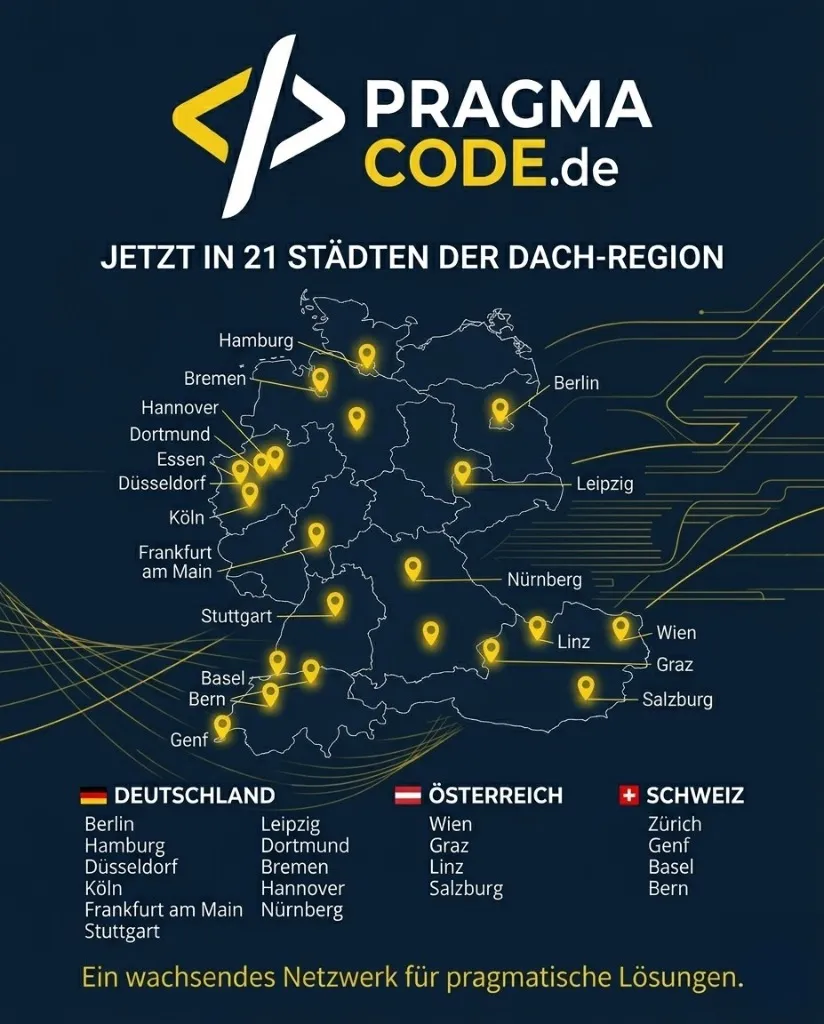
Our Regional Expertise
We are your digital partner – regionally anchored and successfully scaling across borders.
E-commerce for your business?
I deliver this for small and mid-sized businesses: at a fixed price agreed upfront, working directly with the person who builds it. Process, scope and pricing are on the service page.
See service & pricing Or request a free intro callExtended Specialized Glossary
Shopware Security Plugin
An official extension by Shopware AG that backports critical security fixes and CVE patches to existing Shopware installations without requiring an immediate core platform upgrade.
Common Vulnerabilities and Exposures (CVE)
A standardized, globally recognized dictionary of publicly known cybersecurity vulnerabilities and exposures in software and hardware systems.
Two-Factor Authentication (2FA)
A security authentication mechanism requiring two independent factors (e.g. password and time-based one-time passcode via authenticator app) to verify user identity.
Content Security Policy (CSP)
An HTTP security standard enabling site operators to restrict valid sources of executable scripts, styles, and media, preventing Cross-Site Scripting (XSS) and data injection.