

Many mid-market companies still regard WordPress as a bloated website builder cluttered with 40 plugins, agonizingly slow page speeds, and persistent security alerts. However, modern WordPress development in 2026 looks fundamentally different: Powered by native block themes, Full Site Editing (FSE), standardized theme.json configurations, and decoupled headless architectures, WordPress has matured into a high-performance, low-maintenance enterprise CMS. Discover in this comprehensive guide how forward-thinking SMEs future-proof their web architecture, maximize Core Web Vitals, and eliminate technical debt.
This article is an in-depth expert contribution from our content cluster. Discover the complete overview on our main page: Modern Web Development for SMEs →
- Architectural Shift to Block Themes & FSE: The era of monolithic PHP spaghetti code and proprietary visual page builders (Elementor, Divi, WPBakery) is over. Professional Block Themes built with a declarative
theme.jsonand native Full Site Editing (FSE) deliver blazing load speeds, complete editorial freedom, and minimal technical debt. - Headless & API-First Agility: WordPress now serves as an agile content repository. Through the native WordPress REST API or WPGraphQL, teams power cutting-edge edge frontends like Astro or Next.js—yielding ironclad security, sub-second Core Web Vitals, and effortless omnichannel publishing.
- Enterprise Security & TCO Governance: Dependable WordPress operations in the B2B sector require rigorous engineering standards, Git-based CI/CD pipelines, Composer-managed dependencies, and automated vulnerability monitoring. This slashes recurring maintenance and support costs by up to 60 percent compared to legacy plugin patchworks.
From Blogging Engine to Decoupled Enterprise Ecosystem
WordPress powers over 40 percent of the web. Yet for mid-market leaders, strategic success is determined not by the CMS label, but by software engineering craftsmanship: Bespoke architecture, design-token consistency, and decoupled interfaces separate fragile website builders from resilient corporate digital platforms.
- 1. Why SMEs Must Reassess WordPress in 2026
- 2. Professional WordPress Engineering vs. Page Builder Trap
- 3. Modern Theme Architecture: Block Themes, theme.json & FSE
- 4. Backend Data Modeling & Scalability: CPTs & Architecture
- 5. Headless WordPress: When Decoupled Frontends Make Sense
- 6. Performance & Core Web Vitals: Sub-Second Speed
- 7. Enterprise Security & Compliance for SMEs
- 8. Implementation Methodology: 5-Phase SME Roadmap
- 9. TCO, Maintenance, and Long-Term Operational Costs
- 10. Conclusion & Relaunch Readiness Checklist
1. Why SMEs Must Reassess WordPress in 2026
Few technology stacks trigger as many polarized debates across corporate IT and marketing departments as WordPress. To some, it is the most intuitive Content Management System (CMS) in existence, offering marketing teams complete editorial agility. To others, it is synonymous with fragile plugin dependencies, sluggish page load times, and endless security vulnerabilities. The truth lies neither in unconditional praise nor in dismissive prejudice, but in the vast chasm separating amateur setups from professional software engineering.
Over recent release cycles, the WordPress core has undergone a deep architectural revolution. As documented in our technical retrospective on The WordPress Timeline, the platform has systematically transitioned from an archaic monolithic PHP template engine into a modern, block-based, API-driven software framework. The maturation of the Gutenberg project, the native standardization of Full Site Editing (FSE), and the integration of high-performance REST and GraphQL APIs mean WordPress easily satisfies demanding enterprise benchmarks—provided it is developed according to modern software craftsmanship.
For small and medium-sized enterprises (SMEs), a professionally engineered WordPress implementation provides tangible strategic advantages over proprietary SaaS website builders or cost-prohibitive enterprise suites:
1. Complete Data Sovereignty
Companies retain absolute ownership over databases, source code, and customer data—free from vendor lock-in or sudden license fee hikes dictated by closed cloud platforms.
2. Frictionless Editorial Experience
Marketing and content teams build landing pages autonomously without developer intervention, while native Gutenberg controls strictly enforce corporate design boundaries.
3. Hybrid Architecture Flexibility
Freely choose between monolithic block themes and decoupled headless frontends using frameworks like Astro or Next.js via standard JSON-based APIs.
4. Long-Term Investment Security
Backed by unmatched global adoption, sustained core development, and an expansive developer community, the platform’s continuous evolution is guaranteed for decades to come.
5. Native B2B Integrations
Standardized webhooks and REST endpoints allow seamless bi-directional synchronization with CRMs (HubSpot, Salesforce), ERPs (SAP, Microsoft Dynamics), and marketing automation workflows.
The decisive turning point occurs at the architectural planning stage. Organizations attempting to fulfill enterprise demands using marketplace multi-purpose themes and 50 third-party plugins inevitably hit a wall of technical debt. Conversely, businesses investing in tailored block themes, atomic components, and modular code structures gain a digital asset that rivals custom software costing tenfold.
2. Professional WordPress Engineering vs. Page Builder Trap
The primary reason WordPress has suffered reputation issues in corporate IT is the pervasive „Page Builder Trap“. A typical scenario unfolds as follows: A business website is constructed using a visual page builder (such as Elementor, Divi, or WPBakery). For every minor requirement—from simple accordions to image lightboxes and cookie banners—another third-party plugin is installed. After two years, the installation buckles under 45 plugins written by 30 disparate authors.
The inevitable outcome is paralyzing technical debt: Page load times exceeding 4 seconds, disastrous Core Web Vitals (INP and LCP), perpetual plugin collisions during updates, and critical security exposures. Professional WordPress engineering takes a fundamentally opposing approach:
Comparison: Fragile Page Builder Site vs. Professional Enterprise Architecture
- Markup Quality: Deeply nested DOM structures (div soup), redundant stylesheets, and unoptimized legacy scripts.
- Plugin Bloat: 35–60 active plugins for basic features; ongoing danger of incompatibilities and zero-day vulnerabilities.
- Design Governance: Uncontrolled font sizes, colors, and margins caused by manual inline styling in the visual editor.
- Deployment & Git: Code edits executed directly on the production server (hot-patching); zero version history or rollbacks.
- Performance: LCP > 3.5 seconds, excessive render-blocking overhead, degrading organic Google rankings.
- Markup Quality: Semantic HTML5, atomic CSS modules, minimal DOM depth, and strict accessibility compliance (WCAG 2.2 AA).
- Plugin Bloat: Lean core with 5–8 vetted enterprise plugins; all custom features coded as lightweight native blocks.
- Design Governance: Central design tokens governed via
theme.json; editors assemble layouts freely within brand constraints. - Deployment & Git: Full Git version control, Composer dependency management, isolated staging environments, and CI/CD pipelines.
- Performance: LCP < 1.0 second, INP < 50 ms, and 100/100 Google PageSpeed scores via intelligent conditional asset loading.
When organizations fail to recognize this distinction early, they slip into a costly cycle of escalating operational overhead and sliding conversion rates. The four major cost traps include:
Cost Trap 1: Plugin Dependency & Update Paralysis
Every additional third-party plugin compounds upgrade risks. Organizations frequently postpone critical security updates for months out of fear that a plugin update will break production layouts.
Cost Trap 2: Core Web Vitals Collapse & SEO Penalties
Bloated page builders load heavy JavaScript libraries and CSS bundles across every subpage—even when rendering plain text. Google penalizes this overhead with lower search visibility.
Cost Trap 3: Exploits via Abandoned Third-Party Plugins
Over 90 percent of documented WordPress intrusions originate in third-party plugins that are poorly audited or abandoned by their original developers.
Cost Trap 4: Runaway Agency Retainers for Emergency Bugfixing
Troubleshooting unpredictable interactions between dozens of plugins consumes substantial engineering hours. Maintaining glued-together builder sites is far more expensive over 3 years than clean custom code.
Avoiding these pitfalls demands disciplined architectural planning before writing code. At the center of modern WordPress architecture sits the native Block Theme standard.
3. Modern Theme Architecture: Block Themes, theme.json & FSE
With the release of WordPress 6.0 and subsequent iterations, the legacy separation between PHP templates, ad-hoc stylesheets, and content editing was completely overhauled. The gold standard for modern development is the Block Theme. In contrast to legacy classic PHP themes, block themes rely entirely on semantic HTML template files containing native Gutenberg block markup, configured by a central theme.json file.
This configuration manifest operates as the single source of truth for the corporate design system. Instead of manually writing CSS utility classes or injecting PHP variables, theme.json declaratively governs colors, typography, fluid spacing scales, layouts, and block behavior:
{
  "$schema": "https://schemas.wp.org/trunk/theme.json",
  "version": 3,
  "settings": {
    "appearanceTools": true,
    "color": {
      "palette": [
        {
          "slug": "primary",
          "color": "#ffc829",
          "name": "Signal Yellow"
        },
        {
          "slug": "navy-800",
          "color": "#0f1430",
          "name": "Corporate Navy"
        },
        {
          "slug": "dark-blue",
          "color": "#232240",
          "name": "Dark Slate"
        },
        {
          "slug": "surface",
          "color": "#ffffff",
          "name": "Surface Light"
        }
      ],
      "custom": false
    },
    "typography": {
      "fontFamilies": [
        {
          "fontFamily": "'Plus Jakarta Sans', system-ui, -apple-system, sans-serif",
          "slug": "primary",
          "name": "Plus Jakarta Sans"
        }
      ],
      "fontSizes": [
        { "slug": "small", "size": "0.875rem", "name": "Small" },
        { "slug": "medium", "size": "1.125rem", "name": "Medium" },
        { "slug": "large", "size": "1.5rem", "name": "Large" },
        { "slug": "huge", "size": "2.25rem", "name": "Huge" }
      ]
    },
    "layout": {
      "contentSize": "840px",
      "wideSize": "1240px"
    }
  }
}
The strategic benefits of this architecture for mid-market businesses are substantial:
Automated CSS Custom Properties
WordPress automatically parses theme.json into standardized CSS variables (such as var(--wp--preset--color--primary)). Browsers render styles natively with zero third-party framework overhead.
Strict Brand Governance
Configuring "custom": false strips editors of the ability to pick arbitrary hex codes. Content teams compose rich layouts while strictly preserving brand guidelines.
Conditional Asset Delivery
WordPress loads block-level CSS exclusively when the corresponding block is present on the page. Pages without complex tables or sliders load zero bytes of unused stylesheet code.
Through Full Site Editing (FSE), developers structure template parts (headers, footers, archives, and 404 pages) as clean HTML files within the theme repository. A template part such as parts/header.html consists of human-readable, semantic block markup:
<!-- wp:group {"tagName":"header","align":"full","layout":{"type":"flex","justifyContent":"space-between"}} -->
<header class="wp-block-group alignfull">
  <!-- wp:site-logo {"width":180} /-->
  <!-- wp:navigation {"layout":{"type":"flex","setCascadingProperties":true}} /-->
  <!-- wp:buttons -->
  <div class="wp-block-buttons">
    <!-- wp:button {"className":"is-style-primary"} -->
    <div class="wp-block-button is-style-primary"><a class="wp-block-button__link" href="/en/contact">Schedule a Consultation</a></div>
    <!-- /wp:button -->
  </div>
  <!-- /wp:buttons -->
</header>
<!-- /wp:group -->
Expert Tip: Bespoke Gutenberg Blocks via block.json
Avoid omnibus block collection plugins. Build tailored B2B components (such as interactive ROI calculators, product specification grids, or executive profiles) as lean custom blocks using the official @wordpress/create-block scaffolding. Declaring metadata inside block.json guarantees fast server-side rendering or interactive React hydration.
4. Backend Data Modeling & Scalability: CPTs & Architecture
A widespread misconception assumes that WordPress is limited to simple blog posts and brochure pages. In reality, WordPress operates on an extensible relational database schema capable of powering complex business applications through Custom Post Types (CPTs) and custom taxonomies.
In enterprise-grade websites, business data is never dumped into unstructured text fields. Instead, it is modeled into typed, queryable entities. Key examples of B2B data models:
1. Job Postings & Careers
Structured management of job openings with typed metadata for employment type, location, and salary, feeding automated Schema.org JobPosting JSON-LD for Google for Jobs.
2. Products & Machinery
Granular cataloging of industrial equipment, technical spec sheets, downloadable CAD models, and related accessories with faceted taxonomy filters.
3. Case Studies & Success Stories
In-depth customer implementation reports with quantified metrics, industry tags, technology stacks, and authenticated customer testimonials.
4. Branches & Service Hubs
Geocoded corporate branch directory with operating hours, regional contacts, and localized schema markup for local search engine domination.
Crucially, in professional setups, custom post types are never registered through graphical point-and-click plugins that risk data accessibility if deactivated. All CPTs are registered programmatically in a version-controlled Site Functionality Plugin via PHP:
<?php
/**
 * Plugin Name: Pragma Code Core Infrastructure
 * Description: Registers core CPTs and taxonomies independently of the active theme under Git version control.
 */

declare(strict_types=1);

namespace PragmaCode\Core;

add_action('init', function (): void {
    register_post_type('case_study', [
        'labels' => [
            'name'          => 'Case Studies',
            'singular_name' => 'Case Study',
            'add_new_item'  => 'Add New Case Study',
        ],
        'public'       => true,
        'has_archive'  => true,
        'rewrite'      => ['slug' => 'case-studies'],
        'show_in_rest' => true, // Enables Gutenberg editor & REST API access
        'supports'     => ['title', 'editor', 'thumbnail', 'excerpt', 'custom-fields'],
        'menu_icon'    => 'dashicons-portfolio',
    ]);
});
The parameter 'show_in_rest' => true is essential: It unlocks the modern block editor for editors while immediately publishing clean JSON data via the WordPress REST API. This forms the foundational bridge for headless and decoupled architectures.
5. Headless WordPress: When Decoupled Frontends Make Sense
One of the most transformative architectural strategies in enterprise web engineering is the decoupled or „Headless“ model. Here, WordPress is utilized strictly as a backend content authoring repository. The user-facing presentation layer (the frontend) is decoupled entirely and developed with an edge-ready JavaScript/TypeScript framework such as Astro, Next.js, or Nuxt.
Communication between the WordPress backend and the edge frontend is handled via the native WordPress REST API or via WPGraphQL. While exceptionally powerful, this approach is not universally necessary for every mid-market scenario. In our comparative study Astro vs. WordPress, we examined the performance trade-offs. Here is the strategic evaluation:
Ironclad Security & Zero Attack Surface
The WordPress backend operates on an isolated private subdomain or behind a corporate VPN, completely invisible to the public internet. Because the frontend consists of static pre-rendered HTML and edge functions, there is no exposed PHP runtime or direct database connection.
Sub-500ms Edge Performance
Static Site Generation (SSG) with frameworks like Astro allows websites to be distributed across global CDN edge nodes. Time to First Byte (TTFB) metrics routinely clock in under 80 milliseconds worldwide.
True Omnichannel Content Delivery
A single content hub in WordPress concurrently feeds corporate web portals, native mobile apps (iOS/Android), internal intranets, and digital signage displays—edit once, distribute everywhere.
When should an SME choose a monolithic Block Theme, and when should it invest in a Decoupled Headless architecture? The decision framework:
Decision Matrix: Monolithic Block Theme vs. Decoupled Headless WordPress
- Project Budget: Ideal for implementation budgets between €15,000 and €45,000.
- Live Preview: True WYSIWYG live editing in Gutenberg functions natively without dedicated preview rendering servers.
- Forms & Plugins: Standard vetted form plugins and analytics integrations function out-of-the-box without custom API endpoints.
- Team Capabilities: Existing in-house WordPress familiarity across marketing and junior IT staff is fully sufficient.
- Project Budget: Recommended for investments starting at €50,000+ due to dual-stack build and maintenance overhead.
- Compliance Requirements: Essential for critical infrastructure, banking, or stringent GDPR compliance requiring total backend isolation.
- Multi-Channel: Required when identical content powers web portals, mobile apps, and customer extranets simultaneously.
- Extreme Traffic: Crucial for high-traffic platforms demanding global edge scaling without costly clustered database hardware.
6. Performance & Core Web Vitals: Sub-Second Speed
Ever since Google made Interaction to Next Paint (INP) an official Core Web Vital metric, search visibility directly reflects real-world user field data (Chrome User Experience Report). A professionally developed WordPress site—even within a monolithic setup—reliably scores 100/100 on Google PageSpeed Insights when adhering to four core engineering practices:
1. Persistent Object Caching (Redis)
Uncached WordPress pageviews trigger dozens of database queries. Implementing Redis or Memcached stores query results directly in server RAM, plunging backend processing times from 800 ms to under 60 ms.
2. Purging Core Asset Bloat
WordPress out-of-the-box loads emoji scripts, classic theme fallbacks, and oEmbed libraries. In a bespoke theme, these legacy assets are completely dequeued via functions.php.
3. Native AVIF & WebP Image Pipeline
Modern WordPress natively supports AVIF image generation. Large hero imagery is compressed down to 15–35 KB while serving responsive srcset variations tailored to mobile and desktop viewports.
4. Full-Page HTTP Edge Caching
Static HTML pages for anonymous visitors are served directly from edge memory via Varnish, Nginx FastCGI Cache, or Cloudflare Edge Cache. The PHP runtime is bypassed for 98 percent of total traffic.
The code snippet below illustrates how surplus core overhead is cleanly eliminated in production:
<?php
// Dequeue redundant core assets to optimize Largest Contentful Paint (LCP)
add_action('init', function (): void {
    remove_action('wp_head', 'print_emoji_detection_script', 7);
    remove_action('wp_print_styles', 'print_emoji_styles');
    remove_action('admin_print_scripts', 'print_emoji_detection_script');
    remove_action('admin_print_styles', 'print_emoji_styles');
    remove_action('wp_head', 'rsd_link');
    remove_action('wp_head', 'wlwmanifest_link');
    remove_action('wp_head', 'wp_generator'); // Removes WordPress version number for security
});

// Suppress classic theme styles when running pure Block Themes
add_action('wp_enqueue_scripts', function (): void {
    wp_dequeue_style('classic-theme-styles');
    wp_dequeue_style('global-styles-inline-css'); // Only if theme.json defines all styles
}, 20);
7. Enterprise Security & Compliance for SMEs
In enterprise web operations, cybersecurity is an active engineering discipline rather than an afterthought. Automated bots constantly scan the web for vulnerabilities in unmaintained plugins. An enterprise-grade hardening strategy for SMEs implements five defense perimeters:
1. Multi-Factor Authentication & Passkeys
Enforced 2FA or FIDO2/WebAuthn passkeys for all editorial and administrator accounts, thwarting credential-stuffing and brute-force attacks on the administrative endpoint.
2. Disabling Legacy XML-RPC
The legacy xmlrpc.php file is completely blocked at the web server layer (Nginx/Apache), neutralizing the primary vector used for amplification DDoS and brute-force incursions.
3. File System Immutability
Production server filesystems are mounted read-only. Neither compromised accounts nor rogue scripts can install unauthorized plugins or modify PHP files. Code changes must pass through Git CI/CD deployments.
4. Web Application Firewall (WAF)
Cloudflare or ModSecurity intercepts SQL injections, Cross-Site Scripting (XSS), and zero-day vulnerabilities at the network perimeter before traffic touches WordPress.
Furthermore, European GDPR compliance dictates the strict localization of digital assets. External Google Fonts CDNs, third-party JavaScript libraries, and external Gravatar avatars are completely disabled, with all assets served locally from your company's own infrastructure.
8. Implementation Methodology: 5-Phase SME Roadmap
A successful corporate website relaunch powered by modern WordPress engineering follows a disciplined delivery methodology that guarantees budget certainty and protects search equity:
-
Phase 1: Discovery, Data Architecture & CPT Modeling
Auditing existing digital assets and establishing the content model. Identifying entity boundaries for Custom Post Types, taxonomies, and third-party integrations (CRM, ERP, job portals). Designing comprehensive 301 redirect maps to preserve established SEO equity.
-
Phase 2: Design System, theme.json & Block Scaffolding
Translating Figma design tokens into standard
theme.jsonspecifications. Engineering modular custom blocks using native Gutenberg APIs, fine-tuning editor controls to guarantee brand consistency. -
Phase 3: Backend Logic, Template Parts & API Integration
Coding Full Site Editing template parts (headers, footers, archives, single templates). Implementing bi-directional API endpoints and configuring privacy-compliant analytics pipelines.
-
Phase 4: Content Migration, Performance Hardening & Audits
Migrating historical content with structured taxonomy validation. Executing comprehensive Core Web Vitals audits, European accessibility audits (WCAG 2.2 Level AA), and rigorous penetration testing.
-
Phase 5: Automated CI/CD Rollout, Staging & Go-Live
Establishing staging and production hosting environments. Deploying automated GitHub Actions workflows, executing zero-downtime DNS cutovers, and triggering immediate indexation across Google Search Console.
9. TCO, Maintenance, and Long-Term Operational Costs
For executive leadership and IT directors, initial project development costs are only half the financial equation. The Total Cost of Ownership (TCO) over a 3- to 5-year operational lifecycle is what determines digital ROI. As highlighted in our strategic guide to WordPress Migration & ROI, bespoke architecture dramatically shifts the cost equation:
Elimination of Recurring Plugin Licenses
Page builder setups frequently accumulate €2,000 to €6,000 annually in recurring licenses for builders, addon extensions, and form tools. Custom block themes rely on native core capabilities—incurring zero annual software tax.
Reduced Maintenance & Regression Overhead
Because there are no conflicting 40 plugins to manage, core security updates execute seamlessly against automated staging regression suites. Monthly maintenance retainers decrease by up to 70 percent.
Compounding Conversion Lift
Every 100-millisecond reduction in page latency directly correlates with measurable B2B conversion gains. Sub-second response times convert inbound organic visitors into qualified enterprise pipeline.
Enterprise Hosting Best Practice: Managed WordPress or Isolated VPS
Do not compromise on hosting infrastructure. Budget €5/month shared hosting plans are inadequate for business-critical websites. Leverage dedicated managed WordPress infrastructure (such as WP Engine or Kinsta) or high-performance VPS clusters running containerized Docker/Bedrock stacks with automated daily snapshots, native Redis caching, and isolated staging environments.
10. Conclusion & Relaunch Readiness Checklist
In 2026, WordPress has outgrown its origins as a basic blogging platform: In the hands of skilled software engineers, it serves as a resilient, blazing-fast, and highly cost-effective enterprise foundation. By embracing native Block Themes, Full Site Editing, and API-first headless architectures, WordPress unites the editorial agility marketing teams demand with the security, scalability, and code governance required by corporate IT leadership.
Evaluate your current or planned web initiative against our enterprise readiness checklist:
Quick-Check: Enterprise WordPress Architecture Standards
theme.json replacing visual page builders
Official Sources & Primary Documentation
- WordPress Developer Resources (2026): "Block Themes and Full Site Editing Overview" – Official documentation on block theme architecture and theme.json configuration standards.
- WordPress REST API Handbook (2026): "REST API Developer Handbook" – Technical specifications for core JSON endpoints powering decoupled and headless architectures.
- W3Techs Web Technology Surveys (2026): "Usage Statistics and Market Share of WordPress" – Authoritative empirical data regarding WordPress global market penetration.
- Google Chrome Developers (2026): "Core Web Vitals Documentation & INP Guidance" – Guidelines for optimizing Largest Contentful Paint and Interaction to Next Paint.
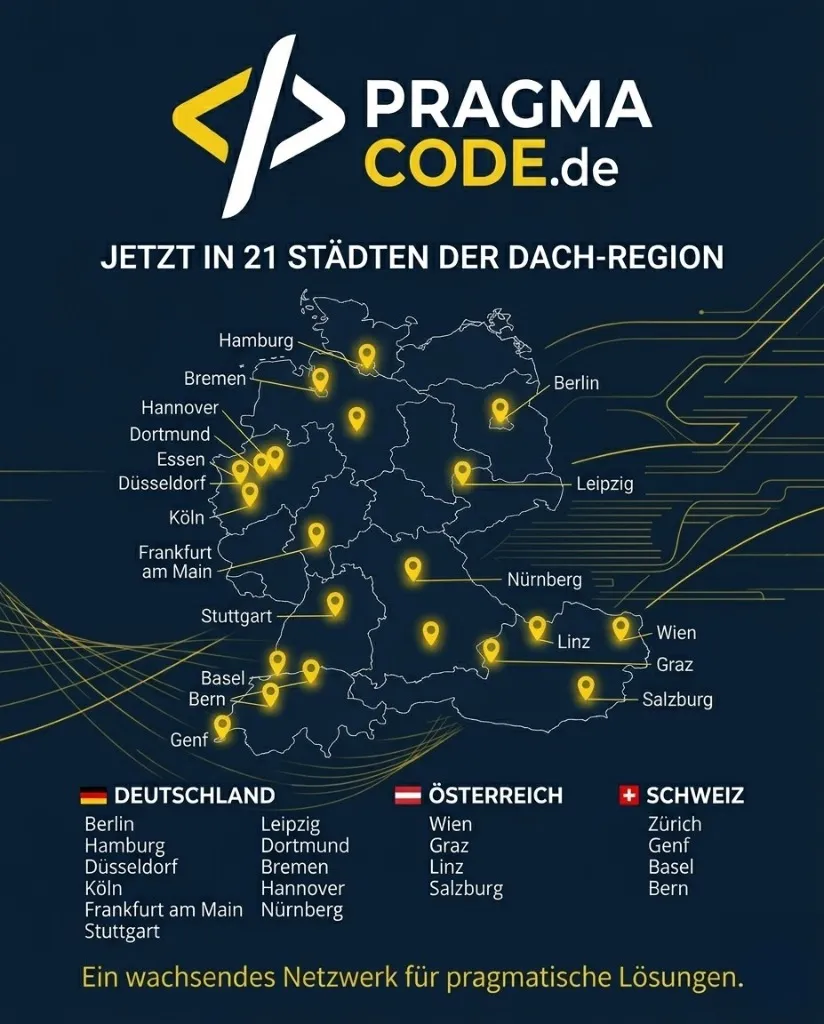
Our Regional Expertise
We are your digital partner – regionally anchored and successfully scaling across borders.
Web development for your business?
I deliver this for small and mid-sized businesses: at a fixed price agreed upfront, working directly with the person who builds it. Process, scope and pricing are on the service page.
See service & pricing Or request a free intro callExtended Specialized Glossary
Full Site Editing (FSE)
A native WordPress architecture paradigm enabling developers and editors to build and style entire websites—including headers, footers, templates, and archives—using Gutenberg blocks and a centralized theme.json configuration.
Block Theme
A modern WordPress theme built entirely around HTML template files, block markup, and theme.json styling, eliminating legacy PHP template hierarchies to maximize performance and maintainability.
WordPress REST API
A core JSON-based API integrated into WordPress that provides programmatic read and write access to posts, taxonomies, users, and custom endpoints for decoupled frontends like Astro, Next.js, and mobile applications.
Custom Post Type (CPT)
A custom content type in WordPress that extends standard posts and pages to structure specialized enterprise data such as portfolio projects, team members, testimonials, or branch directories.