

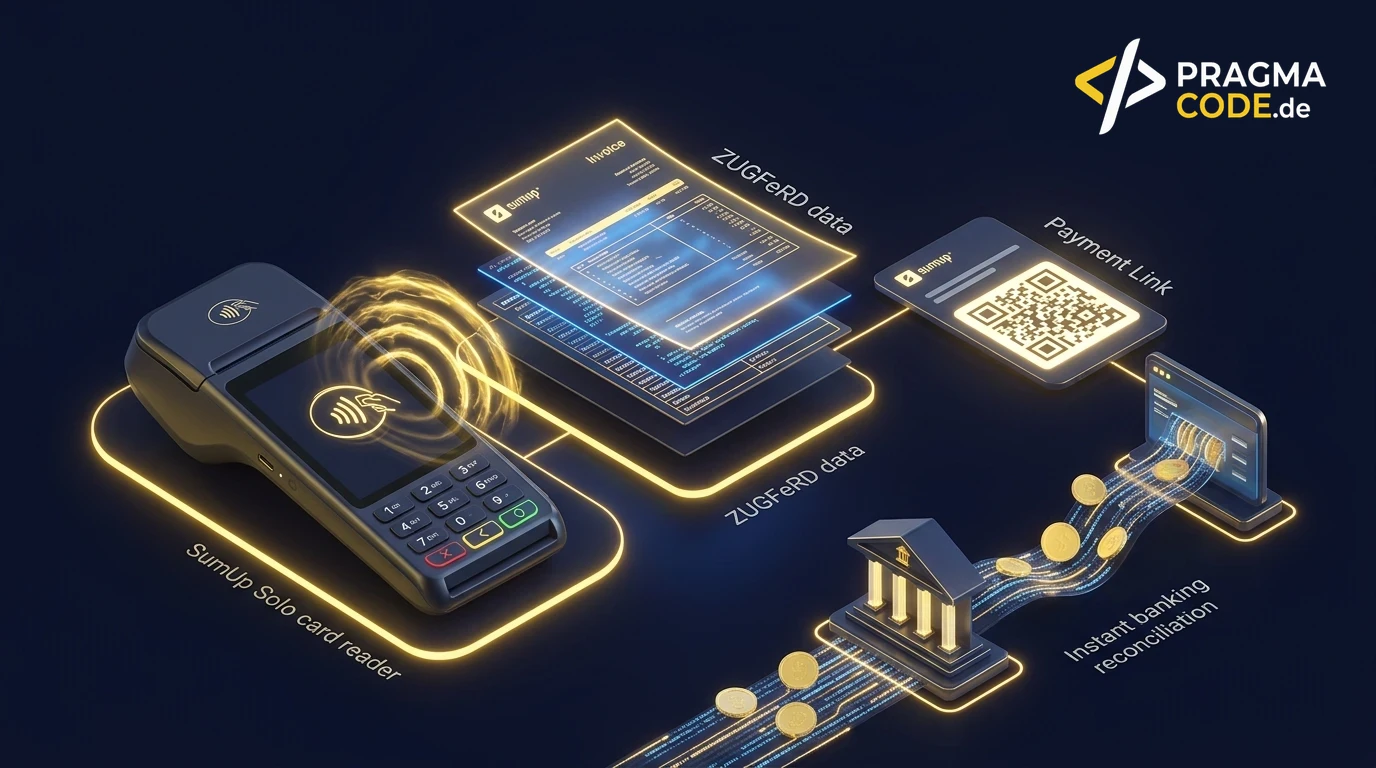
For hundreds of thousands of European freelancers, Debitoor was the gold standard for simple billing. Fully transitioned into SumUp Invoices, it now forms an integrated suite connecting card terminals, e-invoicing, and developer APIs.
This article is an in-depth expert contribution from our content cluster. Discover the complete overview on our main page: AI & Workflow Automation →
For hundreds of thousands of independent contractors, freelancers, tradespeople, and small business owners across Europe, Debitoor stood for effortless, intuitive invoicing: creating polished quotes and customer bills required just a few clicks, overdue reminders were sent effortlessly, and basic revenue-surplus accounting (EÜR) was simplified. With its acquisition and complete absorption into SumUp's international fintech ecosystem, the product landscape has evolved dramatically.
In 2026, the software operates under the banner of SumUp Invoices (SumUp Rechnungen). What might appear as a conventional rebranding is, in reality, a unified commerce platform connecting physical point-of-sale (POS) hardware, online payment gateways, strict compliance with EN 16931 e-invoicing standards, and modern developer APIs. Today, businesses accepting in-person card payments, issuing field-service invoices, and running automated e-commerce checkouts can orchestrate their entire billing lifecycle without manual data transfers.
In this comprehensive guide, we examine the evolution from standalone Debitoor to SumUp Invoices, evaluate the technical capabilities of the SumUp REST API, showcase production-ready n8n and Python automation pipelines, and explain how to synchronize card payouts, merchant processing fees, and modern business accounts like Finom seamlessly.
The Evolution: From Standalone Debitoor to SumUp Invoices
Founded in Copenhagen in 2012, Debitoor solved a clear market problem: accounting software was notoriously complex, designed by accountants for accountants, leaving non-financial entrepreneurs intimidated. Debitoor countered with radical simplicity, elegant templates, and zero bookkeeping jargon.
Following its acquisition by SumUp, the platform systematically merged invoicing with payment processing. In 2026, this integration is complete. The system has transformed from an isolated billing generator into an omnichannel transactional suite anchored by three pillars:
Compliant E-Invoicing 2026
Creation of quotes, delivery notes, credit notes, and legally compliant e-invoices (ZUGFeRD 2.2 / XRechnung 3.0) with automated numbering series and PDF downloads.
Omnichannel Payment Processing
Direct pairing with physical card readers (SumUp Solo, Air), instant WhatsApp/email payment links, and dynamic QR code billing with real-time settlement tracking.
Financial Data & Banking Sync
Automated payment matching, merchant processing fee separation (gross revenue vs. interchange deductions), and native data exports to DATEV and Finom.
For existing Debitoor users, the familiar user interface was preserved while gaining immediate access to modern payment rails. Customers receiving invoices no longer have to enter IBANs manually in their online banking portal; instead, they click a hosted payment link to settle invoices instantly via credit card, Apple Pay, Google Pay, or instant SEPA transfer—slashing Days Sales Outstanding (DSO) from 14 days to under 48 hours.
Feature Breakdown 2026: E-Invoicing, Hardware & Automated Dunning
Legal mandates across the European Union have raised the compliance bar for commercial billing. SumUp Invoices addresses these requirements with standardized, automated workflows designed to eliminate manual audit risks:
1. European E-Invoicing Compliance (EN 16931 & ZUGFeRD 2.2)
Every commercial B2B invoice generated inside SumUp Invoices can be formatted as a hybrid ZUGFeRD document. The recipient receives a visually rendered PDF document with an embedded, standardized XML payload containing all required electronic fields (buyer reference, VAT registration numbers, line item tax codes, and structured payment terms). Receiving enterprise accounting systems and tax portals parse these files instantaneously without OCR errors.
2. POS Hardware Synchronization & On-Site Card Payments
A defining advantage over pure-play online software like FastBill or Billomat is native hardware integration. Mobile service technicians, craftspeople, and boutique retailers can finalize a job on-site, accept a card or contactless phone payment via a handheld SumUp Solo terminal, and immediately generate a compliant invoice receipt. The invoice is instantly tagged as paid within the cloud backend.
3. Automated Payment Reminders & Dynamic Hosted Links
When an invoice crosses its due date, configurable dunning schedules take over. SumUp Invoices triggers staged friendly payment reminders and formal escalation notices. Crucially, each notification includes a cryptographic payment URL, allowing the client to resolve the open liability in seconds from their smartphone, virtually eliminating prolonged debt-collection friction.
Pro-Tip: Automate Merchant Processing Fee Booking
When processing card payments, SumUp retains an interchange transaction fee (typically 0.9% to 1.9%). From an accounting standpoint, recording only the net bank deposit as revenue is a serious compliance error! By deploying automated API sync scripts, we split the gross invoice revenue and merchant fee expenses into discrete ledger accounts, ensuring your tax advisor receives audit-ready bookkeeping records at month-end.
SumUp REST API Architecture: Endpoints, OAuth 2.0 & Webhooks
For automation engineers and software developers, SumUp provides a robust REST API. Built on modern web protocols, the API allows programmatic control over merchant accounts, customer directories, payment checkouts, and invoicing data.
OAuth 2.0 Authentication & Access Scopes
Interacting with the SumUp API requires a registered Merchant Account and an active OAuth 2.0 Application configured in the SumUp Developer Portal. Access tokens are obtained via standard client credentials or authorization code grants and passed as Bearer tokens in HTTP request headers:
# Requesting access token via OAuth 2.0 client credentials
POST https://api.sumup.com/token
Content-Type: application/x-www-form-urlencoded

client_id=YOUR_CLIENT_ID&client_secret=YOUR_CLIENT_SECRET&grant_type=client_credentials&scope=invoices,payments,transactions.history
Core API Endpoints of the SumUp Platform
| Endpoint | HTTP Method | Purpose & Integration Role |
|---|---|---|
/v0.1/me |
GET | Retrieves merchant profile metadata, default currency settings, and active merchant codes. |
/v1/invoices |
POST / GET | Creates, retrieves, updates, and finalizes electronic customer invoices. |
/v1/invoices/{id}/send |
POST | Dispatches the invoice via email alongside hosted card checkout links. |
/v0.1/checkouts |
POST / GET | Creates online hosted payment sessions, card authorizations, and payment links. |
/v0.1/merchants/{code}/transactions/history |
GET | Queries complete transaction logs across POS terminals and online checkouts with fee breakdowns. |
/v0.1/merchants/{code}/receipts/{id} |
GET | Downloads structured digital receipt data for tax archiving and bank reconciliation. |
Real-Time Webhook Architecture
Rather than utilizing inefficient polling mechanisms, SumUp publishes real-time webhook notifications. Events such as checkout.completed, payment.status_changed, and invoice.paid send immediate HTTPS POST payloads to your integration endpoint (such as an n8n webhook node or a containerized FastAPI microservice).
A typical webhook payload for a completed card payment appears as follows:
{
  "event_type": "checkout.completed",
  "id": "c7a8b9d0-1234-5678-90ab-cdef12345678",
  "event_time": "2026-03-31T10:14:22Z",
  "data": {
    "id": "chk_9876543210abcdef",
    "amount": 249.50,
    "currency": "EUR",
    "status": "PAID",
    "transaction_code": "TX-99887766",
    "payment_type": "CARD_READER",
    "merchant_code": "M-DE123456",
    "fee_amount": 2.25,
    "payout_plan": "DAILY",
    "customer": {
      "email": "customer@sample-corp.com",
      "name": "Sample Enterprise Ltd"
    }
  }
}
Production Automation Workflows with n8n & Make
SumUp Invoices delivers maximum operational ROI when connected to enterprise data pipelines. Here are two enterprise blueprints frequently deployed by Pragma Code for SMEs and professional service providers:
CRM Deal to E-Invoice
When a deal moves to "Closed-Won" in HubSpot or Pipedrive, an automated n8n workflow triggers the SumUp Invoices API to create a ZUGFeRD invoice, sends it with an embedded payment link, and saves the PDF into Google Drive.
POS Payment to Finom
A contactless card swipe on a SumUp Solo reader triggers a webhook. The integration parses gross revenue and interchange fees, reconciles the open invoice, and matches the scheduled batch payout against Finom banking records.
Architectural Data Flow of the Invoicing & Clearing Pipeline
The following diagram illustrates the bidirectional communication between SumUp hardware terminals, cloud APIs, integration middleware, and financial repositories:
┌─────────────────────────┐          ┌───────────────────────────┐
│  SumUp POS Card Reader  │          │  CRM / E-Commerce System  │
│  On-Site Contactless    │          │  (HubSpot / WooCommerce)  │
└────────────┬────────────┘          └─────────────┬─────────────┘
             │ Transaction                         │ Deal Closed /
             │ Webhook                             │ Order Placed
             ▼                                     ▼
┌────────────────────────────────────────────────────────────────┐
│           n8n / Integration Middleware (OAuth 2.0)             │
│                                                                │
│  1. Validate payload & verify HMAC signature                   │
│  2. Dispatch request to SumUp Invoices API (/v1/invoices)      │
│  3. Attach ZUGFeRD XML & render legal PDF                      │
│  4. Split accounting ledger: Gross revenue vs. Merchant fees   │
└────────────┬────────────────────────────────────┬──────────────┘
             │                                    │
             ▼                                    ▼
┌─────────────────────────┐          ┌───────────────────────────┐
│ Finom / Bank Account    │          │ DATEV / Tax Advisor       │
│ Automated Reconciliation│          │ Compliant Audit Archive   │
└─────────────────────────┘          └───────────────────────────┘
Code Implementations: Node.js / TypeScript & Python
To demonstrate how developers can integrate SumUp Invoices programmatically, below are two production-ready scripts: a type-safe TypeScript service for automated invoice creation and a resilient Python/FastAPI webhook listener.
1. TypeScript: Automated Invoice Creation via SumUp API
This modular TypeScript function authenticates with Bearer tokens, structures itemized invoice lines, calculates taxes, and finalizes the invoice for automated download:
import axios from 'axios';

interface InvoiceItem {
  name: string;
  quantity: number;
  unitPrice: number;
  taxRate: number; // e.g. 19 for 19% VAT
}

interface CreateInvoicePayload {
  merchantCode: string;
  customerName: string;
  customerEmail: string;
  invoiceNumber: string;
  dueDate: string;
  items: InvoiceItem[];
}

export async function createSumUpInvoice(
  apiToken: string,
  payload: CreateInvoicePayload
): Promise<{ invoiceId: string; pdfUrl: string }> {
  const sumUpClient = axios.create({
    baseURL: 'https://api.sumup.com/v1',
    headers: {
      Authorization: `Bearer ${apiToken}`,
      'Content-Type': 'application/json',
    },
  });

  const invoiceData = {
    number: payload.invoiceNumber,
    date: new Date().toISOString().split('T')[0],
    due_date: payload.dueDate,
    currency: 'EUR',
    customer: {
      name: payload.customerName,
      email: payload.customerEmail,
    },
    line_items: payload.items.map((item) => ({
      name: item.name,
      quantity: item.quantity,
      price: item.unitPrice,
      tax_rate: item.taxRate,
    })),
    payment_terms: {
      type: 'CUSTOM',
      days: 14,
    },
    options: {
      include_zugferd_xml: true,
      enable_online_payment_link: true,
    },
  };

  try {
    const response = await sumUpClient.post('/invoices', invoiceData);
    const invoiceId = response.data.id;

    // Finalize invoice to lock numbering and activate hosted payment link
    await sumUpClient.post(`/invoices/${invoiceId}/finalize`);

    return {
      invoiceId,
      pdfUrl: `https://api.sumup.com/v1/invoices/${invoiceId}/pdf`,
    };
  } catch (error: any) {
    console.error('SumUp API Error:', error.response?.data || error.message);
    throw new Error(`Failed to generate SumUp invoice: ${error.message}`);
  }
}
2. Python / FastAPI: Transaction Webhook & Banking Sync
The following FastAPI endpoint processes checkout.completed events, validates digital signatures, isolates processing fees, and prepares clean records for banking reconciliation:
import hmac
import hashlib
import os
from fastapi import FastAPI, Request, HTTPException, Header
from pydantic import BaseModel
from typing import Optional

app = FastAPI(title="SumUp Webhook & Financial Reconciliation Engine")

SUMUP_WEBHOOK_SECRET = os.getenv("SUMUP_WEBHOOK_SECRET", "production_webhook_signing_key")

class CustomerInfo(BaseModel):
    email: Optional[str] = None
    name: Optional[str] = None

class CheckoutData(BaseModel):
    id: str
    amount: float
    currency: str
    status: str
    transaction_code: str
    fee_amount: float
    merchant_code: str
    customer: Optional[CustomerInfo] = None

class SumUpWebhookEvent(BaseModel):
    event_type: str
    id: str
    data: CheckoutData

@app.post("/api/v1/webhooks/sumup")
async def handle_sumup_webhook(
    request: Request,
    event: SumUpWebhookEvent,
    x_sumup_signature: Optional[str] = Header(None)
):
    # Verify cryptographic HMAC signature
    raw_body = await request.body()
    if x_sumup_signature:
        expected_sig = hmac.new(
            SUMUP_WEBHOOK_SECRET.encode(),
            raw_body,
            hashlib.sha256
        ).hexdigest()
        if not hmac.compare_digest(expected_sig, x_sumup_signature):
            raise HTTPException(status_code=401, detail="Invalid webhook signature")

    if event.event_type == "checkout.completed" and event.data.status == "PAID":
        gross_amount = event.data.amount
        merchant_fee = event.data.fee_amount
        net_payout = round(gross_amount - merchant_fee, 2)

        print(f"✅ Card payment confirmed: Transaction {event.data.transaction_code}")
        print(f"   Gross Revenue: {gross_amount} {event.data.currency}")
        print(f"   SumUp Processing Fee: {merchant_fee} {event.data.currency}")
        print(f"   Scheduled Net Payout: {net_payout} {event.data.currency}")

        # Trigger reconciliation in Finom banking or automated bookkeeping ledger
        # match_transaction_record(transaction_code=event.data.transaction_code, net_deposit=net_payout)

        return {"status": "success", "processed_tx": event.data.transaction_code}

    return {"status": "ignored", "reason": "Unmonitored event type"}
Finom Banking & SumUp Clearing: Reconciling Batch Payouts
A recurring pain point for small businesses and merchants is the variance between daily card payments and periodic bank deposits received inside their Finom checking account.
SumUp aggregates daily customer card transactions and pays out a single net sum, having deducted processing fees. Trying to match this lump-sum deposit manually against dozens of individual customer invoices creates friction during monthly tax preparation.
Best Practice: The 3-Step Transit Clearing Architecture
1. Transit Clearing Account: When an in-person or online payment is approved in SumUp, the transaction is immediately booked against an interim transit account (e.g. SumUp Clearing).
2. Real-Time Invoice Settlement: The corresponding customer invoice in SumUp Invoices is instantly tagged as settled.
3. Automated Batch Matching: When the aggregated lump-sum deposit arrives on the Finom bank account, an automated script balances the gross receipts against the transit ledger and books the delta to the merchant processing fee expense account, leaving a zero balance on the clearing ledger.
Software Comparison 2026: SumUp Invoices vs. Competitors
Which invoicing platform aligns best with your business model and transaction volume? The table below compares SumUp Invoices with leading DACH solutions including Lexware Office, sevDesk, and Sorted:
| Criteria | SumUp Invoices | Lexware Office | sevDesk | Sorted |
|---|---|---|---|---|
| Primary Focus | Micro-businesses, retail POS, mobile trades & service pros | Growing SMEs, startups & collaborative teams | Contractors, craftspeople & service SMBs | Solo freelancers & self-employed individuals |
| POS & Card Hardware | Natively integrated (Solo, Air, 3G) | Via third-party integrations | Via partner extensions | No hardware support |
| E-Invoicing (ZUGFeRD/XRechnung) | Yes (EN 16931 compliant) | Yes (Full enterprise support) | Yes (Full enterprise support) | Basic e-invoicing |
| Bookkeeping Scope | Revenue capture & EÜR preparation | Full double-entry, P&L, balance sheets, VAT returns | Complete cash accounting & advance VAT filing | Focus on German freelancer EÜR & VAT |
| API & Webhooks | SumUp REST API & Webhooks | Extensive REST API | REST API & Webhooks | Limited API access |
| Entry Pricing | Free tier / Per-transaction pricing | From approx. €12–€35 / month | From approx. €11–€45 / month | From approx. €20–€35 / month |
Conclusion & Implementation Roadmap for Scalable Businesses
The transition from Debitoor to SumUp Invoices reflects the broader convergence of billing and payment rails. Modern small businesses no longer operate with fragmented software stacks that decouple invoice generation from customer settlements. Whether servicing clients on-site, managing a storefront, or selling consulting services online, the combination of hardware card readers, compliant e-invoicing, and open REST APIs gives SMBs an agile operational command center.
By integrating SumUp into enterprise automation workflows via n8n and orchestrating data exchange with digital banking solutions like Finom and treasury forecasting tools like Commitly, you eliminate manual bookkeeping overhead and accelerate cash collection.
Quick-Check: 4-Step Implementation Roadmap for SumUp Automation
checkout.completed events and automate gross-versus-fee calculations.
Looking to integrate SumUp Invoices and card terminals into your existing CRM, architect resilient webhook pipelines, or deploy custom API connectors? The engineering team at Pragma Code designs, builds, and maintains high-performance workflow automation solutions tailored to your operational architecture.
Ready to Automate Invoicing and Card Payments?
Let's discuss how custom API integrations and automated clearing pipelines can streamline your billing operations.
Schedule a Free Technical ConsultationOur Regional Expertise
We are your digital partner – regionally anchored and successfully scaling across borders.

Have a vision?
Let's check together how we can make your idea take flight.
Book your free strategy call nowExtended Specialized Glossary
Debitoor
A cloud invoicing and accounting software originally built for freelancers and micro-businesses, acquired by SumUp and transitioned into SumUp Invoices.
SumUp Invoices
SumUp's integrated cloud invoicing and payment solution allowing SMBs to generate compliant e-invoices, accept card payments via payment links and POS card readers, and automate workflows via REST APIs.
ZUGFeRD
A hybrid e-invoicing format that combines a human-readable PDF document with standardized, machine-readable XML invoice data compliant with EN 16931.
REST API
An architectural style for network-based software interfaces utilizing standard HTTP verbs (GET, POST, PUT, DELETE) for seamless, platform-independent system interoperability.
