


Small businesses and solo entrepreneurs are in the crosshairs of a new cyber threat: Autonomous AI agents are automating phishing, credential theft, and credential stuffing at unprecedented speed and sophistication. Why static passwords no longer provide security in 2026, and the five practical steps you can take today to lock down your mission-critical business accounts.
This article is an in-depth expert contribution from our content cluster. Discover the complete overview on our main page: IT Security & Compliance →
The Demise of the Static Password in the Era of Agentic AI
Autonomous attacker agents make targeted spear-phishing grammatically flawless, dirt cheap, and infinitely scalable. For small business owners and independent professionals, account protection is no longer an IT nuisance – it is a cornerstone of business survival.
- Paradigm Shift: A standalone password – even when 16 characters long – provides zero resistance against automated AI credential stuffing and contextual phishing decoys.
- The Core Defense: Two-Factor Authentication (2FA) and cryptographic passkeys (FIDO2) instantly neutralize stolen credentials, because unauthorized actors lack physical hardware or biometric authorization.
- Five Immediate Actions: Enforce 2FA on email and banking, adopt passkeys, deploy a password manager, run regular data breach audits, and maintain isolated 3-2-1 air-gapped backups.
- 1. How AI Agents Have Transformed Cybercrime Economics
- 2. Why Passwords Alone Can No Longer Defend Your Business
- 3. Five Steps That Work Today: The Practical SME Blueprint
- 4. The 5-Step Security Blueprint at a Glance (Architecture Diagram)
- 5. How Pragma Code Helps: Website Hardening, Maintenance & Monitoring
- 6. Immediate 30-Minute End-of-Day Checklist
- 7. Conclusion: Cybersecurity is Discipline, Not Black Magic
1. How AI Agents Have Transformed Cybercrime Economics
For decades, small craft businesses, professional practices, boutique consultancies, and independent agencies operated under an unwritten assumption: "Why would a sophisticated hacker target my 8-person firm? We have nothing worth stealing." That reasoning rested on the economics of manual labor. A targeted attack against an SME was economically unfeasible for cybercrime syndicates as long as the potential payoff was dwarfed by the hours required for manual reconnaissance and custom exploit development.
In 2026, the widespread deployment of autonomous AI agents has completely shattered that logic. Tasks that once required days of painstaking manual labor are now executed by autonomous software loops in fractions of a second – at marginal infrastructure costs that round to zero.
1.1 Near-Zero Marginal Costs: Why Small Firms Are Prime Targets
Autonomous AI agents do not sleep, demand wages, or take breaks. They continuously traverse the public internet, probing for exposed login panels, unpatched content management systems, and publicly visible employee directories. For malicious botnet operators, the marginal cost of scanning and attacking one additional small company is virtually zero.
Small and mid-sized enterprises (SMEs) represent the perfect testing ground: They maintain valuable supplier relationships, authorize invoices, and transfer substantial funds – yet unlike multinational corporations, they rarely employ a dedicated Security Operations Center (SOC) or enforce strict identity governance. Attacks happen not because your firm was singled out by a mastermind, but because your digital endpoints were discoverable by an automated scanner.
1.2 The Death of Broken Grammar: Flawless Spear-Phishing on Demand
The most dangerous qualitative breakthrough lies in social engineering. Historically, phishing emails were easily spotted by poor spelling, unnatural phrasing, and garbled formatting. An attentive employee could identify a fraudulent bank notification or bogus supplier invoice within seconds.
Modern Large Language Models (LLMs) draft corporate correspondence flawlessly in any language. More critically, autonomous agents correlate open-source intelligence (OSINT) – such as commercial register filings, LinkedIn profiles, job postings, and supplier announcements – to craft contextually rich spear-phishing messages. An email arrives that perfectly mimics the tone of your primary wholesaler, accurately references an active project, and requests immediate verification of updated bank details in your vendor portal.
1.3 Verified Industry Statistics: BSI and Bitkom Data
This escalating threat environment is thoroughly documented by official government agencies and industry trade bodies:
- 309,000 new malware variants per day: According to the official report "The State of IT Security in Germany 2024" by the Federal Office for Information Security (BSI), the agency recorded an average of approximately 309,000 new malware variants daily. This represents a 26 percent surge over the previous reporting period (250,000 variants daily), driven primarily by automated code mutation and generative AI scripting.
- 266.6 billion euros in annual damages: According to the representative "Economic Protection 2024" study by Bitkom, cyberattacks, data theft, espionage, and sabotage inflicted 266.6 billion euros in total damages on German businesses in a single year (+29 percent increase). A staggering 81 percent of all surveyed enterprises suffered verified cyber incidents, with an additional 10 percent suspecting undetected breaches.
Expert Insight: The Illustrative Vendor Compromise Scenario
A classic 2026 attack pattern: An AI agent inspects the legal imprint of a regional engineering consultancy, identifies their primary cloud software vendor, and drafts an authentic email titled "Mandatory Security Update: Validate Payment Credentials for Q4". The link leads to an identical clone of the vendor's authentication portal. Once the business owner inputs their standard password, the attackers harvest it immediately. If that same password was reused for corporate Microsoft 365 or Google Workspace accounts, the entire corporate infrastructure is compromised within minutes.
2. Why Passwords Alone Can No Longer Defend Your Business
For over twenty years, computer users were taught the same foundational password hygiene: "Use at least eight characters, mix upper and lower case, add a number and a special symbol." Against modern, agentic attack tooling, this advice is dangerously obsolete and instills a false sense of security.
2.1 The Deadly Chain Reaction of Credential Reuse
The single greatest operational vulnerability in small businesses is password fatigue. No human being can memorize 80 unique, mathematically complex passwords across corporate banking, ERP portals, e-commerce stores, email providers, and software-as-a-service accounts. Inevitably, passwords are recycled or slightly modified.
Automated attacks exploit this exact reality. Attackers do not need to penetrate the fortified perimeter of your bank or cloud vendor. It is entirely sufficient if a minor niche forum, an industry supplier's web portal, or an ancillary service provider gets breached – exposing your corporate email and a reused password. The moment that data appears on dark web compilation lists, automated bots take over.
2.2 Credential Stuffing & Password Spraying via Distributed Botnets
Manual testing of stolen passwords has been entirely replaced by distributed automation. Attackers orchestrate large-scale Credential Stuffing campaigns through residential proxy networks comprising millions of rotating residential IP addresses:
- Credential Stuffing: Automated bots feed billions of stolen email-and-password combinations into automated checkers that simultaneously test logins against Microsoft 365, Google Workspace, AWS, PayPal, Shopify, and corporate hosting panels.
- Password Spraying: To bypass account lockout policies triggered by consecutive failed attempts on a single account, bots reverse the strategy. They test a single common password (such as
Autumn2026!orCompany2026#) across tens of thousands of different corporate usernames.
Because passwords are shared secrets – known to both you and the server – your security is irrevocably tied to the server operator's cryptographic practices. If their database leaks, your secret is exposed.
2.3 Information Stealers and Advanced Social Engineering
In parallel, information-stealing malware (such as Lumma, Vidar, or Stealc) has grown into an industrial threat. These Trojans harvest session tokens, stored browser passwords, and cryptographic keys directly from local operating system storage. As examined in our technical breakdown of the BSI Alert 'Terminalfix': Why Fake Captchas Hijack Corporate Networks, attackers increasingly trick users into executing malicious terminal commands under the guise of automated browser verification.
Comparison: Static Passwords vs. Modern Cryptographic Authentication (2FA / Passkeys)
- Phishing Defense: Zero. Submitting credentials to a cloned site immediately surrenders access.
- Breach Resilience: Zero. Compromised third-party databases directly expose your account.
- Bot Resistance: Extremely weak. Automated dictionary tools crack simple passwords in seconds.
- Reuse Vulnerability: High. One breached vendor compromises all identical accounts.
- Phishing Defense: Absolute. Cryptographic domain-binding rejects fraudulent domains automatically.
- Breach Resilience: Complete. Servers store only public keys, which are useless to attackers.
- Bot Resistance: Impenetrable. Logins fail without physical token or biometric release.
- Reuse Vulnerability: Eliminated. Every domain possesses an independent, isolated key pair.
3. Five Steps That Work Today: The Practical SME Blueprint
Confronted with modern cyber threats, many business owners feel overwhelmed, anticipating disruptive IT overhaul costs. The reality is encouraging: Resilient account security in 2026 does not require budget-breaking enterprise contracts. It relies on activating free, battle-tested security capabilities that are already embedded in the software your company uses every day.
1. Two-Factor (2FA)
Mandate 2FA across all corporate portals – prioritizing your central business email postbox and online banking.
2. Deploy Passkeys
Leverage FIDO2 passkeys via Touch ID, Face ID, or hardware security tokens for completely phishing-immune authentication.
3. Password Manager
Generate unique, cryptographically random passphrases for every single service. Eliminate credential recycling completely.
4. Leak Auditing
Proactively audit corporate email addresses against Have I Been Pwned and the HPI Identity Leak Checker to detect exposed credentials.
5. 3-2-1 Backups
Maintain three copies on two separate media types, with at least one completely air-gapped, isolated copy.
Step 1: Enforce Two-Factor Authentication (2FA) Everywhere
Two-Factor Authentication (2FA) remains the single most impactful security control available. By requiring both something you know (your password) and something you possess (a time-sensitive code on an authenticator app or a hardware token), 2FA erects an impassable wall against automated credential stuffing.
Even if an AI bot harvests your password from an external breach, the login fails: without the temporary token generated on your physical device, unauthorized entry is blocked.
Strict Prioritization Order:
- Primary Business Email (Urgent Priority): Your email inbox is the central master key to your entire digital existence. Virtually every online service offers a "Forgot Password?" feature. If an attacker gains control of your email account, they can reset access to your banking, e-commerce backend, domain registrar, and accounting software within minutes. An email account without 2FA leaves your front door wide open.
- Banking and Payment Gateways: Corporate bank accounts, PayPal, Stripe, and credit card management consoles.
- Cloud Productivity Environments: Microsoft 365, Google Workspace, Apple ID, and cloud storage repositories.
- Website and CMS Admin Consoles: WordPress (
/wp-admin), Shopware, Shopify, Webflow, and web hosting control panels.
Prefer Authenticator Apps or Hardware Keys over SMS
Official guidance from cyber authorities (BSI 2FA Recommendations) strongly advises using Time-Based One-Time Passwords (TOTP) through dedicated authenticator apps (such as 2FAS, Bitwarden, Microsoft Authenticator) or FIDO2 hardware keys (YubiKey). Avoid SMS-based verification codes whenever possible: SMS messages travel unencrypted and are susceptible to SIM-swapping attacks, where criminals trick mobile carriers into reassigning your phone number.
Step 2: Adopt Passkeys Wherever Offered
Passkeys represent the definitive successor to traditional passwords and standard 2FA. Engineered by the FIDO Alliance in partnership with Apple, Google, and Microsoft on the FIDO2 and WebAuthn standards, passkeys eliminate shared secrets through asymmetric public-key cryptography.
During setup, your device (laptop, smartphone, or hardware token) generates a cryptographic key pair. The server stores only the public key, while your private key remains securely sealed inside the hardware-isolated cryptographic co-processor (Secure Enclave / TPM). You sign in instantly using biometric verification (Touch ID, Face ID) or your device PIN.
Why Passkeys Completely Neutralize Phishing:
The core security feature is cryptographic domain-binding. A passkey is bound strictly to the authentic, verified domain of the web application. If you mistakenly click a convincing phishing link leading to portal-login-secure.com instead of your-bank.com, your browser refuses to provide the cryptographic assertion. The spoofed server cannot solicit, intercept, or clone your passkey. For an in-depth analysis of how passkeys also accelerate customer checkouts, see our specialized analysis of Passkeys in E-Commerce: Higher Conversions & Maximum Security.
Step 3: Deploy a Password Manager with Strict Hygiene
For portals that have not yet implemented passkeys or 2FA, the second line of defense is a verified password manager (such as Bitwarden, 1Password, or KeePassXC).
A password manager relieves your team from the dangerous habit of memorizing credentials. It acts as an encrypted digital vault safeguarded by a single, formidable master passphrase – ideally composed of 4–5 randomized words (e.g., blue-crocodile-skates-smoothly-in-winter).
Core Rules of Password Management:
- Length Trumps Complexity: Use the built-in generator to produce random passphrases of at least 16 to 20 characters. For computational brute-force engines, a 20-character lowercase phrase is exponentially more resistant than an 8-character string with complex symbols.
- Zero Credential Recycling: Every digital service must possess a completely unique password. If an auxiliary service suffers a breach, the blast radius is strictly confined to that single platform.
- Autofill as a Phishing Detector: Password managers only autofill credentials when the browser's active URL matches the stored domain perfectly. If an autofill prompt stays blank, you are likely looking at a phishing clone.
Step 4: Audit Accounts Against Breach Compilations (HIBP & HPI Checker)
Stolen credentials are routinely aggregated into massive breach compilations shared across dark web forums. Every business owner should establish a routine quarterly check to verify whether corporate email addresses appear in public breach archives.
Two globally respected, privacy-compliant tools provide instant verification:
- Have I Been Pwned (HIBP): Maintained by security researcher Troy Hunt, this database contains billions of compromised records, detailing exactly which services leaked your data and when.
- HPI Identity Leak Checker: Operated by the Hasso Plattner Institute in Germany. It sends an encrypted audit report to your inbox detailing whether personal identity attributes (such as names, phone numbers, or banking details) were compromised alongside your credentials.
What to Do When a Breach is Detected:
Remain calm: an alert does not automatically mean your current systems are compromised. However, if the leaked password is still in active use – or was recycled across other services – update it immediately. Additionally, trigger the "Sign out of all sessions" (session revocation) function on the relevant platform to expel any active sessions held by unauthorized parties.
Step 5: Enforce Automated Backups via the 3-2-1 Rule
Even the most rigorous preventative posture cannot achieve absolute zero risk. A team member might click a zero-day payload, or a web application flaw might bypass defenses. When a critical incident occurs, business survival is governed entirely by backup integrity.
The internationally recognized standard is the 3-2-1 Backup Rule:
- 3 Copies of Business Data: The primary operational dataset plus at least two independent backup revisions.
- 2 Different Media Formats: Store backups on distinct storage mediums (e.g., local server SSDs and an isolated Network Attached Storage (NAS) or cloud object storage) to protect against hardware destruction.
- 1 Air-Gapped / Isolated Copy: At least one full backup must remain physically disconnected from your corporate network or locked as an Immutable Backup in a cloud vault.
The Air-Gap Imperative Against Ransomware
Modern automated ransomware strains actively enumerate local networks upon compromise, seeking connected backup volumes and cloud shares to delete or encrypt them before triggering extortion. A backup drive permanently mounted as a network share Z:\ provides zero protection! An offline external drive stored in a safe or an immutable cloud storage policy is your only guarantee of resuming business operations without submitting to extortion. For a comprehensive architectural guide to operational resilience, see our core analysis Cyber Resilience in the Cloud: Your Foundation Against AI Attacks.
The Mandatory Requirement: Regular Restoration Drills
An unverified backup is merely an unverified hope. Schedule a 30-minute restoration test once every quarter: Can you reliably restore your customer database, your accounting ledgers, or your website files onto clean hardware? Only when that restoration drill succeeds can you consider your business genuinely resilient.
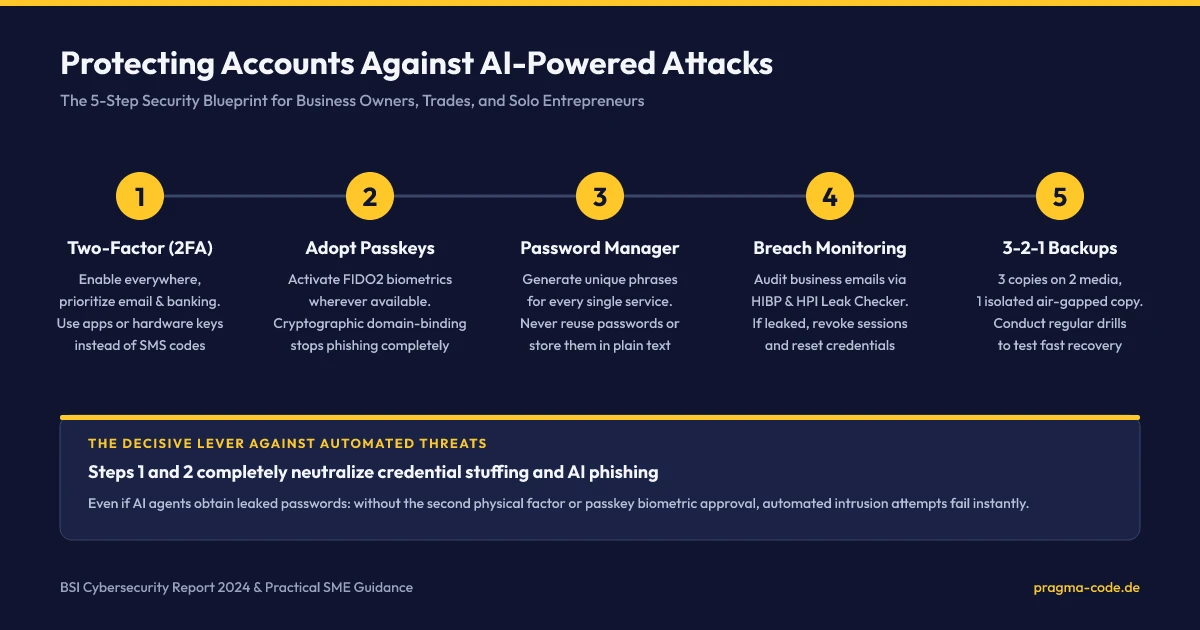
4. The 5-Step Security Blueprint at a Glance
The architecture diagram below outlines the five operational steps in their logical progression. Steps 1 and 2 lock down user authentication and identity perimeters, while steps 3 through 5 establish operational durability and disaster recovery.
5. How Pragma Code Helps: Website Hardening, Maintenance & Monitoring
While business owners can implement internal account security (email, banking, password vaults) directly, maintaining the perimeter of corporate websites and e-commerce stores often presents complex technical overhead. Your corporate web platform is your company's most public digital asset – and the primary target scanned by automated vulnerability crawlers.
Common Web Infrastructure Vulnerabilities:
- Outdated plugins, themes, and dependencies in content management systems (WordPress, Shopware, Typo3) with publicly cataloged vulnerabilities.
- Exposed administrative panels without enforced two-factor authentication or brute-force rate-limiting.
- Missing HTTP security headers (Content Security Policy, HSTS, X-Frame-Options), leaving visitors open to Cross-Site Scripting (XSS) and clickjacking.
- Flawed or untested backup configurations hosted on the same server partition as the live application.
Pragma Code partners with small and mid-sized enterprises across the DACH region to engineer durable web security and ongoing infrastructure maintenance. We harden your online presence systematically:
- Infrastructure Hardening: Enforcing strict Content Security Policies (CSP), disabling redundant legacy endpoints (such as XML-RPC), restricting IP access to administrative interfaces, and configuring modern Web Application Firewalls (WAF).
- Real-Time Monitoring: 24/7 uptime and integrity surveillance that detects unauthorized file mutations, malicious script injections, and server anomalies instantly.
- Automated Cloud Backups: Daily encrypted backups of web assets and databases stored across geographically isolated European data centers adhering strictly to the 3-2-1 rule.
- Proactive Patch Management: Thorough pre-testing of security patches in isolated staging environments prior to live production deployment.
Explore our full range of security auditing and compliance consulting services on our central IT Security & Compliance pillar page, or book an introductory conversation directly.
6. Immediate 30-Minute End-of-Day Checklist
Security is established through concrete execution, not abstract intentions. Dedicate 30 minutes before concluding your workday to complete these three immediate action items:
Quick-Check: Your 30-Minute Protection Protocol
7. Conclusion: Cybersecurity is Discipline, Not Black Magic
The rise of automated, AI-driven cyber threats is an undeniable reality that will intensify throughout the decade. Yet small business owners are far from defenseless. Cyber adversaries operate on economic calculations: they seek the path of least resistance. Once a business establishes foundational controls like Two-Factor Authentication, cryptographic passkeys, and disciplined password management, automated bot campaigns fail at the front door.
Protect your livelihood, your customer trust, and your corporate reputation. The five steps outlined in this guide require minimal financial investment – only the decisive commitment to execute them today.
Ready to harden your website and digital infrastructure against modern cyber threats?
Book a Free 30-Minute Discovery CallOfficial Sources & Primary Documentation
- Federal Office for Information Security (BSI) (2024): "The State of IT Security in Germany 2024" – Official annual report detailing cyber threat trajectories, automated malware surges (+26% to 309,000 daily variants), and SME threat exposures.
- Bitkom e.V. (August 2024): "Economic Protection Study 2024: 266.6 Billion Euros in Annual Cyber Damages" – Representative research analyzing corporate extortion, espionage, and attack prevalence across German enterprises.
- Hasso Plattner Institute (HPI): "HPI Identity Leak Checker" – Academic research repository and automated analysis service auditing compromised digital credentials and personal identity data.
- Have I Been Pwned (HIBP): "Pwned Accounts & Passwords Service" – Global reference database created by Troy Hunt to track corporate data breaches and exposed login credentials.
- BSI – Consumer & Business Defense Guidelines: "Implementing Two-Factor Authentication Effectively" – Technical guidance evaluating authenticator apps, SMS vulnerabilities, and FIDO2 hardware tokens.
- BSI – Technical Guideline TR-03188: "Passkey Server Guidelines (BSI TR-03188)" – Regulatory technical criteria governing secure implementations of WebAuthn and FIDO2 passkey architectures.
- BSI – Data Protection Standards: "Data Backups Under the 3-2-1 Rule" – Foundational baseline rules for resilient, manipulation-proof corporate backup routines.
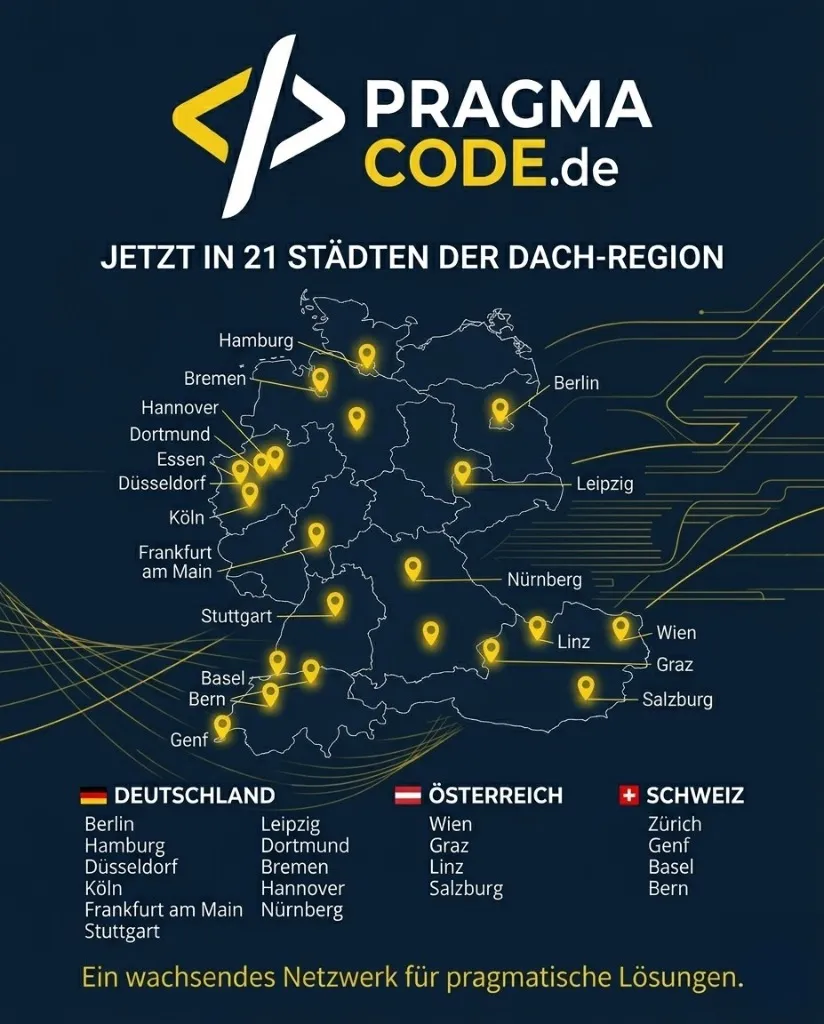
Our Regional Expertise
We are your digital partner – regionally anchored and successfully scaling across borders.
Website security & care for your business?
I deliver this for small and mid-sized businesses: at a fixed price agreed upfront, working directly with the person who builds it. Process, scope and pricing are on the service page.
See service & pricing Or request a free intro callExtended Specialized Glossary
Passkey
A passkey is a passwordless authentication credential built on FIDO2 and WebAuthn standards. Authentication relies on asymmetric cryptography via local biometrics or device PINs, rendering credentials immune to phishing and server breaches.
FIDO2
An open authentication standard governed by the FIDO Alliance, comprising WebAuthn for browsers and CTAP2 for hardware keys. It replaces passwords with cryptographic key pairs and enforces strict domain-binding.
WebAuthn
Web Authentication API – a W3C standard specification enabling web applications to communicate directly with platform authenticators (such as Secure Enclaves or TPMs) for secure, passwordless authentication.
Credential Stuffing
An automated cyberattack where compromised username and password pairs exfiltrated from previous breaches are systematically tested across thousands of online services to hijack accounts with reused passwords.
Two-Factor Authentication (2FA)
An authentication mechanism requiring users to present two distinct and independent credentials from different categories (knowledge, possession, inherence) before granting access to a digital system.
Immutable Backup
A backup architecture where stored data blocks cannot be modified, deleted, or encrypted by any user or automated process during a defined retention period, even with root or administrative privileges.